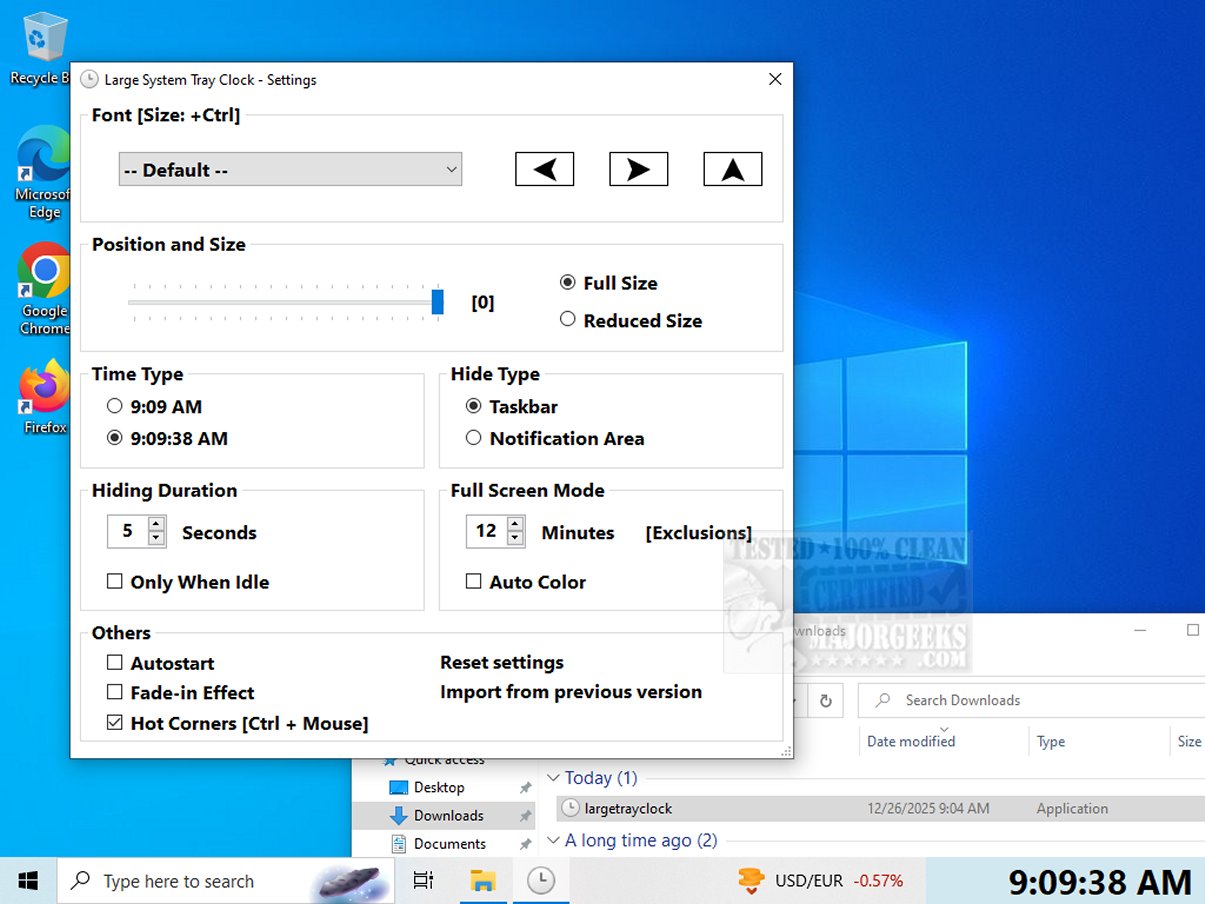
The recently released Large System Tray Clock 1.1.1.15 is a utility designed to enhance the visibility of the clock in the system tray for Windows 10 and 11 users. Aimed at addressing the shortcomings of Microsoft's default clock, this application offers improved customization and accessibility features, making it particularly beneficial for visually impaired users or those seeking greater personalization options.
Key Features of Large System Tray Clock
1. Enhanced Readability: The application enlarges the clock display, making it more legible and easier to see at a glance, thus reducing eye strain for users.
2. Customization Options: Users can tailor the clock's appearance by adjusting the font style, size, and position. Additionally, there is an option to display time with or without seconds, giving users the freedom to choose their preferred format.
3. Automatic Startup: The clock can be configured to launch automatically with Windows, ensuring it is always accessible without manual activation.
4. Full-Screen Mode: A standout feature, full-screen mode allows the clock to take over the entire screen after a set period of inactivity, making it easier for users to check the time even when they are not directly in front of their computer.
5. Hot Corners Support: The application supports hot corners, enabling the clock to be displayed in any screen corner, enhancing accessibility irrespective of the user's position.
6. Taskbar Integration: The Large System Tray Clock resides in the taskbar notification area, ensuring continuous availability. It can hide automatically during full-screen activities, like watching videos, and reappear after a user-defined delay.
7. No Installation Required: This utility is portable and does not require installation, allowing users to easily set it up on their devices.
Conclusion
The Large System Tray Clock is more than a mere timekeeping tool; it is an essential asset for those who require improved visibility and accessibility. Its user-friendly interface and customizable features make it a valuable companion for anyone looking to elevate their time management experience. With Large System Tray Clock, users can effortlessly keep track of time, ensuring they never miss a beat in their daily lives.
Related Resources: For users interested in further enhancing their time management on Windows, consider exploring additional options like displaying multiple clocks, fixing incorrect date or time settings, or customizing the taskbar clock display
Key Features of Large System Tray Clock
1. Enhanced Readability: The application enlarges the clock display, making it more legible and easier to see at a glance, thus reducing eye strain for users.
2. Customization Options: Users can tailor the clock's appearance by adjusting the font style, size, and position. Additionally, there is an option to display time with or without seconds, giving users the freedom to choose their preferred format.
3. Automatic Startup: The clock can be configured to launch automatically with Windows, ensuring it is always accessible without manual activation.
4. Full-Screen Mode: A standout feature, full-screen mode allows the clock to take over the entire screen after a set period of inactivity, making it easier for users to check the time even when they are not directly in front of their computer.
5. Hot Corners Support: The application supports hot corners, enabling the clock to be displayed in any screen corner, enhancing accessibility irrespective of the user's position.
6. Taskbar Integration: The Large System Tray Clock resides in the taskbar notification area, ensuring continuous availability. It can hide automatically during full-screen activities, like watching videos, and reappear after a user-defined delay.
7. No Installation Required: This utility is portable and does not require installation, allowing users to easily set it up on their devices.
Conclusion
The Large System Tray Clock is more than a mere timekeeping tool; it is an essential asset for those who require improved visibility and accessibility. Its user-friendly interface and customizable features make it a valuable companion for anyone looking to elevate their time management experience. With Large System Tray Clock, users can effortlessly keep track of time, ensuring they never miss a beat in their daily lives.
Related Resources: For users interested in further enhancing their time management on Windows, consider exploring additional options like displaying multiple clocks, fixing incorrect date or time settings, or customizing the taskbar clock display
Large System Tray Clock 1.1.1.15 released
Large System Tray Clock is a utility designed to improve the visibility of the clock in the Windows 10 and 11 systray. It aims to address the limited customization and accessibility features of Microsoft's default system tray clock.