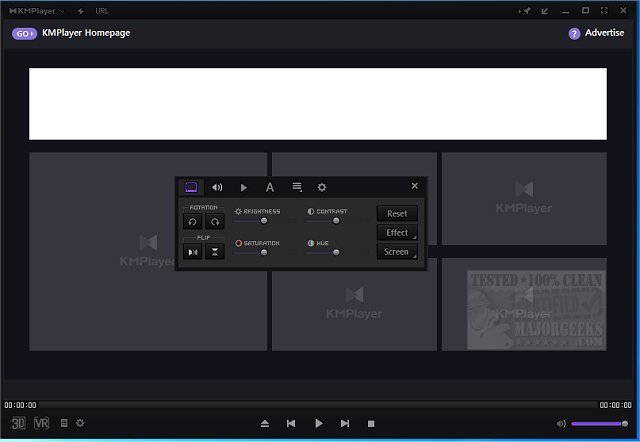
KMPlayer has released version 2026.6.26.11 / 4.2.3.35, continuing its reputation as a versatile multimedia player that supports a wide range of audio and video formats. Known for its ability to handle everything from standard-definition content to high-resolution 4K and 8K videos, KMPlayer excels in delivering smooth playback and extensive customization options.
The player supports a variety of popular formats including MP4, AVI, MKV, MOV, FLV, and WMV, along with Blu-ray and DVD playback capabilities. It can also manage niche formats and recover playback from damaged files, making it a robust choice for users with diverse media libraries. The feature set includes:
- Comprehensive Format Support: KMPlayer can play nearly all media types, from basic audio files to advanced 3D and VR videos.
- High-Quality Playback: It ensures crisp visuals and supports high-definition formats, including 8K UHD.
- Customization Options: Users can adjust playback speeds, sync audio tracks, apply filters, and modify subtitle settings.
- Advanced Controls: Fine-tuning options for video and audio are available, along with the ability to remap controls for home theater setups.
- Screen Capture & Recording: Users can capture audio, video, and images directly from their media playback, a useful tool for creators.
- Dynamic Interface: The player allows users to personalize their experience with various skins and layout adjustments.
- Smart Tools: Built-in features facilitate subtitle management, file sharing, and remote playback options.
Unique features include the ability to play and convert 3D content, support for virtual reality playback, and advanced filter and codec management.
The KMPlayer is described as a multifaceted media player that meets the needs of both casual viewers and media enthusiasts. Despite a slight learning curve due to its extensive capabilities, users are rewarded with a highly personalized media experience. The ad-supported interface might be a drawback for some, but the performance and functionality offered by KMPlayer make it a strong contender in the multimedia player market.
As users look for alternatives, similar options include VLC Media Player, which also offers robust playback features and customization. For those interested in enhancing their audio experience, guides on enabling Windows Sonic Surround Sound and managing sound devices in Windows 10 and 11 are also available.
In conclusion, KMPlayer stands out as a powerful and customizable multimedia player, ideal for anyone seeking an all-in-one solution for their media playback needs. Its ongoing updates and feature enhancements signify the developers' commitment to providing a top-tier user experience
The player supports a variety of popular formats including MP4, AVI, MKV, MOV, FLV, and WMV, along with Blu-ray and DVD playback capabilities. It can also manage niche formats and recover playback from damaged files, making it a robust choice for users with diverse media libraries. The feature set includes:
- Comprehensive Format Support: KMPlayer can play nearly all media types, from basic audio files to advanced 3D and VR videos.
- High-Quality Playback: It ensures crisp visuals and supports high-definition formats, including 8K UHD.
- Customization Options: Users can adjust playback speeds, sync audio tracks, apply filters, and modify subtitle settings.
- Advanced Controls: Fine-tuning options for video and audio are available, along with the ability to remap controls for home theater setups.
- Screen Capture & Recording: Users can capture audio, video, and images directly from their media playback, a useful tool for creators.
- Dynamic Interface: The player allows users to personalize their experience with various skins and layout adjustments.
- Smart Tools: Built-in features facilitate subtitle management, file sharing, and remote playback options.
Unique features include the ability to play and convert 3D content, support for virtual reality playback, and advanced filter and codec management.
The KMPlayer is described as a multifaceted media player that meets the needs of both casual viewers and media enthusiasts. Despite a slight learning curve due to its extensive capabilities, users are rewarded with a highly personalized media experience. The ad-supported interface might be a drawback for some, but the performance and functionality offered by KMPlayer make it a strong contender in the multimedia player market.
As users look for alternatives, similar options include VLC Media Player, which also offers robust playback features and customization. For those interested in enhancing their audio experience, guides on enabling Windows Sonic Surround Sound and managing sound devices in Windows 10 and 11 are also available.
In conclusion, KMPlayer stands out as a powerful and customizable multimedia player, ideal for anyone seeking an all-in-one solution for their media playback needs. Its ongoing updates and feature enhancements signify the developers' commitment to providing a top-tier user experience
KMPlayer 2026.6.26.11 / 4.2.3.35 released
KMPlayer is a full-featured movie and audio player that supports various codecs and file formats.