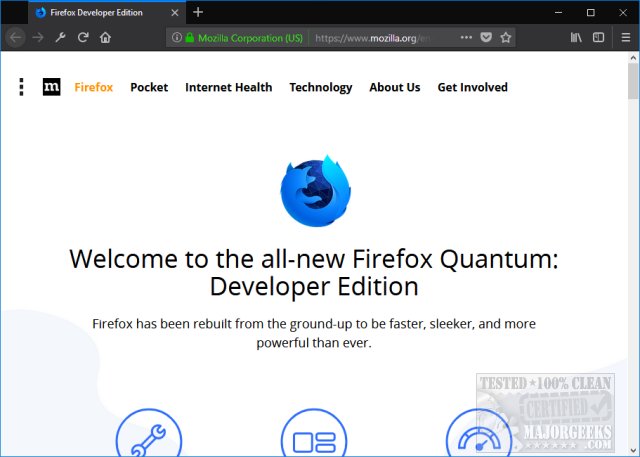
The Firefox Developer Edition 153.0 Beta 4 has been released, offering developers the latest tools and updates necessary for web development. This version is compatible with Windows, Linux, and Mac operating systems. While it boasts advanced features tailored for developers, it is not recommended as a daily browser due to its beta status.
One of the standout features of this edition is its focus on a new CSS engine, which enhances performance and speed, making it the most powerful iteration of Firefox yet. Key tools included in the Developer Edition are:
- Inspector: Helps refine code for precise layouts.
- Console: Monitors CSS, JavaScript, security, and network issues.
- Debugger: A robust tool for debugging JavaScript, compatible with various frameworks.
- Network Monitor: Identifies requests that may hinder site performance.
- Storage Tools: Manage cache, cookies, databases, and session data.
- Emulation: Test sites across different device configurations within the browser.
- Animation Tools: Refine animations and layout properties.
- Performance Optimization: Identify and resolve memory leaks and optimize assets.
- Web Audio API Inspector: Unique tool for inspecting audio-related web content.
- Real-Time JS Editing: Write and execute JavaScript on-the-fly.
- CSS Management: Control and edit all stylesheets directly in the browser.
For those who are not developers, the standard end-user beta of Firefox is available, which receives regular updates and can be found among the latest Mozilla releases.
In conclusion, while the Firefox Developer Edition is an excellent resource for developers looking to enhance their web development experience, non-developers may find more stability and usability in the regular beta version. As web technologies evolve, staying updated with such tools is crucial for effective web development
One of the standout features of this edition is its focus on a new CSS engine, which enhances performance and speed, making it the most powerful iteration of Firefox yet. Key tools included in the Developer Edition are:
- Inspector: Helps refine code for precise layouts.
- Console: Monitors CSS, JavaScript, security, and network issues.
- Debugger: A robust tool for debugging JavaScript, compatible with various frameworks.
- Network Monitor: Identifies requests that may hinder site performance.
- Storage Tools: Manage cache, cookies, databases, and session data.
- Emulation: Test sites across different device configurations within the browser.
- Animation Tools: Refine animations and layout properties.
- Performance Optimization: Identify and resolve memory leaks and optimize assets.
- Web Audio API Inspector: Unique tool for inspecting audio-related web content.
- Real-Time JS Editing: Write and execute JavaScript on-the-fly.
- CSS Management: Control and edit all stylesheets directly in the browser.
For those who are not developers, the standard end-user beta of Firefox is available, which receives regular updates and can be found among the latest Mozilla releases.
In conclusion, while the Firefox Developer Edition is an excellent resource for developers looking to enhance their web development experience, non-developers may find more stability and usability in the regular beta version. As web technologies evolve, staying updated with such tools is crucial for effective web development
Firefox Developer Edition 153.0 Beta 4 released
Firefox Developer Edition features the latest changes and development tools you need to build for the web. Available for Windows, Linux, and Mac.
Firefox Developer Edition 153.0 Beta 4 released @ MajorGeeks