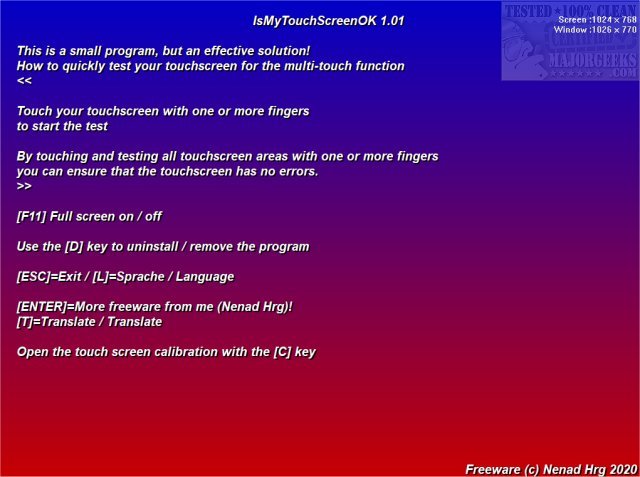
IsMyTouchScreenOK version 3.21 has been released, providing users with a convenient tool to test the functionality of multi-touch on LCD and plasma monitors. This portable application is designed to quickly identify any non-functioning contact points on touch screens, ensuring optimal performance.
To use IsMyTouchScreenOK, simply touch the screen with your fingers, and the app will guide you through a series of tests aimed at detecting any defective touchpoints. This feature is particularly useful for checking the functionality of a new touch screen before purchase or for evaluating the performance of your current touch monitor, especially while it is still under warranty. If any faults are detected, users can inform the manufacturer for potential replacement.
Additionally, IsMyTouchScreenOK can serve as a preventative measure, helping users maintain their devices and avoid future issues. With the ongoing advancements in touch screen technology, tools like IsMyTouchScreenOK are essential for ensuring that users receive quality products and for facilitating warranty claims when necessary.
Moreover, IsMyTouchScreenOK aligns with similar resources available for Windows 10, such as guides on managing the touch keyboard icon and adjusting DPI scaling levels, indicating an overall ecosystem of tools designed to enhance user experience with touch-enabled devices
To use IsMyTouchScreenOK, simply touch the screen with your fingers, and the app will guide you through a series of tests aimed at detecting any defective touchpoints. This feature is particularly useful for checking the functionality of a new touch screen before purchase or for evaluating the performance of your current touch monitor, especially while it is still under warranty. If any faults are detected, users can inform the manufacturer for potential replacement.
Additionally, IsMyTouchScreenOK can serve as a preventative measure, helping users maintain their devices and avoid future issues. With the ongoing advancements in touch screen technology, tools like IsMyTouchScreenOK are essential for ensuring that users receive quality products and for facilitating warranty claims when necessary.
Moreover, IsMyTouchScreenOK aligns with similar resources available for Windows 10, such as guides on managing the touch keyboard icon and adjusting DPI scaling levels, indicating an overall ecosystem of tools designed to enhance user experience with touch-enabled devices
IsMyTouchScreenOK 3.21 released
IsMyTouchScreenOK is a portable app that allows you to check your LCD or plasma monitor for properly functioning multi-touch.