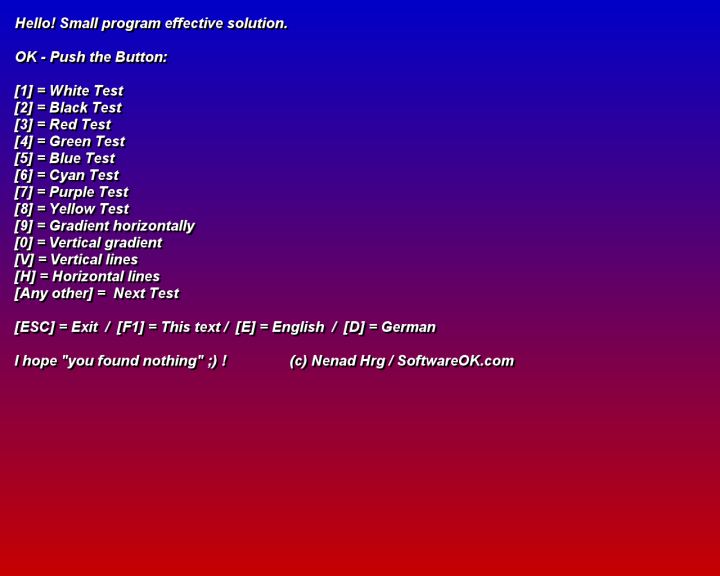
IsMyLcdOK version 6.21 has been released, offering a user-friendly tool for quickly assessing LCD monitors for issues such as dead, paralyzed, or stuck pixels. Although most manufacturers have a robust dead pixel policy, it's still possible to encounter these defects, making this tool particularly useful. IsMyLcdOK simplifies the testing process by allowing users to perform a series of color and gradient tests, each easily initiated with a hotkey. One of its notable features is that it requires no installation, enabling users to run it directly from their desktop or even carry it on a USB drive or other portable storage devices.
In addition to its primary function, IsMyLcdOK serves as a valuable resource for those looking to maintain their display quality. Users can quickly diagnose pixel issues and take appropriate measures to address them. Furthermore, the tool can be beneficial for professionals in graphic design, gaming, or any field where display integrity is crucial. As technology continues to advance, tools like IsMyLcdOK will remain essential for ensuring optimal monitor performance and user satisfaction.
For more detailed guidance, users can also explore resources on how to find and repair stuck or dead pixels on LCD monitors
In addition to its primary function, IsMyLcdOK serves as a valuable resource for those looking to maintain their display quality. Users can quickly diagnose pixel issues and take appropriate measures to address them. Furthermore, the tool can be beneficial for professionals in graphic design, gaming, or any field where display integrity is crucial. As technology continues to advance, tools like IsMyLcdOK will remain essential for ensuring optimal monitor performance and user satisfaction.
For more detailed guidance, users can also explore resources on how to find and repair stuck or dead pixels on LCD monitors
IsMyLcdOK 6.21 released
IsMyLcdOK quickly checks LCD monitors for dead, paralyzed, or stuck pixels.