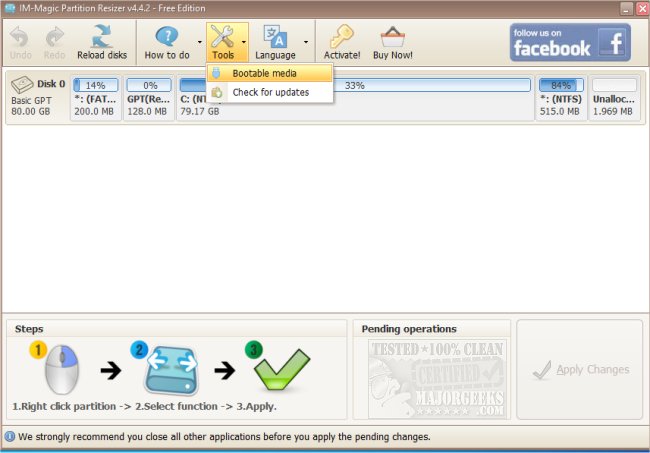
The latest version of IM-Magic Partition Resizer, version 7.9.2, has been launched, offering users a free and efficient way to manage their disk partitions. This powerful software allows users to expand, move, shrink, and merge partitions without the risk of data loss.
Key Features of IM-Magic Partition Resizer
Have you ever faced a situation where your C: drive runs out of space at the most inconvenient time? Instead of resorting to deleting files or reinstalling your operating system, IM-Magic Partition Resizer provides a flexible solution for reallocating storage space seamlessly. The software allows you to:
- Expand System Partitions: Easily increase space on your system drive by reallocating from other partitions without needing to reinstall software.
- Shrink and Redistribute Space: Adjust partitions with excess space to optimize your overall storage configuration.
- Merge and Move Partitions: Organize your drives by combining partitions or repositioning them as needed.
- Zero Data Loss: Perform all these operations without the risk of losing any files, ensuring peace of mind.
Who Can Benefit?
IM-Magic Partition Resizer is designed for a wide range of users, from everyday individuals to IT professionals. It offers solutions for:
- Casual users who need to expand their system drive without starting over.
- Those who prefer an organized file system can merge partitions for better management.
- Gamers and content creators who require efficient use of storage for large files.
- IT specialists managing multiple systems can easily adjust partitions without risking data integrity.
Final Thoughts
The IM-Magic Partition Resizer is an essential tool for anyone looking to simplify disk management. Its user-friendly interface and comprehensive features surpass the limitations of Windows' built-in disk management tools. For those grappling with disorganized storage or frequent space issues, this software provides an effective, no-risk solution to restore order and maximize efficiency in managing disk partitions.
Additional Information
For users interested in partition management, understanding the differences between GPT (GUID Partition Table) and MBR (Master Boot Record) can be crucial. The software also addresses common issues like Windows 10 creating extra disk partitions and offers guidance on safely converting between partition formats. With IM-Magic Partition Resizer, users can enjoy hassle-free partition management with just a click
Key Features of IM-Magic Partition Resizer
Have you ever faced a situation where your C: drive runs out of space at the most inconvenient time? Instead of resorting to deleting files or reinstalling your operating system, IM-Magic Partition Resizer provides a flexible solution for reallocating storage space seamlessly. The software allows you to:
- Expand System Partitions: Easily increase space on your system drive by reallocating from other partitions without needing to reinstall software.
- Shrink and Redistribute Space: Adjust partitions with excess space to optimize your overall storage configuration.
- Merge and Move Partitions: Organize your drives by combining partitions or repositioning them as needed.
- Zero Data Loss: Perform all these operations without the risk of losing any files, ensuring peace of mind.
Who Can Benefit?
IM-Magic Partition Resizer is designed for a wide range of users, from everyday individuals to IT professionals. It offers solutions for:
- Casual users who need to expand their system drive without starting over.
- Those who prefer an organized file system can merge partitions for better management.
- Gamers and content creators who require efficient use of storage for large files.
- IT specialists managing multiple systems can easily adjust partitions without risking data integrity.
Final Thoughts
The IM-Magic Partition Resizer is an essential tool for anyone looking to simplify disk management. Its user-friendly interface and comprehensive features surpass the limitations of Windows' built-in disk management tools. For those grappling with disorganized storage or frequent space issues, this software provides an effective, no-risk solution to restore order and maximize efficiency in managing disk partitions.
Additional Information
For users interested in partition management, understanding the differences between GPT (GUID Partition Table) and MBR (Master Boot Record) can be crucial. The software also addresses common issues like Windows 10 creating extra disk partitions and offers guidance on safely converting between partition formats. With IM-Magic Partition Resizer, users can enjoy hassle-free partition management with just a click
IM-Magic Partition Resizer 7.9.2 released
IM-Magic Partition Resizer is a free partition magic software to help expand, move, shrink, and merge partitions without destroying data.