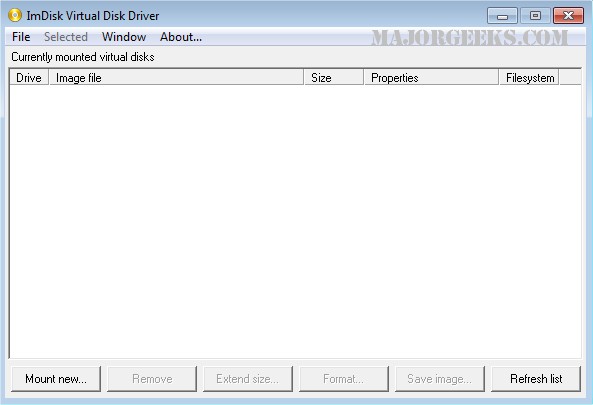
The release of ImDisk Virtual Disk Driver 2.1.2 introduces a powerful tool for creating virtual hard disks, floppy drives, or CD/DVD drives using either image files or system memory. The accompanying ImDisk Toolkit offers a user-friendly graphical interface to enhance the experience of managing virtual disks.
Upon installation, users gain access to a console-mode control program, imdisk.exe, as well as a Control Panel applet for simplified navigation. For those familiar with FreeBSD's mdconfig, the command line syntax will feel comfortable. The ImDisk driver and its associated services can be easily uninstalled through the Control Panel's Add/Remove Programs feature.
One of the standout features of ImDisk is its ability to forward I/O requests to third-party image file format handlers, as well as services located on other networked computers. This capability is particularly useful in scenarios where a machine with NTFS partitions cannot boot. By utilizing a Live-CD and the Devio tool, users can connect to another Windows machine on the network to access and recover data from the non-bootable NTFS partition. This functionality not only aids in data recovery but also allows users to run maintenance tools, such as chkdsk, on drives that would otherwise be inaccessible.
In summary, ImDisk Virtual Disk Driver 2.1.2 is a versatile solution for virtual disk management, offering robust data recovery options and an intuitive interface. Its ability to integrate with networked services enhances its utility in troubleshooting and data retrieval scenarios. As technology evolves, future updates could potentially expand its compatibility with more file systems and enhance its recovery features, making it an even more indispensable tool for IT professionals and regular users alike
Upon installation, users gain access to a console-mode control program, imdisk.exe, as well as a Control Panel applet for simplified navigation. For those familiar with FreeBSD's mdconfig, the command line syntax will feel comfortable. The ImDisk driver and its associated services can be easily uninstalled through the Control Panel's Add/Remove Programs feature.
One of the standout features of ImDisk is its ability to forward I/O requests to third-party image file format handlers, as well as services located on other networked computers. This capability is particularly useful in scenarios where a machine with NTFS partitions cannot boot. By utilizing a Live-CD and the Devio tool, users can connect to another Windows machine on the network to access and recover data from the non-bootable NTFS partition. This functionality not only aids in data recovery but also allows users to run maintenance tools, such as chkdsk, on drives that would otherwise be inaccessible.
In summary, ImDisk Virtual Disk Driver 2.1.2 is a versatile solution for virtual disk management, offering robust data recovery options and an intuitive interface. Its ability to integrate with networked services enhances its utility in troubleshooting and data retrieval scenarios. As technology evolves, future updates could potentially expand its compatibility with more file systems and enhance its recovery features, making it an even more indispensable tool for IT professionals and regular users alike
ImDisk Virtual Disk Driver 2.1.2 released
ImDisk is a virtual disk driver that can create virtual hard disk, floppy, or CD/DVD drives using image files or system memory. ImDisk Toolkit provides a graphical user interface (GUI).