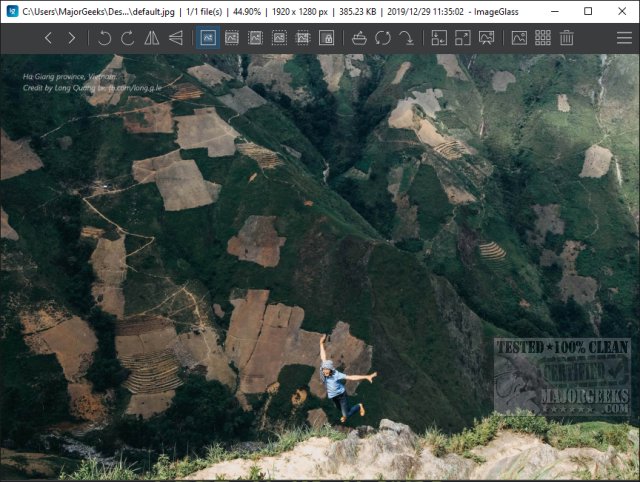
The latest release of ImageGlass, version 10.0.4.819, brings enhancements to this popular open-source, portable image viewer known for its versatility and user-friendly features. Supporting over 70 image formats such as GIF, JPG, PNG, BMP, and ICO, ImageGlass allows users to customize their experience right from the start. During the initial setup, users can select their preferred language, theme, and layout, including options for a standard or designer interface. Though the designer layout was not easily found, additional themes can be downloaded from the official website to further personalize the viewer.
ImageGlass offers a straightforward interface with a menu located in the top-right corner and a row of functional icons across the top of the screen. Among its many features are options to utilize images as backgrounds, a clipboard for easy image management, and the ability to create slideshows. Users can manipulate images by stretching or flipping them, enhancing their viewing experience.
While it's important to note that ImageGlass is not a photo editor, it remains a favorite for those seeking a free and effective way to manage and view their photo collections. For users interested in similar functionalities, the text also references various guides on viewing pictures as slideshows, rotating images, restoring Windows Photo Viewer, and taking screenshots in Windows 10 and 11.
In conclusion, ImageGlass is a robust tool for anyone looking to view images conveniently and aesthetically, and with its extensive customization options, it caters to a wide range of user preferences. Future updates may continue to improve its functionality and user interface, potentially making it an even more valuable resource for image management
ImageGlass offers a straightforward interface with a menu located in the top-right corner and a row of functional icons across the top of the screen. Among its many features are options to utilize images as backgrounds, a clipboard for easy image management, and the ability to create slideshows. Users can manipulate images by stretching or flipping them, enhancing their viewing experience.
While it's important to note that ImageGlass is not a photo editor, it remains a favorite for those seeking a free and effective way to manage and view their photo collections. For users interested in similar functionalities, the text also references various guides on viewing pictures as slideshows, rotating images, restoring Windows Photo Viewer, and taking screenshots in Windows 10 and 11.
In conclusion, ImageGlass is a robust tool for anyone looking to view images conveniently and aesthetically, and with its extensive customization options, it caters to a wide range of user preferences. Future updates may continue to improve its functionality and user interface, potentially making it an even more valuable resource for image management
ImageGlass 10.0.4.819 released
ImageGlass is an Open Source portable image viewer that supports many image formats and is loaded with great features.