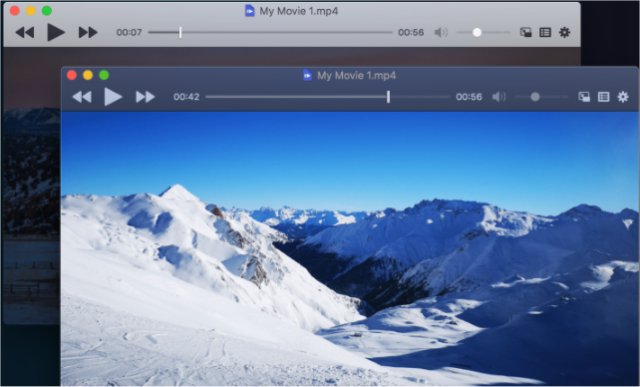
IINA 1.5.2 has been released, showcasing itself as a modern, open-source media player for macOS. Designed with both functionality and aesthetics in mind, IINA serves as an excellent alternative for users frustrated by QuickTime's limitations, particularly when dealing with formats like MKV. With IINA, users can play a wide variety of audio and video files, making it an ideal choice for those with diverse media collections.
The player is built on the mpv playback engine, allowing for seamless support of numerous file types, efficient handling of multiple audio tracks, and easy integration of subtitles—even enabling users to adjust subtitle timing on the fly. For users who enjoy tutorials, the Picture in Picture feature allows them to keep instructional videos in a small, manageable window while multitasking in other applications. The Live Text functionality further enhances usability by enabling users to pause playback and copy text directly from video frames, facilitating tasks like entering complex commands without errors.
Customization options abound in IINA, allowing users to arrange playlists and playback settings to their liking. MacBook users can take advantage of trackpad gestures and utilize media keys for effortless control. Additionally, the player offers plugin support, giving users the ability to browse and install community-created enhancements directly through the settings menu.
Some notable features of IINA include:
- Versatile Playback: Supports various media formats including MKV and MP4, eliminating the need for conversion.
- Subtitle and Audio Track Management: Load external subtitles, adjust timing, and switch between multiple audio tracks with ease.
- Picture in Picture: Keep videos accessible while using other applications, perfect for tutorials.
- Live Text: Copy text from video frames directly, simplifying the process of entering commands or information.
- Stream Support: Directly open online streams with the same user-friendly controls.
- Customizable Interface: Tailor the layout to suit personal preferences, whether keeping elements visible or hiding them during playback.
- Enhanced Control: Utilize trackpad gestures and media keys for streamlined interaction with the player.
- Plugin Integration: Expand functionality with community plugins for added features and tools.
In conclusion, while IINA might initially attract users seeking a workaround for QuickTime's limitations, its comprehensive feature set, user-friendly design, and customization options make it a valuable tool for managing and enjoying media collections effectively. As the media landscape continues to evolve, IINA remains a versatile choice for macOS users looking for a capable and visually appealing media player
IINA 1.5.2 released
IINA is born to be a modern macOS media player, from its framework to the user interface.