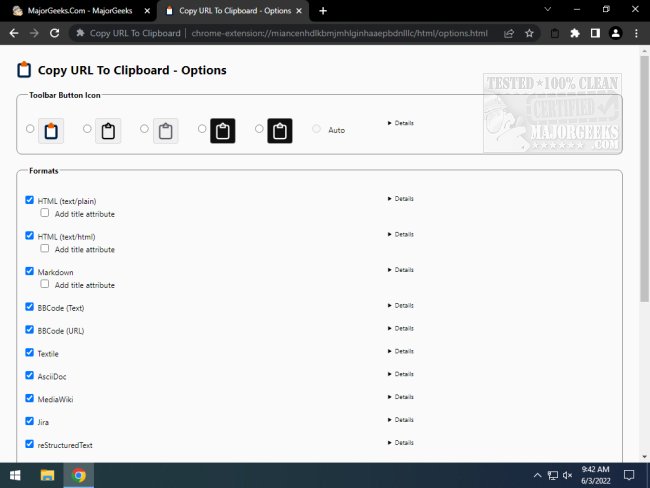
The "Copy URL To Clipboard" extension for Chrome and Firefox has been updated to version 16.0.1, enhancing the way users can manage URLs. This tool not only allows users to effortlessly copy URLs from documents or links to their clipboard but also provides the capability to edit these URLs in various formats, including HTML, Markdown, BBCode, Textile, AsciiDoc, MediaWiki, Jira, reStructuredText, LaTeX, Org Mode, and plain text.
Users can easily copy links from any open tabs using multiple methods: through the context menu, a dedicated tool button, or keyboard shortcuts. When copying a URL, users can right-click anywhere on the webpage to access the context menu and select their preferred format for the URL. Additionally, if text is highlighted before the right-click, that text will be used as the link's content.
This extension serves as an excellent resource for users looking to compile and edit URLs from various web pages for use in different applications or formats.
In addition to its core functionality, users may also be interested in related topics such as customizing the context menu in Windows 10 and 11, including how to enable or disable wide context menus, manage context menu items, and remove unwanted options like the "Share" option. These features can enhance user experience and streamline workflow across various applications
Copy URL To Clipboard for Chrome and Firefox 16.0.1 released
Copy URL To Clipboard for Chrome and Firefox allows you to copy and edit URLs.
Copy URL To Clipboard for Chrome and Firefox 16.0.1 released @ MajorGeeks