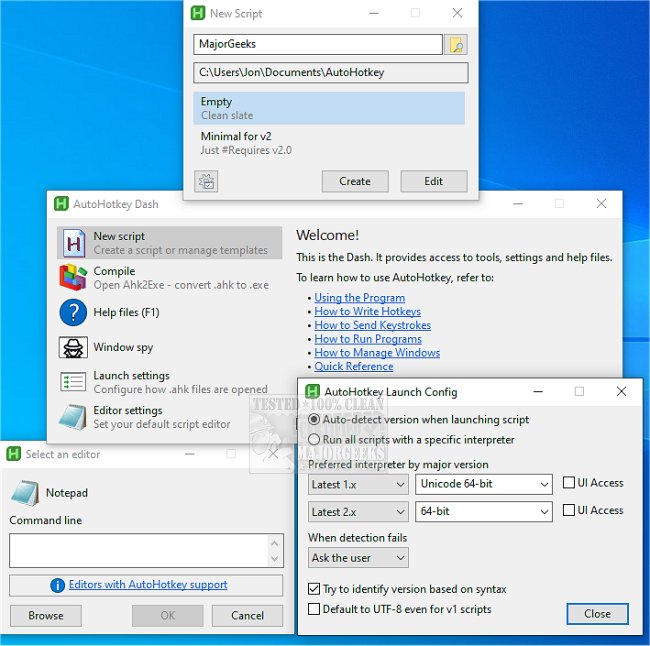
AutoHotkey has recently released versions 2.0.33 and 1.1.37.02, enhancing its capabilities as a powerful and free desktop automation tool for Windows users. This software allows users to create custom keyboard shortcuts, text replacements, and automation scripts, making it particularly beneficial for those who frequently engage in repetitive tasks such as clicking, typing, or navigating through programs.
The core functionality of AutoHotkey involves assigning actions to specific keys, mouse buttons, or keystrokes. These can range from simple tasks, like launching applications or pasting frequently used text, to more complex automation that manages multiple applications simultaneously. For instance, users can open a website directly with a key combination instead of going through the browser's interface, saving time and effort.
A practical example of scripting in AutoHotkey includes binding a key combination to launch a website or remapping keys to enhance usability, like turning Caps Lock into an Escape key. The tool also supports text expansion, allowing users to type short abbreviations that automatically expand into longer text—a significant time-saver for repetitive email replies or code snippets.
While AutoHotkey is praised for its flexibility and power, it requires a basic understanding of scripting. Users may find themselves facing a learning curve, especially when transitioning from older version 1 scripts to the newer version 2 syntax. Minor mistakes in scripting can lead to frustrations, such as unresponsive hotkeys or malfunctioning scripts.
In addition to its advantages, AutoHotkey is particularly effective for older Windows software, office applications, and tasks that users perform frequently throughout the day. For advanced users, the tool can significantly streamline workflows, while even basic scripts can greatly enhance efficiency.
In conclusion, AutoHotkey is an invaluable tool for Windows users looking to automate mundane tasks, although it does require some initial investment of time to learn. As technology continues to advance, tools like AutoHotkey empower users to maximize their productivity, allowing computers to handle repetitive work effectively. Embracing such automation can lead to a more organized and less tedious computing experience.
As we look forward, it's likely that AutoHotkey will continue to evolve, potentially incorporating more user-friendly features that bridge the gap between seasoned programmers and novice users. This could further enhance its accessibility and encourage even more users to take advantage of its powerful automation capabilities
AutoHotkey 2.0.33 / 1.1.37.02 released
AutoHotkey provides you with a fast, scriptable freeware desktop automation tool with hotkeys.