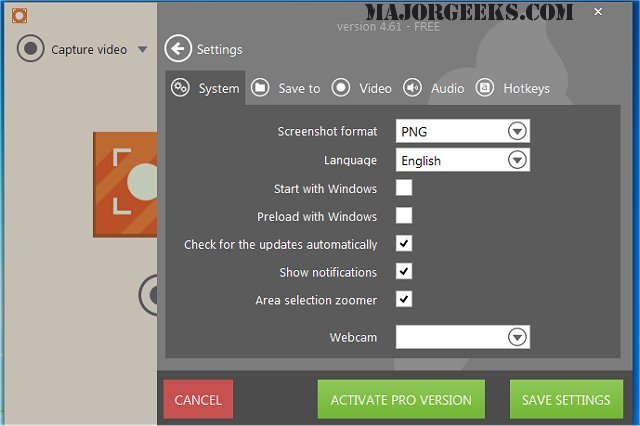
Icecream Screen Recorder version 7.48 has been released, enhancing its reputation as a user-friendly tool for screen capturing and video recording. This software allows users to capture any screen area, whether it’s a small section or the entire display, with ease. The recording process is straightforward: simply select the desired area and press record. Once the recording is complete, users can choose the save location for their files and even generate a custom URL or copy the video link to the clipboard for easy sharing.
This tool is particularly beneficial for various applications, including recording webinars, gameplay, and Skype conversations in high definition. Its ability to highlight specific points makes it an efficient choice for educators, content creators, and professionals who need to convey information clearly.
In addition to its core features, Icecream Screen Recorder 7.48 may include improvements in performance and functionality, making it even more reliable for users. It stands out among similar applications, as highlighted by related resources such as guides on taking screenshots in Windows 10 and 11, restoring the Windows Photo Viewer, editing videos with the Microsoft Photo App, and managing the thumbnail cache in Windows.
Overall, Icecream Screen Recorder serves as a valuable asset for anyone looking to create high-quality screen recordings with minimal hassle, and its latest version continues to refine its capabilities to meet user needs effectively
This tool is particularly beneficial for various applications, including recording webinars, gameplay, and Skype conversations in high definition. Its ability to highlight specific points makes it an efficient choice for educators, content creators, and professionals who need to convey information clearly.
In addition to its core features, Icecream Screen Recorder 7.48 may include improvements in performance and functionality, making it even more reliable for users. It stands out among similar applications, as highlighted by related resources such as guides on taking screenshots in Windows 10 and 11, restoring the Windows Photo Viewer, editing videos with the Microsoft Photo App, and managing the thumbnail cache in Windows.
Overall, Icecream Screen Recorder serves as a valuable asset for anyone looking to create high-quality screen recordings with minimal hassle, and its latest version continues to refine its capabilities to meet user needs effectively
Icecream Screen Recorder 7.48 released
Icecream Screen Recorder is an easy-to-use utility that allows you to capture a screen area of any size, as well as the added capability to record short videos.