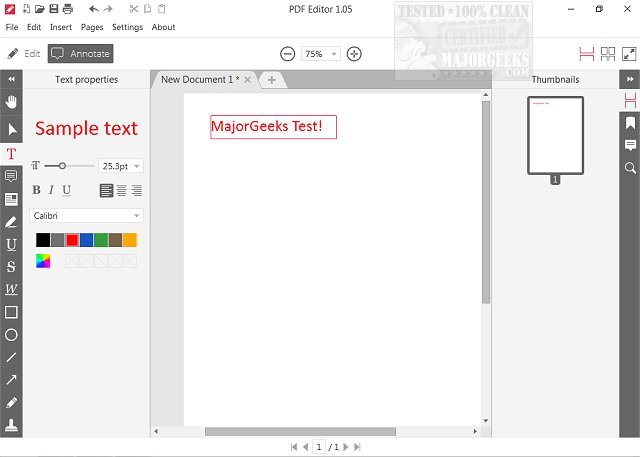
Icecream PDF Editor has just released version 3.34, which offers a range of free features for managing PDF files. Users can view, edit text, annotate, add and modify objects like images and lines, and manage pages with ease. The software is designed with a user-friendly graphical interface, allowing for straightforward access to various editing tools through a smart tools panel.
With Icecream PDF Editor, users can perform tasks such as editing text, adding notes, redacting sensitive information, protecting files, and adding images or watermarks. This editor is particularly advantageous for beginners, as its simplicity makes it accessible for those new to PDF editing. Meanwhile, more experienced users will appreciate the relief from the complexities often found in other PDF editing software.
In summary, Icecream PDF Editor 3.34 stands out as a versatile and hassle-free solution for anyone looking to manage their PDF documents effectively, all without any cost. The software is a valuable asset for both novice and experienced users, making PDF editing approachable and efficient.
To extend the discussion, potential improvements for future releases could include enhanced collaboration tools for team editing, an expanded library of pre-made templates, and integration with cloud storage services for easier access and sharing of PDF documents. Additionally, introducing features like OCR (Optical Character Recognition) could further enhance its capabilities, allowing users to edit scanned documents seamlessly
With Icecream PDF Editor, users can perform tasks such as editing text, adding notes, redacting sensitive information, protecting files, and adding images or watermarks. This editor is particularly advantageous for beginners, as its simplicity makes it accessible for those new to PDF editing. Meanwhile, more experienced users will appreciate the relief from the complexities often found in other PDF editing software.
In summary, Icecream PDF Editor 3.34 stands out as a versatile and hassle-free solution for anyone looking to manage their PDF documents effectively, all without any cost. The software is a valuable asset for both novice and experienced users, making PDF editing approachable and efficient.
To extend the discussion, potential improvements for future releases could include enhanced collaboration tools for team editing, an expanded library of pre-made templates, and integration with cloud storage services for easier access and sharing of PDF documents. Additionally, introducing features like OCR (Optical Character Recognition) could further enhance its capabilities, allowing users to edit scanned documents seamlessly
Icecream PDF Editor 3.34 released
Icecream PDF Editor allows you to view PDFs, edit text, annotate, add and edit objects (such as images, lines, arrows, etc.), manage pages, and much more for free.