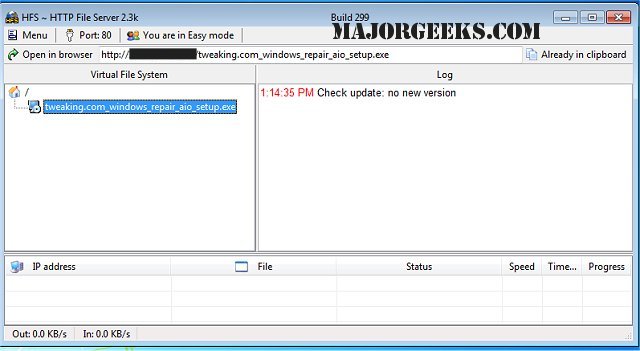
HFS - Http File Server has released version 3.3.0, enhancing its capabilities as a user-friendly and efficient tool for transferring files over the internet. By transforming your machine into an HTTP server, HFS allows users to download files through a simple webpage accessed via their browser. The software automatically copies file URLs to the clipboard, facilitating easy sharing through chat and other platforms.
HFS offers a range of features designed to give users comprehensive control over their file transfers. Users can easily configure their IP address, manage bandwidth, and create user accounts, ensuring secure and efficient connections. The interface is straightforward, simplifying remote file access across networks.
Key features of HFS include:
- Support for both downloading and uploading files
- A virtual file system for organized storage
- High customization options, including HTML templates
- Bandwidth control mechanisms
- Two operational modes: Easy and Expert
- Logging capabilities for monitoring activity
- Complete control over connection management
- User account creation for enhanced security
- A dynamic DNS updater for seamless connectivity
In addition to its robust functionalities, HFS is particularly user-friendly for both novice and advanced users, making it an excellent choice for anyone looking to set up a file transfer system. For those interested in similar solutions, guidance is available on how to set up an FTP server on Windows 10, providing alternative methods for file sharing
HFS offers a range of features designed to give users comprehensive control over their file transfers. Users can easily configure their IP address, manage bandwidth, and create user accounts, ensuring secure and efficient connections. The interface is straightforward, simplifying remote file access across networks.
Key features of HFS include:
- Support for both downloading and uploading files
- A virtual file system for organized storage
- High customization options, including HTML templates
- Bandwidth control mechanisms
- Two operational modes: Easy and Expert
- Logging capabilities for monitoring activity
- Complete control over connection management
- User account creation for enhanced security
- A dynamic DNS updater for seamless connectivity
In addition to its robust functionalities, HFS is particularly user-friendly for both novice and advanced users, making it an excellent choice for anyone looking to set up a file transfer system. For those interested in similar solutions, guidance is available on how to set up an FTP server on Windows 10, providing alternative methods for file sharing
HFS - Http File Server 3.3.0 released
HFS - Http File Server is a fast and convenient way for you to transfer files.