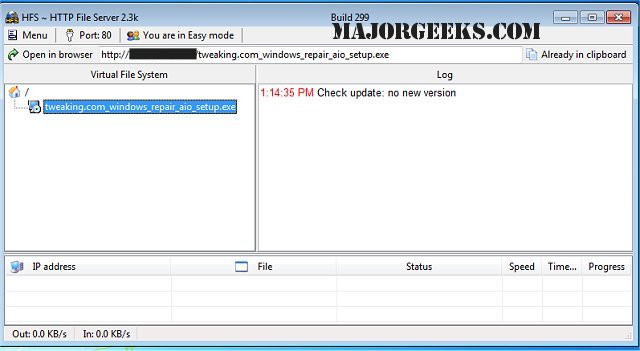
HFS - Http File Server has announced the release of version 3.2.0, enhancing its capabilities as a rapid and user-friendly solution for file transfers. This software effectively transforms your computer into an HTTP server, allowing users to connect and download files through a straightforward webpage interface. Notably, all file URLs are automatically copied to the clipboard, making sharing easy via chat or other platforms.
In addition to its user-friendly design, HFS offers a range of features that give users significant control over their file transfer experience. Users can specify the IP address for connections, manage bandwidth, and create user accounts, ensuring full oversight of all active connections. The interface is designed to be simple, facilitating seamless remote file access across networks.
Key features of HFS - Http File Server include:
- Support for both downloading and uploading files
- A virtual file system for organized file management
- High customization options through HTML templates
- Bandwidth control settings
- Modes for both novice and expert users
- Detailed logging capabilities
- Comprehensive control over user connections
- User account management
- A dynamic DNS updater for easier accessibility
For those interested in setting up file transfer services, HFS is a versatile alternative to traditional FTP servers, making it particularly suitable for Windows 10 users and beyond. This release not only maintains its core functionalities but also promises enhanced performance and user experience for file sharing needs
In addition to its user-friendly design, HFS offers a range of features that give users significant control over their file transfer experience. Users can specify the IP address for connections, manage bandwidth, and create user accounts, ensuring full oversight of all active connections. The interface is designed to be simple, facilitating seamless remote file access across networks.
Key features of HFS - Http File Server include:
- Support for both downloading and uploading files
- A virtual file system for organized file management
- High customization options through HTML templates
- Bandwidth control settings
- Modes for both novice and expert users
- Detailed logging capabilities
- Comprehensive control over user connections
- User account management
- A dynamic DNS updater for easier accessibility
For those interested in setting up file transfer services, HFS is a versatile alternative to traditional FTP servers, making it particularly suitable for Windows 10 users and beyond. This release not only maintains its core functionalities but also promises enhanced performance and user experience for file sharing needs
HFS - Http File Server 3.2.0 released
HFS - Http File Server is a fast and convenient way for you to transfer files.