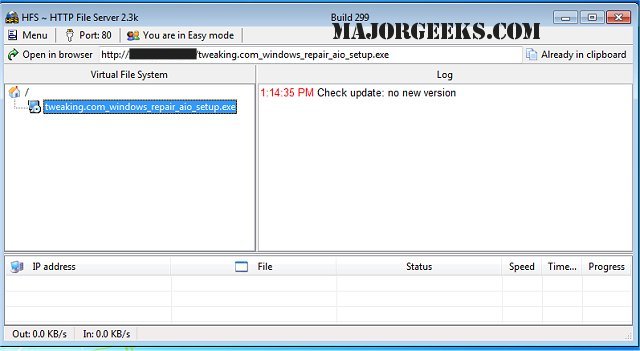
HFS - Http File Server version 3.1.7 has been released, offering an efficient and user-friendly solution for file transfers. This software transforms your computer into an HTTP server, allowing users to easily connect and download files via a simple webpage in their browser. The application automatically copies file URLs to the clipboard for easy sharing in chats or other platforms.
HFS provides users with extensive control over their file-sharing environment, enabling the customization of the IP address, bandwidth management, and user account settings. The straightforward interface simplifies remote file access across networks. Notable features of HFS include:
- Support for both download and upload operations
- A virtual file system for organized file management
- High customizability with HTML templates
- Bandwidth control to manage data transfer rates
- Easy and expert modes for different user levels
- Logging capabilities for tracking file access
- Full control over connection management
- User account creation for enhanced security
- A dynamic DNS updater to maintain accessibility
For users interested in file sharing, HFS stands out as a powerful alternative to traditional FTP servers, offering an easy setup process similar to configuring an FTP server on Windows 10. With its wide range of features, HFS ensures efficient file management and transfer, making it an excellent choice for both personal and professional use
HFS provides users with extensive control over their file-sharing environment, enabling the customization of the IP address, bandwidth management, and user account settings. The straightforward interface simplifies remote file access across networks. Notable features of HFS include:
- Support for both download and upload operations
- A virtual file system for organized file management
- High customizability with HTML templates
- Bandwidth control to manage data transfer rates
- Easy and expert modes for different user levels
- Logging capabilities for tracking file access
- Full control over connection management
- User account creation for enhanced security
- A dynamic DNS updater to maintain accessibility
For users interested in file sharing, HFS stands out as a powerful alternative to traditional FTP servers, offering an easy setup process similar to configuring an FTP server on Windows 10. With its wide range of features, HFS ensures efficient file management and transfer, making it an excellent choice for both personal and professional use
HFS - Http File Server 3.1.7 released
HFS - Http File Server is a fast and convenient way for you to transfer files.