HelpEdit is a free and versatile help authoring tool designed for Windows users, specifically aimed at creating high-quality documentation. It is well-suited for crafting user manuals, online help systems, and technical guides, making it an essential tool for writers and organizations alike.
Key Features of HelpEdit
HelpEdit boasts a user-friendly interface that equips authors with the necessary tools to create clear and organized documentation. The software allows for efficient information compilation, making it suitable for both independent writers and larger teams. Its structured topic tree enables users to organize documentation effectively, with capabilities to create root and child topics, facilitating a logical hierarchy and table of contents.
Each topic is linked to its own HTML content file, allowing for the addition of keywords, index entries, and tailored publishing options. The built-in editor eliminates the need for manual HTML coding, offering various formatting options such as text styling, font selection, and creating bullet or numbered lists.
Image and Table Support
HelpEdit supports image integration with resizable features and allows users to create editable tables. The tool also facilitates the establishment of internal and external links and the insertion of custom HTML. Users can import HTML pages along with their associated assets, enhancing the flexibility of the documentation process.
Export Options
HelpEdit can export documentation in several formats, including:
- WebHelp: A browser-based help system with a cohesive table of contents and searchable content.
- CHM Help: Classic Windows compiled HTML Help files for desktop applications.
- PDF Manual: Users can export projects as PDF manuals using Microsoft Edge's headless PDF printing.
Reusable Features and Customization
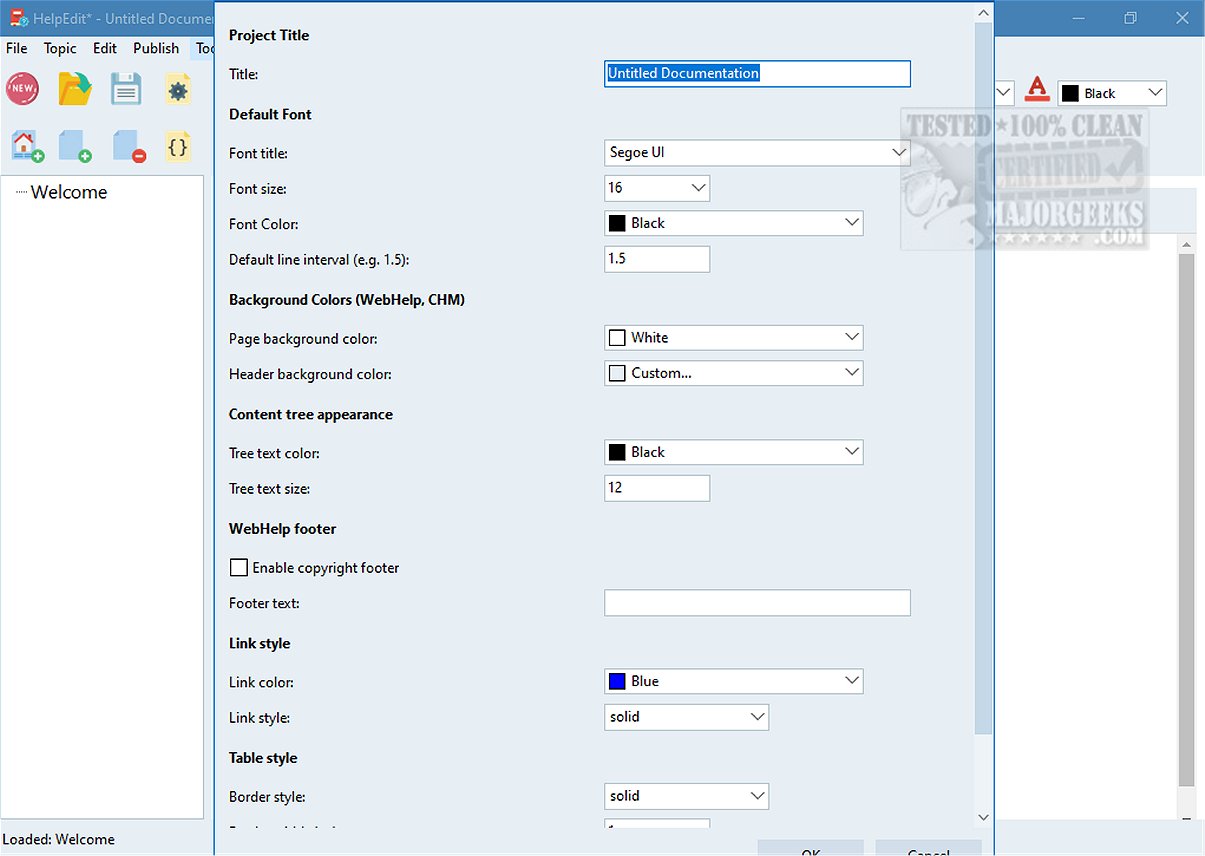
The software promotes consistency across documentation through reusable features like variables, snippets, and conditions, which are useful for recurring elements such as product names and standard phrases. Project-level settings allow users to customize the overall appearance of their documentation, ensuring alignment with branding through configurable aspects like font choices, colors, and styling.
Conclusion
HelpEdit serves as an excellent solution for guiding first-time users and providing comprehensive explanations for complex tools. Its resources cater to users of varying technical expertise, ensuring that everyone can effectively utilize the tools at their disposal. With its robust features and flexibility, HelpEdit is positioned as a valuable asset for anyone involved in technical communication and documentation creation.
Future Developments
Looking ahead, HelpEdit could benefit from further enhancements such as collaboration tools for teams, cloud storage options for easier access and sharing, and integration with other documentation platforms to streamline workflows. Additionally, incorporating support for multiple languages could expand its usability for a global audience, making it an even more powerful tool for documentation professionals
Key Features of HelpEdit
HelpEdit boasts a user-friendly interface that equips authors with the necessary tools to create clear and organized documentation. The software allows for efficient information compilation, making it suitable for both independent writers and larger teams. Its structured topic tree enables users to organize documentation effectively, with capabilities to create root and child topics, facilitating a logical hierarchy and table of contents.
Each topic is linked to its own HTML content file, allowing for the addition of keywords, index entries, and tailored publishing options. The built-in editor eliminates the need for manual HTML coding, offering various formatting options such as text styling, font selection, and creating bullet or numbered lists.
Image and Table Support
HelpEdit supports image integration with resizable features and allows users to create editable tables. The tool also facilitates the establishment of internal and external links and the insertion of custom HTML. Users can import HTML pages along with their associated assets, enhancing the flexibility of the documentation process.
Export Options
HelpEdit can export documentation in several formats, including:
- WebHelp: A browser-based help system with a cohesive table of contents and searchable content.
- CHM Help: Classic Windows compiled HTML Help files for desktop applications.
- PDF Manual: Users can export projects as PDF manuals using Microsoft Edge's headless PDF printing.
Reusable Features and Customization
The software promotes consistency across documentation through reusable features like variables, snippets, and conditions, which are useful for recurring elements such as product names and standard phrases. Project-level settings allow users to customize the overall appearance of their documentation, ensuring alignment with branding through configurable aspects like font choices, colors, and styling.
Conclusion
HelpEdit serves as an excellent solution for guiding first-time users and providing comprehensive explanations for complex tools. Its resources cater to users of varying technical expertise, ensuring that everyone can effectively utilize the tools at their disposal. With its robust features and flexibility, HelpEdit is positioned as a valuable asset for anyone involved in technical communication and documentation creation.
Future Developments
Looking ahead, HelpEdit could benefit from further enhancements such as collaboration tools for teams, cloud storage options for easier access and sharing, and integration with other documentation platforms to streamline workflows. Additionally, incorporating support for multiple languages could expand its usability for a global audience, making it an even more powerful tool for documentation professionals
HelpEdit 1.0 released
HelpEdit is a versatile, free Windows-based help authoring tool tailored for creating professional-quality documentation. This software is ideal for developing user manuals, comprehensive online help systems, and detailed technical guides.