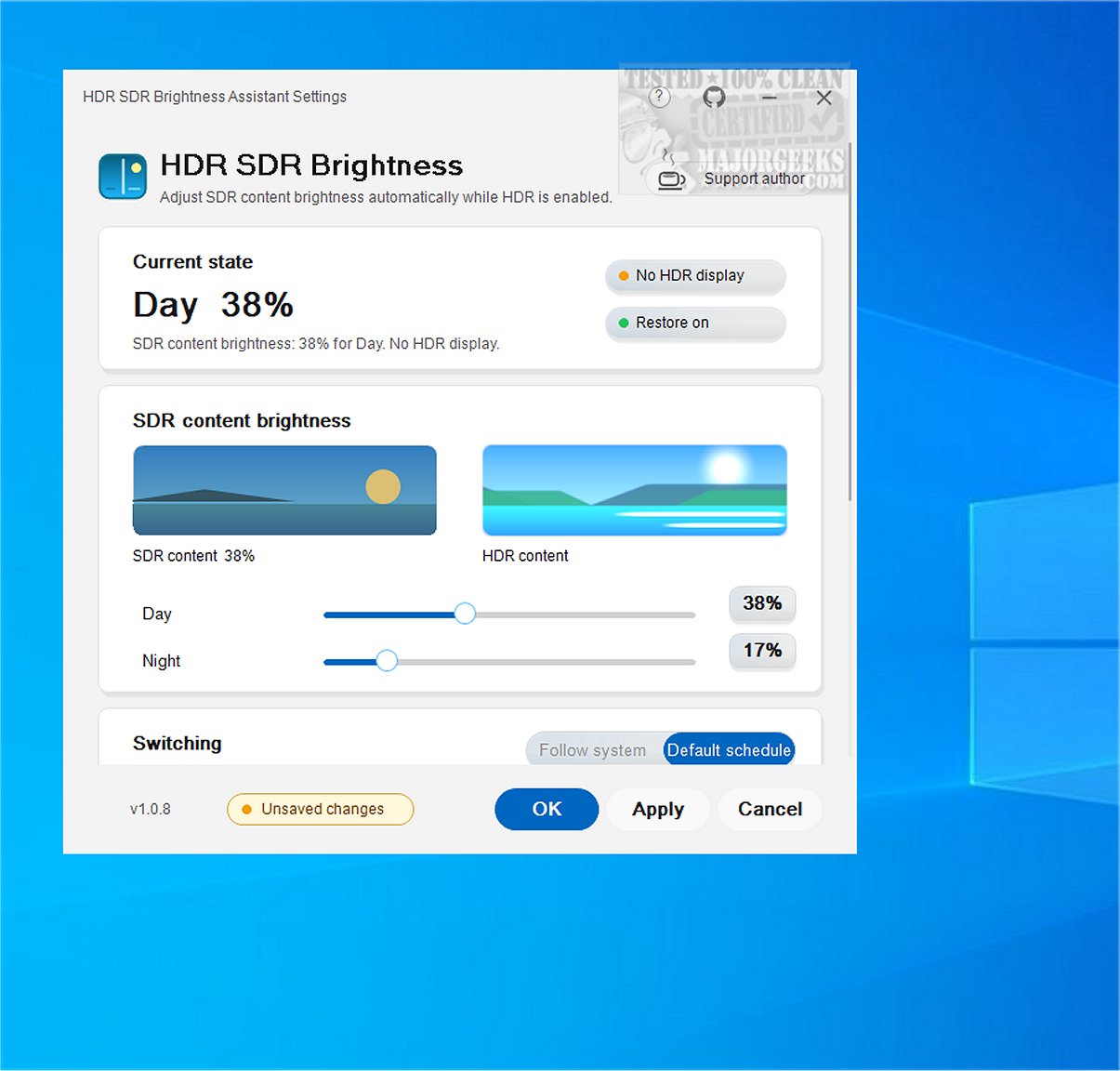
The latest version of HDR SDR Brightness, 1.0.11, has been launched as a lightweight application designed to enhance the viewing experience on Windows systems. Residing in the system tray, this tool is specifically aimed at users who engage with SDR (Standard Dynamic Range) content while HDR (High Dynamic Range) is enabled. By managing brightness adjustments effectively, HDR SDR Brightness provides a more consistent and predictable viewing experience, particularly beneficial for users of OLED, QD-OLED, and MiniLED displays, as well as HDR monitors, TVs, and laptop panels.
Key Features:
1. Brightness Management: The application addresses common issues where SDR content may appear excessively bright or dim when HDR is activated, ensuring optimal color vibrancy and consistency.
2. Windows Night Light Synchronization: Users can set specific brightness levels for SDR content for both day and night settings. The tool can synchronize with Windows Night Light settings, automatically adjusting to user preferences when manual changes are detected.
3. System Tray Operation: Running discreetly from the system tray, HDR SDR Brightness allows for easy startup and adapts to the Windows light or dark theme, providing a seamless integration into the user experience. It also features a live SDR/HDR preview within the settings window for straightforward adjustments.
4. Availability and Pricing: The application is available in the Microsoft Store as a paid app, which includes a limited-time free trial. It is designed to be user-friendly, with no in-app purchases, subscriptions, or additional software installations required. User settings are stored locally, eliminating the need for account creation.
5. User Verdict: HDR SDR Brightness has garnered positive feedback as a valuable tool for maintaining brightness consistency when HDR is enabled on Windows, enhancing overall visual enjoyment.
Conclusion and Future Outlook:
As the demand for high-quality visual experiences continues to rise, tools like HDR SDR Brightness are essential for ensuring that users can enjoy their content without compromising on brightness and color accuracy. Future updates may include additional features based on user feedback, such as enhanced customization options or support for more display types. Overall, HDR SDR Brightness stands out as a practical solution for maintaining visual integrity in a world increasingly dominated by HDR technologies
Key Features:
1. Brightness Management: The application addresses common issues where SDR content may appear excessively bright or dim when HDR is activated, ensuring optimal color vibrancy and consistency.
2. Windows Night Light Synchronization: Users can set specific brightness levels for SDR content for both day and night settings. The tool can synchronize with Windows Night Light settings, automatically adjusting to user preferences when manual changes are detected.
3. System Tray Operation: Running discreetly from the system tray, HDR SDR Brightness allows for easy startup and adapts to the Windows light or dark theme, providing a seamless integration into the user experience. It also features a live SDR/HDR preview within the settings window for straightforward adjustments.
4. Availability and Pricing: The application is available in the Microsoft Store as a paid app, which includes a limited-time free trial. It is designed to be user-friendly, with no in-app purchases, subscriptions, or additional software installations required. User settings are stored locally, eliminating the need for account creation.
5. User Verdict: HDR SDR Brightness has garnered positive feedback as a valuable tool for maintaining brightness consistency when HDR is enabled on Windows, enhancing overall visual enjoyment.
Conclusion and Future Outlook:
As the demand for high-quality visual experiences continues to rise, tools like HDR SDR Brightness are essential for ensuring that users can enjoy their content without compromising on brightness and color accuracy. Future updates may include additional features based on user feedback, such as enhanced customization options or support for more display types. Overall, HDR SDR Brightness stands out as a practical solution for maintaining visual integrity in a world increasingly dominated by HDR technologies
HDR SDR Brightness 1.0.11 released
HDR SDR Brightness is a lightweight tool that resides in the Windows system tray. It is designed to help you maintain consistent brightness levels for SDR (Standard Dynamic Range) content when HDR (High Dynamic Range) is enabled in Windows. This tool ensures a more predictable viewing experience by effectively managing brightness adjustments.