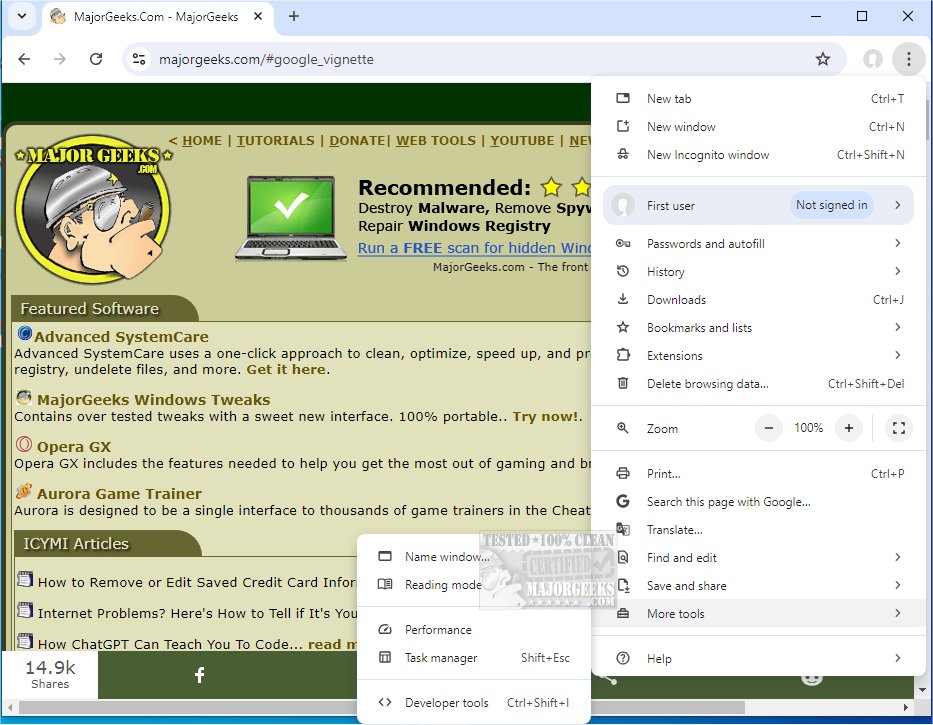
Google Chrome, a leading web browser known for its minimalistic design and advanced technology, aims to enhance users' online experiences by offering speed, security, and simplicity. The newly released version, 151.0.7922.76, continues this tradition, providing users with a robust tool for navigating the web efficiently.
Why Choose Google Chrome?
Chrome is not just about browsing; it’s about optimizing the entire web experience. The browser's intuitive design and powerful features make it a favorite among millions worldwide, whether you're a tech-savvy user managing multiple tabs or a casual surfer. With rapid page loading, extensive customization options, and seamless syncing via a Google account, Chrome provides an unparalleled browsing experience.
Key Features of Google Chrome:
- Supercharged Speed: Experience lightning-fast page loads and quick startup times, ensuring you spend more time enjoying content rather than waiting for it to load.
- Minimalist Design: Chrome’s uncluttered interface allows users to focus on the content rather than being distracted by excessive menus.
- Efficient Tab Management: Manage multiple tabs with ease, reopen closed tabs, and ensure stability as each tab operates independently.
- Privacy & Security: Enjoy features like Incognito Mode for anonymous browsing, built-in malware protection, and regular updates that safeguard against online threats.
- Extensive Extensions: Access thousands of extensions via the Chrome Web Store to customize your browsing experience to your liking.
- Smart Search Bar (Omnibox): Utilize the Omnibox for searching, URL input, and even calculations, enhancing overall functionality.
- Cross-Device Sync: Keep bookmarks, open tabs, and history synchronized across devices for a seamless experience.
- Custom Profiles: Set up individual profiles for different users or purposes, ensuring personalized settings and organization.
Why Chrome is Ideal for Everyday Use:
Chrome excels not only in speed but also in efficiency, making it perfect for various online activities like streaming or e-commerce. Its user control features allow for tailored privacy settings and aesthetic adjustments, making browsing feel personal and engaging.
Pros & Cons:
- Pros:
- Quick browsing and efficient web app performance.
- Seamless sync with Google accounts across devices.
- Strong privacy and security measures.
- Vast library of extensions for customizations.
- Cons:
- Higher resource usage, which may consume more RAM.
- Close integration with Google services may concern some users regarding privacy.
Conclusion:
Google Chrome is a standout browser that balances speed, reliability, and customization, making it an essential tool for anyone who spends time online. While it may occasionally demand more system resources, its benefits far outweigh this drawback. With the latest release, Chrome continues to solidify its position as the go-to browser for users of all types.
For those looking to enhance their browsing experience, Google Chrome is a must-download. Additionally, Chrome Portable remains available for those who prefer a portable version for on-the-go browsing.
Related Resources:
- Explore 10 Google Chrome Flags to enhance your browsing.
- Learn how to refresh Chrome and Firefox for optimal performance.
- Discover how to use the Google Chrome Malware Scanner for added security
Why Choose Google Chrome?
Chrome is not just about browsing; it’s about optimizing the entire web experience. The browser's intuitive design and powerful features make it a favorite among millions worldwide, whether you're a tech-savvy user managing multiple tabs or a casual surfer. With rapid page loading, extensive customization options, and seamless syncing via a Google account, Chrome provides an unparalleled browsing experience.
Key Features of Google Chrome:
- Supercharged Speed: Experience lightning-fast page loads and quick startup times, ensuring you spend more time enjoying content rather than waiting for it to load.
- Minimalist Design: Chrome’s uncluttered interface allows users to focus on the content rather than being distracted by excessive menus.
- Efficient Tab Management: Manage multiple tabs with ease, reopen closed tabs, and ensure stability as each tab operates independently.
- Privacy & Security: Enjoy features like Incognito Mode for anonymous browsing, built-in malware protection, and regular updates that safeguard against online threats.
- Extensive Extensions: Access thousands of extensions via the Chrome Web Store to customize your browsing experience to your liking.
- Smart Search Bar (Omnibox): Utilize the Omnibox for searching, URL input, and even calculations, enhancing overall functionality.
- Cross-Device Sync: Keep bookmarks, open tabs, and history synchronized across devices for a seamless experience.
- Custom Profiles: Set up individual profiles for different users or purposes, ensuring personalized settings and organization.
Why Chrome is Ideal for Everyday Use:
Chrome excels not only in speed but also in efficiency, making it perfect for various online activities like streaming or e-commerce. Its user control features allow for tailored privacy settings and aesthetic adjustments, making browsing feel personal and engaging.
Pros & Cons:
- Pros:
- Quick browsing and efficient web app performance.
- Seamless sync with Google accounts across devices.
- Strong privacy and security measures.
- Vast library of extensions for customizations.
- Cons:
- Higher resource usage, which may consume more RAM.
- Close integration with Google services may concern some users regarding privacy.
Conclusion:
Google Chrome is a standout browser that balances speed, reliability, and customization, making it an essential tool for anyone who spends time online. While it may occasionally demand more system resources, its benefits far outweigh this drawback. With the latest release, Chrome continues to solidify its position as the go-to browser for users of all types.
For those looking to enhance their browsing experience, Google Chrome is a must-download. Additionally, Chrome Portable remains available for those who prefer a portable version for on-the-go browsing.
Related Resources:
- Explore 10 Google Chrome Flags to enhance your browsing.
- Learn how to refresh Chrome and Firefox for optimal performance.
- Discover how to use the Google Chrome Malware Scanner for added security
Google Chrome 151.0.7922.76 released
Google Chrome is a web browser that combines a minimal design with sophisticated technology to make the web faster, safer, and easier. Chrome Portable is also available.