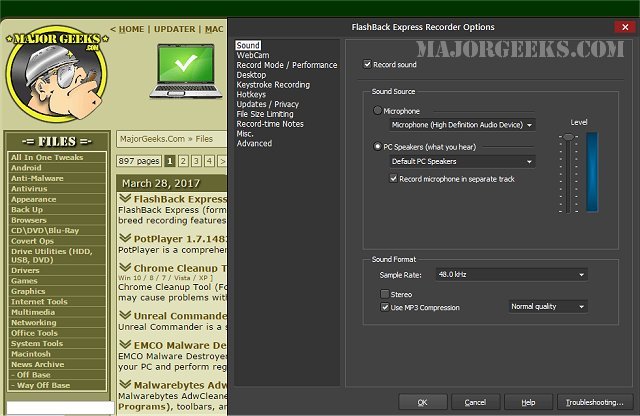
FlashBack Express 7.14.0.635 has been released, enhancing its capabilities as a premier screen and video recording tool. Previously known as BB FlashBack Express, this software is renowned for its superior recording features. One of its standout technologies is the 'capture driver,' which enables the creation of high-quality, high frame rate videos without compromising the performance of your PC, making it suitable even for lower-powered machines.
In addition to screen recording, FlashBack Express allows for WebCam integration, enabling users to add a personal touch to their videos through picture-in-picture recordings. With just one click, users can record from their webcam while simultaneously capturing screen activity, along with audio commentary from various sources like microphones and PC speakers.
The software remains easily accessible, residing in the taskbar or system tray, or floating over the desktop for quick use. When it's time to record, users can simply click the record button, and a user-friendly wizard will guide them through the recording process. Once the recording is complete, sharing is effortless, with options to publish directly to platforms like YouTube, Blip.tv, Viddler, or Revver, or simply copy a URL for easy distribution.
In future updates, FlashBack Express could potentially integrate more advanced editing features, support for additional video formats, and enhanced sharing options to further streamline the user experience. Additionally, incorporating AI-driven features for automatic editing or captioning could make the software even more appealing to a wider audience, including educators and content creators
In addition to screen recording, FlashBack Express allows for WebCam integration, enabling users to add a personal touch to their videos through picture-in-picture recordings. With just one click, users can record from their webcam while simultaneously capturing screen activity, along with audio commentary from various sources like microphones and PC speakers.
The software remains easily accessible, residing in the taskbar or system tray, or floating over the desktop for quick use. When it's time to record, users can simply click the record button, and a user-friendly wizard will guide them through the recording process. Once the recording is complete, sharing is effortless, with options to publish directly to platforms like YouTube, Blip.tv, Viddler, or Revver, or simply copy a URL for easy distribution.
In future updates, FlashBack Express could potentially integrate more advanced editing features, support for additional video formats, and enhanced sharing options to further streamline the user experience. Additionally, incorporating AI-driven features for automatic editing or captioning could make the software even more appealing to a wider audience, including educators and content creators
FlashBack Express 7.14.0.635 released
FlashBack Express (formerly BB FlashBack Express) is a screen and video recorder with the best-of-breed recording features of FlashBack.