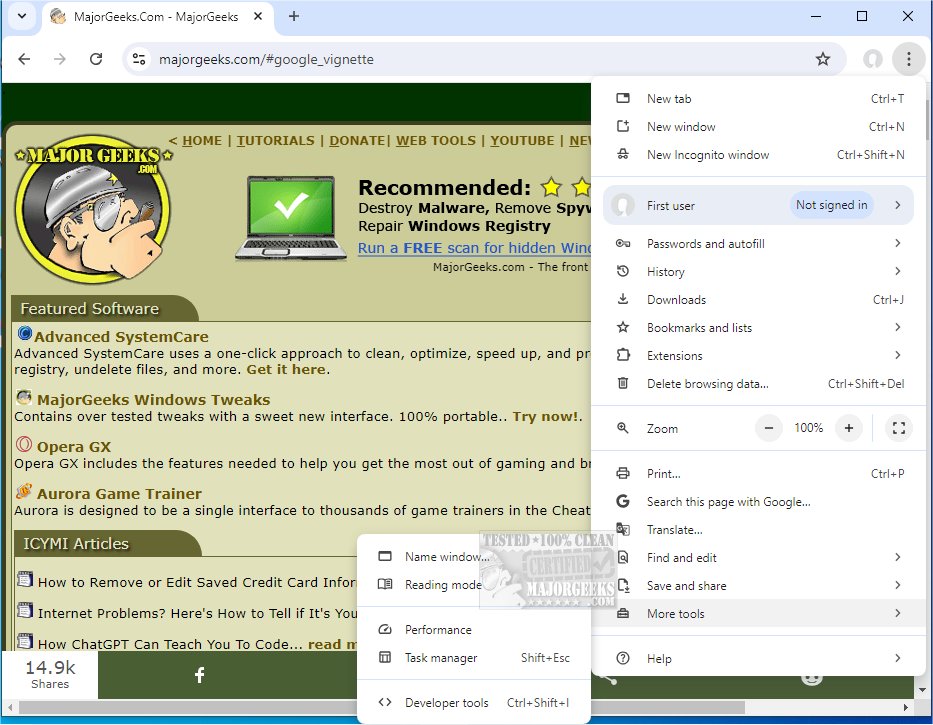
Google Chrome version 151.0.7922.170 has been released, continuing its legacy as a web browser that merges an elegant design with cutting-edge technology, enhancing web browsing speed, security, and user-friendliness. It appeals to a diverse audience, whether tech-savvy users managing numerous tabs or casual users seeking seamless online navigation.
Chrome stands out for its intuitive interface and advanced functionalities, making it a preferred choice for millions worldwide. It not only facilitates quick website access but also emphasizes safety and ease of use. Key features include:
- Supercharged Speed: Experience lightning-fast page loads and rapid application performance, minimizing wait times.
- Minimalist Design: A clutter-free interface allows users to focus on content rather than distracting menus.
- Efficient Tab Management: Users can easily navigate multiple tabs, recover closed tabs, and enjoy independent tab performance to avoid cascading failures.
- Privacy & Security: With features like Incognito Mode and built-in malware detection, Chrome prioritizes user safety and anonymity.
- Extensive Extensions: The Chrome Web Store offers thousands of extensions, enhancing functionality for various needs, from ad-blocking to productivity tools.
- Smart Search Bar (Omnibox): This feature allows users to perform searches, access URLs, and execute calculations seamlessly.
- Cross-Device Sync: Users can maintain their bookmarks, open tabs, and history across devices, simplifying access to favorites.
- Custom Profiles: Ideal for shared devices, different profiles can be set up for work, leisure, and family, each retaining its own settings and history.
Beyond speed, Chrome optimizes tab performance for efficient browsing even on slower internet days. It handles high-definition streaming effortlessly and simplifies online shopping with autofill features and pop-up blockers. Moreover, its extensive privacy controls and customization options provide a personalized browsing experience.
Pros:
- Rapid browsing and efficient web app performance.
- Smooth synchronization with Google accounts across devices.
- Strong privacy features, including malware detection.
- A vast library of extensions for endless customization.
Cons:
- Higher resource consumption, using more RAM than some alternatives.
- Close integration with Google services, which may be viewed as a downside by some users.
Google Chrome’s popularity stems not only from its association with Google but also from its impressive functionality. It balances speed, reliability, and customizability, appealing to all users from casual to power users. Despite its tendency to use significant system resources, its overall performance justifies its status as a top browser choice.
For those looking to enhance their online experience, downloading Google Chrome is highly recommended. Chrome Portable is also available for users who prefer a portable version.
- Learn how to rejuvenate Google Chrome and Mozilla Firefox.
- Find out how to Reset or Repair your browsers.
- Utilize the Google Chrome Malware Scanner & Cleanup Tool for enhanced security
Why Choose Google Chrome?
Chrome stands out for its intuitive interface and advanced functionalities, making it a preferred choice for millions worldwide. It not only facilitates quick website access but also emphasizes safety and ease of use. Key features include:
- Supercharged Speed: Experience lightning-fast page loads and rapid application performance, minimizing wait times.
- Minimalist Design: A clutter-free interface allows users to focus on content rather than distracting menus.
- Efficient Tab Management: Users can easily navigate multiple tabs, recover closed tabs, and enjoy independent tab performance to avoid cascading failures.
- Privacy & Security: With features like Incognito Mode and built-in malware detection, Chrome prioritizes user safety and anonymity.
- Extensive Extensions: The Chrome Web Store offers thousands of extensions, enhancing functionality for various needs, from ad-blocking to productivity tools.
- Smart Search Bar (Omnibox): This feature allows users to perform searches, access URLs, and execute calculations seamlessly.
- Cross-Device Sync: Users can maintain their bookmarks, open tabs, and history across devices, simplifying access to favorites.
- Custom Profiles: Ideal for shared devices, different profiles can be set up for work, leisure, and family, each retaining its own settings and history.
Everyday Usability
Beyond speed, Chrome optimizes tab performance for efficient browsing even on slower internet days. It handles high-definition streaming effortlessly and simplifies online shopping with autofill features and pop-up blockers. Moreover, its extensive privacy controls and customization options provide a personalized browsing experience.
Pros and Cons
Pros:
- Rapid browsing and efficient web app performance.
- Smooth synchronization with Google accounts across devices.
- Strong privacy features, including malware detection.
- A vast library of extensions for endless customization.
Cons:
- Higher resource consumption, using more RAM than some alternatives.
- Close integration with Google services, which may be viewed as a downside by some users.
Conclusion
Google Chrome’s popularity stems not only from its association with Google but also from its impressive functionality. It balances speed, reliability, and customizability, appealing to all users from casual to power users. Despite its tendency to use significant system resources, its overall performance justifies its status as a top browser choice.
For those looking to enhance their online experience, downloading Google Chrome is highly recommended. Chrome Portable is also available for users who prefer a portable version.
Further Reading
- Explore 10 Google Chrome Flags to enhance your browsing.- Learn how to rejuvenate Google Chrome and Mozilla Firefox.
- Find out how to Reset or Repair your browsers.
- Utilize the Google Chrome Malware Scanner & Cleanup Tool for enhanced security
Google Chrome 151.0.7922.170 released
Google Chrome is a web browser that combines a minimal design with sophisticated technology to make the web faster, safer, and easier. Chrome Portable is also available.