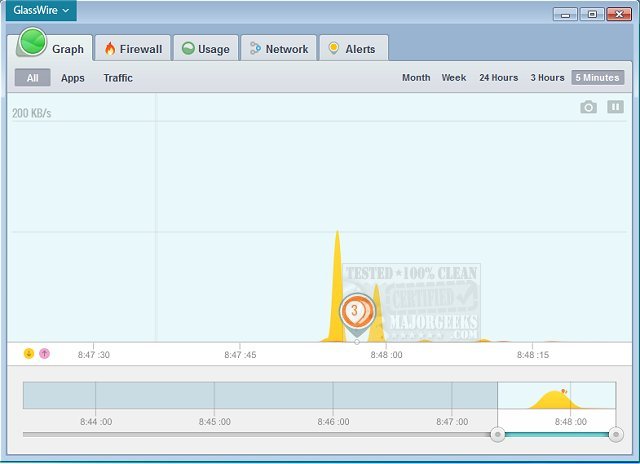
GlassWire version 3.9.1102 has been released, enhancing user privacy and security by monitoring internet activity for signs of malware or privacy breaches. The application alerts users in real-time when it detects suspicious network behavior, providing detailed information that allows for swift protective measures regarding computer security, personal privacy, and data integrity.
Key features of GlassWire include a network monitor, internet security functionality, a bandwidth usage monitor, privacy protection tools, remote server monitoring capabilities, discreet alert notifications, and a "network time machine" that allows users to see past network activity. While GlassWire excels in monitoring and scanning, it has limitations regarding process and service management—any processes or services that are stopped will automatically restart upon reboot. Additionally, the application may consume a significant amount of system resources during operation.
In summary, GlassWire offers robust monitoring and privacy protection but may not provide comprehensive management of processes and services. Users seeking to enhance their security may consider how it integrates with other anti-malware and antivirus solutions, as well as how to optimize their Windows device performance for the best experience with GlassWire.
To extend this information, users looking for a comprehensive security solution should evaluate how GlassWire can be paired with other tools to form a multi-layered defense strategy. This may involve selecting an antivirus program that complements GlassWire's monitoring capabilities, ensuring that both applications can operate effectively without conflict. Additionally, users should stay informed about updates and best practices for internet security, including regularly reviewing alerts from GlassWire and understanding the implications of detected anomalies in network traffic. By doing so, they can better safeguard their digital environments against evolving cyber threats
Key features of GlassWire include a network monitor, internet security functionality, a bandwidth usage monitor, privacy protection tools, remote server monitoring capabilities, discreet alert notifications, and a "network time machine" that allows users to see past network activity. While GlassWire excels in monitoring and scanning, it has limitations regarding process and service management—any processes or services that are stopped will automatically restart upon reboot. Additionally, the application may consume a significant amount of system resources during operation.
In summary, GlassWire offers robust monitoring and privacy protection but may not provide comprehensive management of processes and services. Users seeking to enhance their security may consider how it integrates with other anti-malware and antivirus solutions, as well as how to optimize their Windows device performance for the best experience with GlassWire.
To extend this information, users looking for a comprehensive security solution should evaluate how GlassWire can be paired with other tools to form a multi-layered defense strategy. This may involve selecting an antivirus program that complements GlassWire's monitoring capabilities, ensuring that both applications can operate effectively without conflict. Additionally, users should stay informed about updates and best practices for internet security, including regularly reviewing alerts from GlassWire and understanding the implications of detected anomalies in network traffic. By doing so, they can better safeguard their digital environments against evolving cyber threats
GlassWire 3.9.1102 released
GlassWire protects your privacy and security by identifying unusual internet behavior that potentially indicates malware or privacy violations.