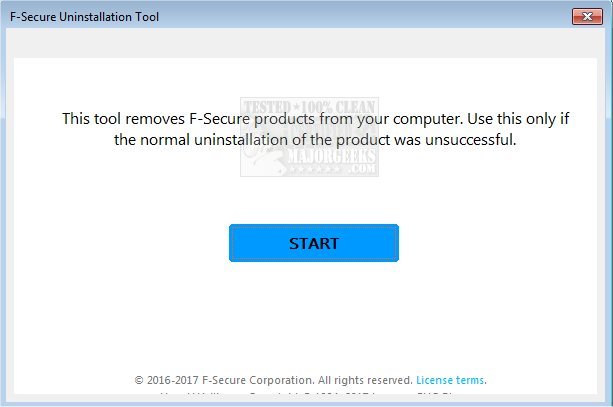
The F-Secure Uninstallation Tool version 19.3.15 has been released as a free software solution designed specifically to help users remove F-Secure products from their computers. This tool is particularly useful when standard uninstallation methods, such as those available through the Windows Control Panel or Settings, have proven ineffective.
When executed, the F-Secure Uninstallation Tool performs several key functions: it halts any running services associated with F-Secure, cleans up the system registry, and deletes all files and directories linked to the F-Secure applications. After the uninstallation process is complete, the tool will prompt the user to restart their computer to finalize the removal.
It is important for users to note that once they remove F-Secure products using this tool, their system will no longer have any antivirus protection. Therefore, it is crucial to ensure that an alternative antivirus solution is ready to be installed before proceeding with the uninstallation.
In addition to this update, users may find it beneficial to explore various topics related to antivirus software, such as the effectiveness of different antivirus options, the capabilities of Windows Defender, the best anti-malware applications available, and guidance on what to do when antivirus subscriptions like Norton or McAfee expire. These resources can help users make informed decisions about their digital security.
Furthermore, users should consider keeping their systems regularly updated and review their antivirus solutions periodically to ensure optimal protection against emerging threats in the cybersecurity landscape
When executed, the F-Secure Uninstallation Tool performs several key functions: it halts any running services associated with F-Secure, cleans up the system registry, and deletes all files and directories linked to the F-Secure applications. After the uninstallation process is complete, the tool will prompt the user to restart their computer to finalize the removal.
It is important for users to note that once they remove F-Secure products using this tool, their system will no longer have any antivirus protection. Therefore, it is crucial to ensure that an alternative antivirus solution is ready to be installed before proceeding with the uninstallation.
In addition to this update, users may find it beneficial to explore various topics related to antivirus software, such as the effectiveness of different antivirus options, the capabilities of Windows Defender, the best anti-malware applications available, and guidance on what to do when antivirus subscriptions like Norton or McAfee expire. These resources can help users make informed decisions about their digital security.
Furthermore, users should consider keeping their systems regularly updated and review their antivirus solutions periodically to ensure optimal protection against emerging threats in the cybersecurity landscape
F-Secure Uninstallation Tool 19.3.15 released
F-Secure Uninstallation Tool is freeware designed to scan for and then delete F-Secure products from your computer.