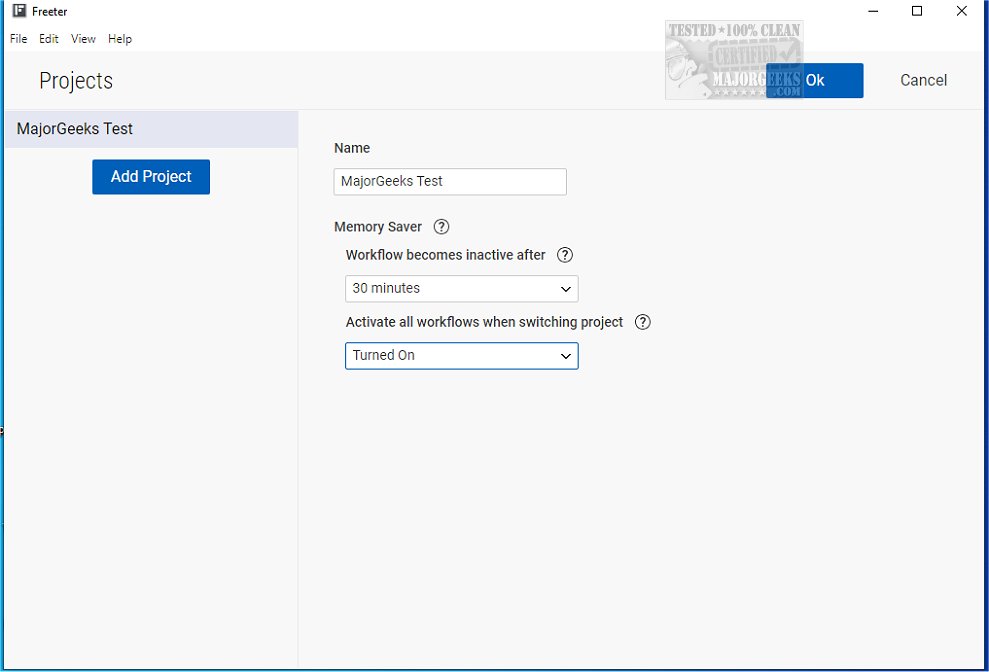
Freeter is an innovative project management tool that facilitates the seamless handling of multiple projects while optimizing workflow efficiency. This user-friendly application consolidates essential resources in a single interface, allowing users quick access to tools, commands, notes, and websites.
Enhancing Productivity
Freeter significantly boosts productivity by enabling users to customize their workspace. This adaptability allows individuals and teams to focus on their core tasks, whether brainstorming, monitoring progress, or collaborating on projects. The application provides an organized framework that helps users stay on track.
Getting Started
Upon launching Freeter for the first time, users will create an initial project, which acts as the backbone for their activities within the app. Users can easily assign a dedicated directory for related files and resources, as well as select a unique icon and color for easy identification among various projects.
User-Friendly Dashboard
Once the project is established, users are welcomed into a customizable dashboard equipped with various widgets. These widgets serve diverse functions, such as displaying information, providing shortcuts, and offering tools for task management. Users can arrange these widgets into layouts that best fit their workflows, thus increasing efficiency. The dashboard supports the integration of web pages and search setups, allowing users to access relevant information swiftly.
Projects and Widgets
When focusing on a specific project, the dashboard showcases widgets designed to enhance workflow. These can include a built-in browser for easy web access, a file explorer for managing documents, a note-taking tool for capturing ideas, and a command launcher for quick task execution. Users can arrange these widgets according to their preferences, and they can open and navigate multiple tabs within a single project for a more efficient working experience.
Configuring Web Searches and More
Freeter further enhances user experience by allowing the addition of frequently visited websites, thus personalizing the browsing experience. Users can select preferred browsers for each site, ensuring that their favorites open as desired. The tool also provides the capability to configure web searches, enabling instant search launches with just a click.
Conclusion
Freeter stands out as an essential application for streamlining project management. With its comprehensive suite of capabilities, including command execution, note-taking, and web browsing—all in one place—Freeter empowers users to remain organized and efficient, ultimately enhancing productivity in both individual and collaborative settings. As Freeter continues to evolve, users can look forward to even more features aimed at refining project management and workflow optimization
Enhancing Productivity
Freeter significantly boosts productivity by enabling users to customize their workspace. This adaptability allows individuals and teams to focus on their core tasks, whether brainstorming, monitoring progress, or collaborating on projects. The application provides an organized framework that helps users stay on track.
Getting Started
Upon launching Freeter for the first time, users will create an initial project, which acts as the backbone for their activities within the app. Users can easily assign a dedicated directory for related files and resources, as well as select a unique icon and color for easy identification among various projects.
User-Friendly Dashboard
Once the project is established, users are welcomed into a customizable dashboard equipped with various widgets. These widgets serve diverse functions, such as displaying information, providing shortcuts, and offering tools for task management. Users can arrange these widgets into layouts that best fit their workflows, thus increasing efficiency. The dashboard supports the integration of web pages and search setups, allowing users to access relevant information swiftly.
Projects and Widgets
When focusing on a specific project, the dashboard showcases widgets designed to enhance workflow. These can include a built-in browser for easy web access, a file explorer for managing documents, a note-taking tool for capturing ideas, and a command launcher for quick task execution. Users can arrange these widgets according to their preferences, and they can open and navigate multiple tabs within a single project for a more efficient working experience.
Configuring Web Searches and More
Freeter further enhances user experience by allowing the addition of frequently visited websites, thus personalizing the browsing experience. Users can select preferred browsers for each site, ensuring that their favorites open as desired. The tool also provides the capability to configure web searches, enabling instant search launches with just a click.
Conclusion
Freeter stands out as an essential application for streamlining project management. With its comprehensive suite of capabilities, including command execution, note-taking, and web browsing—all in one place—Freeter empowers users to remain organized and efficient, ultimately enhancing productivity in both individual and collaborative settings. As Freeter continues to evolve, users can look forward to even more features aimed at refining project management and workflow optimization
Freeter 2.8.0 Beta released
Freeter is a versatile tool designed to help you seamlessly manage multiple projects while streamlining your workflow.