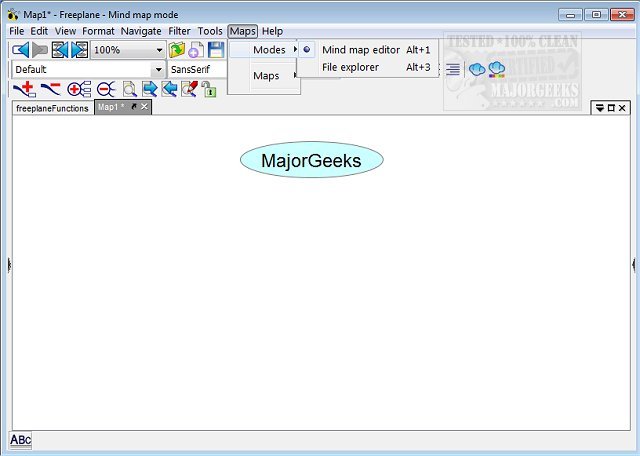
Freeplane 1.13.3 has been released, offering an enhanced mind-mapping application that serves as an ideal tool for organizing and saving ideas generated during brainstorming sessions. This versatile software allows users to create and analyze mind maps effectively, functioning on any operating system that supports a current version of Java.
Freeplane's user interface, while feature-rich, is designed to be intuitive, enabling users to easily insert various elements into their mind maps, such as icons for questions, exclamations, stars, and more. The application provides templates to facilitate the creation of mind maps and supports multiple tabs for managing various projects simultaneously.
Key features of Freeplane include:
- Dynamic note-taking with freely positionable nodes, akin to post-it notes.
- Hierarchical organization of ideas through connected nodes.
- Advanced classification of nodes using metadata and various style types.
- Visual grouping of nodes with containers and summary nodes.
- Flexible connectivity options for nodes, including dynamic links and labels.
- Automatic styling based on hierarchical levels and content.
- Structuring of nodes based on diverse content types, including text, formulas, and hyperlinks.
- Multiple viewing options, including content hiding and filtering for easier navigation.
- Task management features, calendar integration, and reminders.
- Enhanced security with password protection for maps and individual nodes.
- User-friendly experience with various editing options, multi-language support, and hotkeys.
- Approximate search functionality for finding terms even without exact matches.
- Support for LaTeX formulae within nodes.
- Capability to extend functionality through add-ons and custom scripts.
- Integration with the Docear academic literature suite.
- Extensive documentation and support available via wiki, forums, and tutorials.
In summary, Freeplane 1.13.3 is not just a tool for mind mapping; it is a comprehensive platform that empowers users to organize thoughts, manage tasks, and enhance collaboration through its wide array of features and support systems. The application continues to evolve, making it an invaluable resource for students, researchers, and professionals alike. Future updates may further refine its functionalities, improve user experience, and expand integration with other productivity tools, ensuring that Freeplane remains at the forefront of mind-mapping solutions
Freeplane's user interface, while feature-rich, is designed to be intuitive, enabling users to easily insert various elements into their mind maps, such as icons for questions, exclamations, stars, and more. The application provides templates to facilitate the creation of mind maps and supports multiple tabs for managing various projects simultaneously.
Key features of Freeplane include:
- Dynamic note-taking with freely positionable nodes, akin to post-it notes.
- Hierarchical organization of ideas through connected nodes.
- Advanced classification of nodes using metadata and various style types.
- Visual grouping of nodes with containers and summary nodes.
- Flexible connectivity options for nodes, including dynamic links and labels.
- Automatic styling based on hierarchical levels and content.
- Structuring of nodes based on diverse content types, including text, formulas, and hyperlinks.
- Multiple viewing options, including content hiding and filtering for easier navigation.
- Task management features, calendar integration, and reminders.
- Enhanced security with password protection for maps and individual nodes.
- User-friendly experience with various editing options, multi-language support, and hotkeys.
- Approximate search functionality for finding terms even without exact matches.
- Support for LaTeX formulae within nodes.
- Capability to extend functionality through add-ons and custom scripts.
- Integration with the Docear academic literature suite.
- Extensive documentation and support available via wiki, forums, and tutorials.
In summary, Freeplane 1.13.3 is not just a tool for mind mapping; it is a comprehensive platform that empowers users to organize thoughts, manage tasks, and enhance collaboration through its wide array of features and support systems. The application continues to evolve, making it an invaluable resource for students, researchers, and professionals alike. Future updates may further refine its functionalities, improve user experience, and expand integration with other productivity tools, ensuring that Freeplane remains at the forefront of mind-mapping solutions
Freeplane 1.13.3 released
Freeplane is a mind-mapping app that gives you the perfect vehicle for keeping your brainstorming session ideas organized and saved.