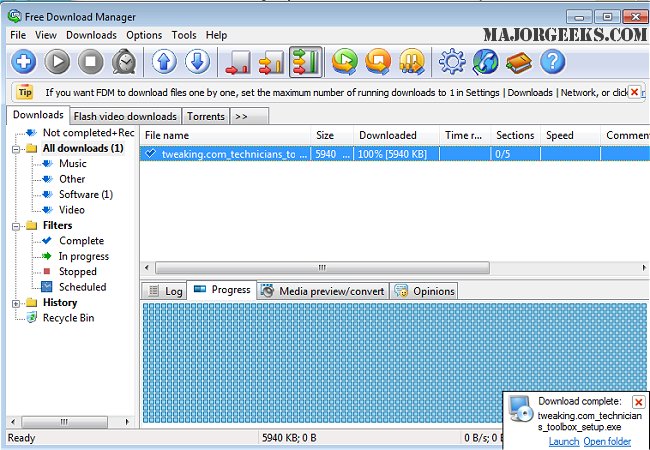
Free Download Manager (FDM) has recently released version 6.35.0 and 3.9.7.1641 Lite, enhancing its capabilities as a powerful download management tool. FDM allows users to download files and entire websites from remote servers using FTP, HTTP, and HTTPS protocols. Notably, it offers both Lite and Pro versions in portable formats for added convenience.
What sets Free Download Manager apart from other similar applications is its unique approach to file downloading. Instead of downloading a file in one go, FDM splits it into multiple sections, downloading these segments simultaneously. This innovative method can boost download speeds by up to 600%. Users are also alerted if a server does not support download resuming, giving them the choice to continue with the download or not.
FDM also features an organized file management system, allowing users to categorize their downloads by type and store them in predefined folders. Additionally, the smart scheduler enables users to automate various actions related to downloads, such as starting or pausing downloads and launching applications at specified times.
A key feature of Free Download Manager is its ability to optimize traffic usage, which is especially beneficial for users with slow internet connections, ensuring a smoother web browsing experience.
In summary, Free Download Manager is not just a tool for downloading files; it is a comprehensive solution that enhances user experience by optimizing download speeds and organizing downloads efficiently. Its features make it a valuable asset for anyone looking to manage their downloads effectively.
Looking ahead, users can anticipate further improvements and updates from Free Download Manager, which may include enhanced integration with cloud services, improved user interfaces, and additional customization options for managing downloads. As technology evolves, download managers like FDM are likely to continue adapting to meet the needs of users in an increasingly digital world
What sets Free Download Manager apart from other similar applications is its unique approach to file downloading. Instead of downloading a file in one go, FDM splits it into multiple sections, downloading these segments simultaneously. This innovative method can boost download speeds by up to 600%. Users are also alerted if a server does not support download resuming, giving them the choice to continue with the download or not.
FDM also features an organized file management system, allowing users to categorize their downloads by type and store them in predefined folders. Additionally, the smart scheduler enables users to automate various actions related to downloads, such as starting or pausing downloads and launching applications at specified times.
A key feature of Free Download Manager is its ability to optimize traffic usage, which is especially beneficial for users with slow internet connections, ensuring a smoother web browsing experience.
In summary, Free Download Manager is not just a tool for downloading files; it is a comprehensive solution that enhances user experience by optimizing download speeds and organizing downloads efficiently. Its features make it a valuable asset for anyone looking to manage their downloads effectively.
Looking ahead, users can anticipate further improvements and updates from Free Download Manager, which may include enhanced integration with cloud services, improved user interfaces, and additional customization options for managing downloads. As technology evolves, download managers like FDM are likely to continue adapting to meet the needs of users in an increasingly digital world
Free Download Manager 6.35.0 / 3.9.7.1641 Lite released
Free Download Manager (FDM) is a robust download management program that permits downloading files and whole websites from any remote server via FTP, HTTP, and HTTPS. Portable version for Lite and Pro also available.
Free Download Manager 6.35.0 / 3.9.7.1641 Lite released @ MajorGeeks