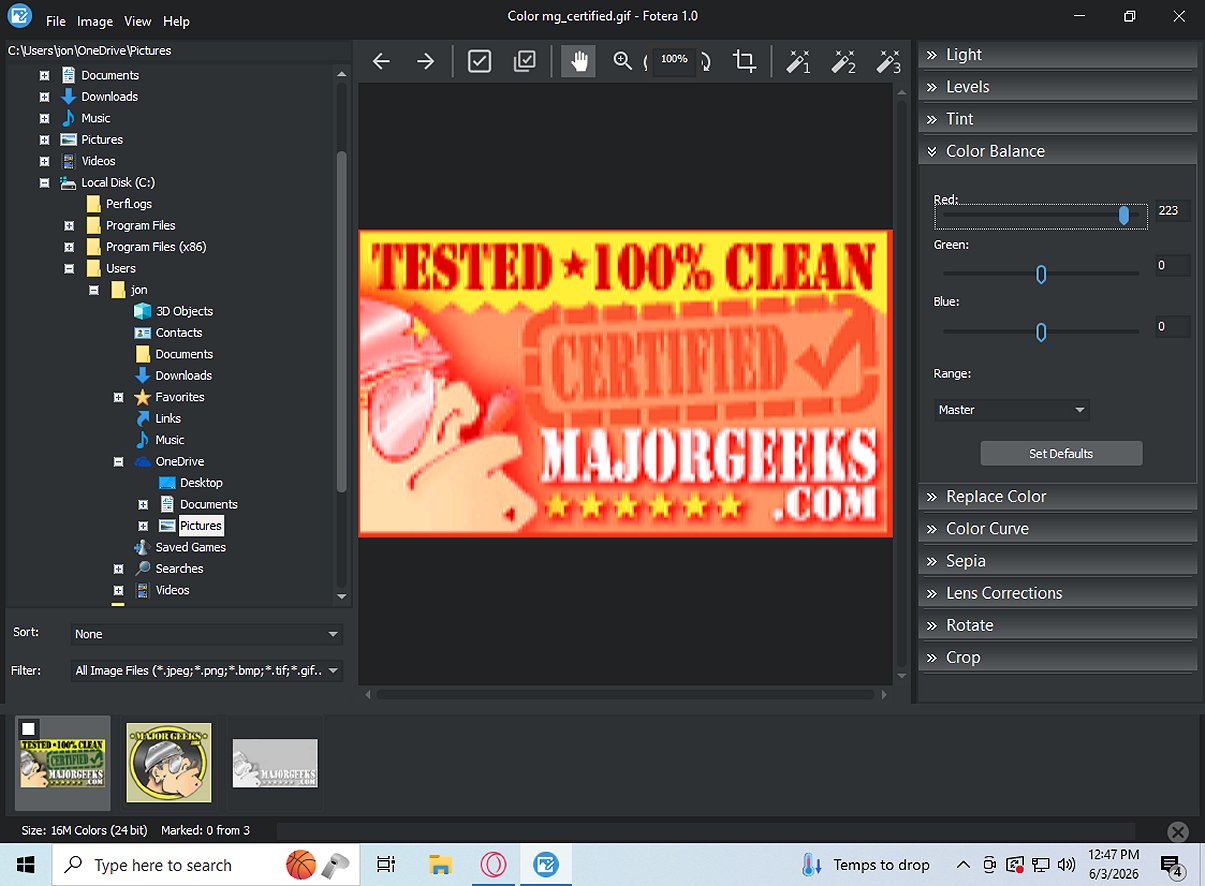
Fotera 2.1 has been released, enhancing its reputation as a freeware photo-editing software designed for users who require quick, efficient, and non-destructive editing capabilities. This program stands out by ensuring that all modifications are saved separately from the original images, thereby preserving the integrity of source photos.
Key Features of Fotera
Fotera is engineered to facilitate a seamless editing experience, allowing users to make various adjustments—such as exposure, contrast, saturation, and cropping—while keeping the original files untouched. Changes are saved as distinct edit data that can be reverted at any time, ensuring that users can experiment with different styles without compromising image quality.Folder-Based Workflow
The software employs an intuitive folder-based workflow that streamlines the editing process. Users can easily navigate through image thumbnails, select photos for editing, and utilize features such as sorting and filtering. With previous/next buttons, image marking for quick reference, and batch export options, Fotera is designed for efficient workflow management.RAW Photo Editing Support
One of Fotera's notable features is its support for RAW photo editing across various camera formats. Users can leverage RAW-specific settings, such as selecting different RAW engines and managing highlight handling, to obtain enhanced control over their edits. The software allows for precise adjustments to white balance and color corrections, ensuring accurate and pleasing results.Image Correction Tools and Creative Features
Fotera includes a variety of image correction tools that expand creative possibilities. Users can apply transformations such as rotations, cropping, and lens distortion corrections. Additionally, the software offers simple creative editing features, allowing users to apply effects like sepia, adjust hue and saturation, and utilize auto enhancement presets for quick improvements.Exporting Your Work
Fotera excels in exporting capabilities, providing robust batch export functionality. Users can export marked photos while ensuring that all non-destructive edits are applied to full-resolution copies. This feature allows photographers to maintain the integrity of their original images while efficiently managing their edits.Conclusion
For anyone looking for top-notch free photo-editing software, Fotera 2.1 is an excellent option. It combines efficiency, non-destructive editing, and a user-friendly interface, making it ideal for photographers and casual users alike. With Fotera, users can edit their photos with confidence, knowing their original images remain safe and untouched.Future Considerations
As Fotera continues to evolve, future updates could include advanced features such as AI-driven editing tools, enhanced collaborative options for teams, and improved integration with popular social media platforms for instant sharing. The addition of tutorials and community support could also enhance user experience, making it easier for new users to learn the software's capabilitiesFotera 2.1 released
Fotera is freeware photo-editing software tailored for individuals seeking quick, efficient, and non-destructive image editing. It ensures that every modification is saved separately from the original image, preserving the integrity of your source photos.