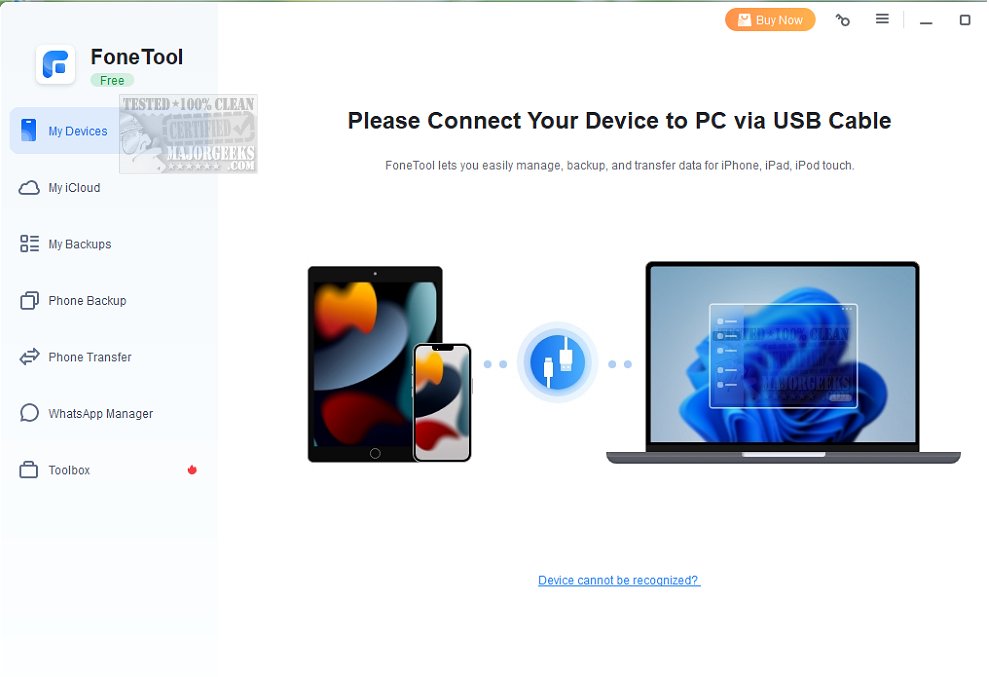
FoneTool has released its latest version, 3.6.0, which enhances its offerings for managing iOS devices like iPhones, iPads, and iPods directly from a Windows PC. This versatile application not only allows users to back up, transfer, and organize their device data efficiently but also facilitates wireless data transfers between Android and iPhone devices, making it easier to switch between platforms without losing important information.
With a focus on user-friendliness, FoneTool provides an intuitive interface that simplifies the backup process. Users can quickly back up selected files, ensuring their essential data is securely stored and easily recoverable. Additionally, the tool includes features for converting HEIC images—common for iPhone photos—into more compatible formats such as JPEG, which is beneficial for various projects and applications.
FoneTool Free is designed to be accessible for users of all technical backgrounds, featuring a modern aesthetic that aligns with current operating systems. The application allows users to safeguard their important files, manage media, and optimize image files seamlessly.
Key features of FoneTool include:
- Data transfer and backup capabilities between iPhones and PCs.
- Support for transferring data between iPhones and Android devices.
- Options to back up and transfer WhatsApp data.
- Data recovery for lost or deleted files on iPhones.
- A secure method for erasing all data from devices, essential for protecting personal information when selling or giving away devices.
- Tools for finding and deleting duplicate photos, as well as batch converting HEIC files to more common formats.
The Toolbox section of FoneTool further enhances the user experience by providing additional functionalities that streamline device management. These features not only help in freeing up storage space but also ensure that users can maintain a well-organized digital environment.
Overall, FoneTool Free stands out as an essential application for iOS users looking to manage their device data efficiently and securely. With its comprehensive features, it serves as a game-changer for data security and device management needs
With a focus on user-friendliness, FoneTool provides an intuitive interface that simplifies the backup process. Users can quickly back up selected files, ensuring their essential data is securely stored and easily recoverable. Additionally, the tool includes features for converting HEIC images—common for iPhone photos—into more compatible formats such as JPEG, which is beneficial for various projects and applications.
FoneTool Free is designed to be accessible for users of all technical backgrounds, featuring a modern aesthetic that aligns with current operating systems. The application allows users to safeguard their important files, manage media, and optimize image files seamlessly.
Key features of FoneTool include:
- Data transfer and backup capabilities between iPhones and PCs.
- Support for transferring data between iPhones and Android devices.
- Options to back up and transfer WhatsApp data.
- Data recovery for lost or deleted files on iPhones.
- A secure method for erasing all data from devices, essential for protecting personal information when selling or giving away devices.
- Tools for finding and deleting duplicate photos, as well as batch converting HEIC files to more common formats.
The Toolbox section of FoneTool further enhances the user experience by providing additional functionalities that streamline device management. These features not only help in freeing up storage space but also ensure that users can maintain a well-organized digital environment.
Overall, FoneTool Free stands out as an essential application for iOS users looking to manage their device data efficiently and securely. With its comprehensive features, it serves as a game-changer for data security and device management needs
FoneTool 3.6.0 released
FoneTool offers a wide range of features that allow you to easily back up, transfer, and manage your iPhone, iPad, or iPod Touch directly from your Windows PC, among other things.