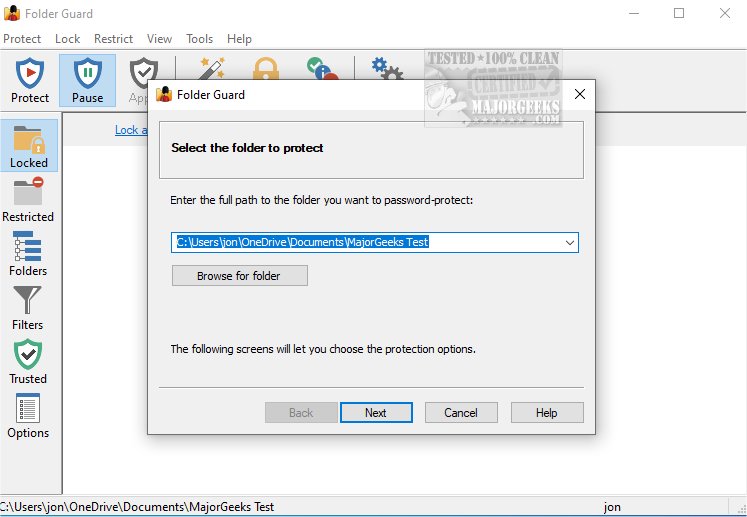
Folder Guard 26.7 has been released, providing users with enhanced computer security features that allow for detailed control over access to files, folders, and various Windows resources. This software enables users to implement personalized security measures to protect sensitive data from unauthorized access or alterations.
One of the key features of Folder Guard is its ability to password-protect an unlimited number of folders, allowing each folder to have a unique password. Users can easily use a Master Password to remove protection from all folders at once, streamlining the management of file security. The software also offers a Private Folder function, enhancing the security of personal files by allowing users to set passwords and hide sensitive folders from almost all applications. These folders remain invisible until accessed with a valid password, ensuring higher confidentiality.
Additionally, Folder Guard provides mechanisms to protect critical system files from modification or deletion, restrict access to removable drives, and limit access to the Control Panel and Windows Settings. This ensures that only authorized users can alter important system configurations, thereby maintaining system integrity. The program also allows users to designate certain backup applications as trusted, facilitating seamless backups of protected files without repeated password entries.
For anyone seeking a robust solution to enhance their digital security and maintain comprehensive control over access to files and system resources, Folder Guard stands out as a leading choice.
To extend the features of Folder Guard, future updates could consider integrating advanced encryption methods for files and folders, enabling real-time monitoring and alerts for unauthorized access attempts, and providing cloud backup options for added data security. Additionally, incorporating user-friendly interfaces and tutorials could help less tech-savvy users take full advantage of the software's capabilities. Overall, Folder Guard continues to be a valuable tool in the fight against unauthorized data access and manipulation
One of the key features of Folder Guard is its ability to password-protect an unlimited number of folders, allowing each folder to have a unique password. Users can easily use a Master Password to remove protection from all folders at once, streamlining the management of file security. The software also offers a Private Folder function, enhancing the security of personal files by allowing users to set passwords and hide sensitive folders from almost all applications. These folders remain invisible until accessed with a valid password, ensuring higher confidentiality.
Additionally, Folder Guard provides mechanisms to protect critical system files from modification or deletion, restrict access to removable drives, and limit access to the Control Panel and Windows Settings. This ensures that only authorized users can alter important system configurations, thereby maintaining system integrity. The program also allows users to designate certain backup applications as trusted, facilitating seamless backups of protected files without repeated password entries.
For anyone seeking a robust solution to enhance their digital security and maintain comprehensive control over access to files and system resources, Folder Guard stands out as a leading choice.
To extend the features of Folder Guard, future updates could consider integrating advanced encryption methods for files and folders, enabling real-time monitoring and alerts for unauthorized access attempts, and providing cloud backup options for added data security. Additionally, incorporating user-friendly interfaces and tutorials could help less tech-savvy users take full advantage of the software's capabilities. Overall, Folder Guard continues to be a valuable tool in the fight against unauthorized data access and manipulation
Folder Guard 26.7 released
Folder Guard is a powerful software application that offers advanced computer security by providing comprehensive control over access to files, folders, and various Windows resources.