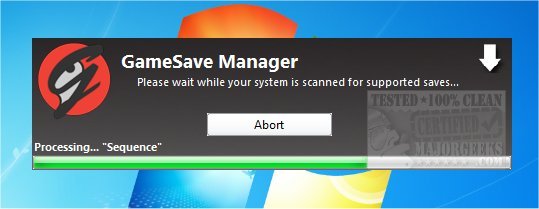
GameSave Manager has recently released version 3.1.585.0, designed to simplify the processes of backing up, restoring, and transferring game saves. This tool is particularly useful for gamers who have encountered file corruption, need to transfer saves to new machines, or want to share their progress with friends and family without the hassle of navigating through multiple directories.
Key features of GameSave Manager include:
- No Dependencies: It operates independently without requiring .NET Framework.
- User-Friendly GUI: The visually appealing and intuitive interface enhances navigation and usability.
- Update Checker: An optional feature that checks for program and database updates upon startup.
- Regular Database Updates: The database of officially supported games is continuously updated based on community input.
- FTP and Dropbox Support: Users can automatically upload backups to private FTP servers or their Dropbox account for easy storage.
- Backup Validation: Ensures that backup archives can be restored without issues through testing and caching.
- Custom Gamesave Entries: Allows users to add games that are not officially supported.
- Steam Spreader: This feature helps manage space on SSDs by moving Steam games to different partitions while maintaining access.
- Dynamic Restoring: Automatically detects restore paths, accommodating installations in different directories or drives.
- Customizable Options: Users can tailor program settings according to their preferences.
In addition to these features, GameSave Manager supports automated backups, creates separate archives, and offers an option to backup only when changes are detected in game saves. This flexibility makes it an essential tool for gamers seeking to protect their progress and manage their game data efficiently.
As gaming continues to evolve and become increasingly complex, tools like GameSave Manager are invaluable for ensuring that players can maintain their game saves and enjoy a seamless gaming experience across devices. Whether you're a casual gamer or a dedicated player, having a reliable method for managing game saves can enhance your overall gaming enjoyment and prevent potential data loss
Key features of GameSave Manager include:
- No Dependencies: It operates independently without requiring .NET Framework.
- User-Friendly GUI: The visually appealing and intuitive interface enhances navigation and usability.
- Update Checker: An optional feature that checks for program and database updates upon startup.
- Regular Database Updates: The database of officially supported games is continuously updated based on community input.
- FTP and Dropbox Support: Users can automatically upload backups to private FTP servers or their Dropbox account for easy storage.
- Backup Validation: Ensures that backup archives can be restored without issues through testing and caching.
- Custom Gamesave Entries: Allows users to add games that are not officially supported.
- Steam Spreader: This feature helps manage space on SSDs by moving Steam games to different partitions while maintaining access.
- Dynamic Restoring: Automatically detects restore paths, accommodating installations in different directories or drives.
- Customizable Options: Users can tailor program settings according to their preferences.
In addition to these features, GameSave Manager supports automated backups, creates separate archives, and offers an option to backup only when changes are detected in game saves. This flexibility makes it an essential tool for gamers seeking to protect their progress and manage their game data efficiently.
As gaming continues to evolve and become increasingly complex, tools like GameSave Manager are invaluable for ensuring that players can maintain their game saves and enjoy a seamless gaming experience across devices. Whether you're a casual gamer or a dedicated player, having a reliable method for managing game saves can enhance your overall gaming enjoyment and prevent potential data loss
GameSave Manager 3.1.585.0 released
With GameSave Manager, you can easily backup, restore, and transfer your game save(s).