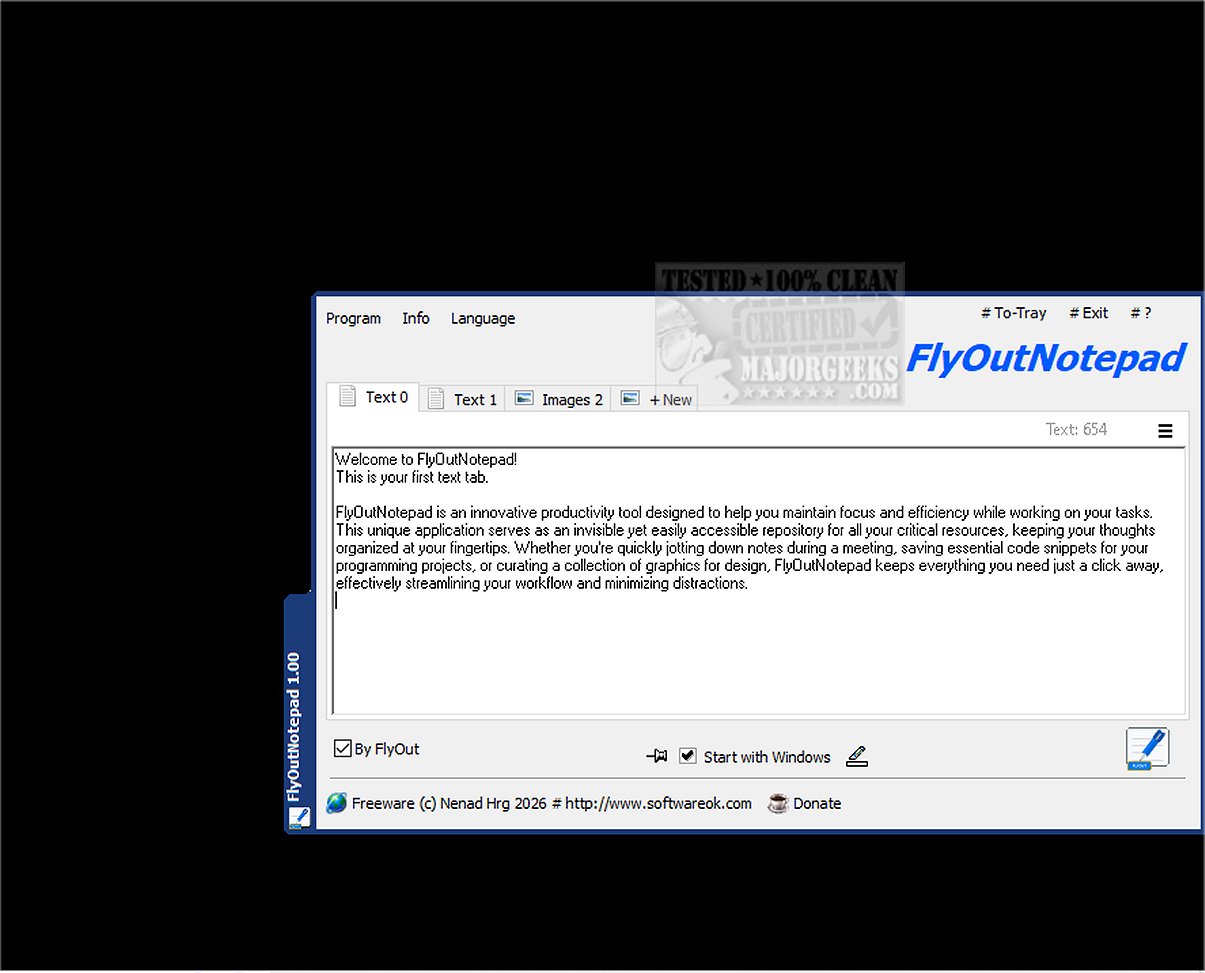
FlyOutNotepad version 1.03 has been released, introducing a robust tool designed for efficient management of text, code snippets, and graphics. This application enhances productivity by serving as an invisible yet easily accessible repository for crucial information, allowing users to keep their thoughts organized and readily available. It excels in helping users maintain focus and efficiency while working on various tasks.
One of the application's key features is its easy docking capability, which allows it to attach to any edge of the screen, optimizing workspace without crowding the display. Additionally, FlyOutNotepad supports bidirectional Drag & Drop functionality, enabling smooth transfers of text and images between the app and other programs, thereby enhancing multitasking efficiency.
The program boasts an impressive tabbed interface with 20 tabs, facilitating the organization of notes, snippets, and graphics. This feature makes it quick and intuitive to switch between different projects or subjects. Moreover, an auto-save feature ensures that all work is preserved, granting users peace of mind.
For users seeking portability, FlyOutNotepad allows for a special mode by renaming the executable file, which creates a configuration file in the same directory. Built using C++ and the Windows Template Library, FlyOutNotepad guarantees a high-performing and lightweight experience, making it suitable for developers, designers, and anyone else who needs a streamlined approach to note-taking and resource management.
In summary, FlyOutNotepad is an innovative productivity tool that not only enhances workflow but also significantly minimizes distractions, making it an ideal companion for optimizing efficiency in various professional environments.
- Cloud Integration: Syncing notes across devices for seamless access.
- Collaboration Tools: Enabling multiple users to edit and share notes in real-time.
- Advanced Search Features: Implementing AI-driven search capabilities to quickly find notes and snippets.
- Customization Options: Allowing users to personalize the interface with themes or layouts that suit their workflow.
- Mobile Compatibility: Developing a mobile version for on-the-go access to notes and resources.
These features could further solidify FlyOutNotepad's position as a leading productivity tool in the market
One of the application's key features is its easy docking capability, which allows it to attach to any edge of the screen, optimizing workspace without crowding the display. Additionally, FlyOutNotepad supports bidirectional Drag & Drop functionality, enabling smooth transfers of text and images between the app and other programs, thereby enhancing multitasking efficiency.
The program boasts an impressive tabbed interface with 20 tabs, facilitating the organization of notes, snippets, and graphics. This feature makes it quick and intuitive to switch between different projects or subjects. Moreover, an auto-save feature ensures that all work is preserved, granting users peace of mind.
For users seeking portability, FlyOutNotepad allows for a special mode by renaming the executable file, which creates a configuration file in the same directory. Built using C++ and the Windows Template Library, FlyOutNotepad guarantees a high-performing and lightweight experience, making it suitable for developers, designers, and anyone else who needs a streamlined approach to note-taking and resource management.
In summary, FlyOutNotepad is an innovative productivity tool that not only enhances workflow but also significantly minimizes distractions, making it an ideal companion for optimizing efficiency in various professional environments.
Future Enhancements
Potential future enhancements for FlyOutNotepad could include:- Cloud Integration: Syncing notes across devices for seamless access.
- Collaboration Tools: Enabling multiple users to edit and share notes in real-time.
- Advanced Search Features: Implementing AI-driven search capabilities to quickly find notes and snippets.
- Customization Options: Allowing users to personalize the interface with themes or layouts that suit their workflow.
- Mobile Compatibility: Developing a mobile version for on-the-go access to notes and resources.
These features could further solidify FlyOutNotepad's position as a leading productivity tool in the market
FlyOutNotepad 1.03 released
FlyOutNotepad is a powerful tool specifically designed to seamlessly manage text, code snippets, and graphics, allowing you to transfer information between various programs at remarkable speeds.