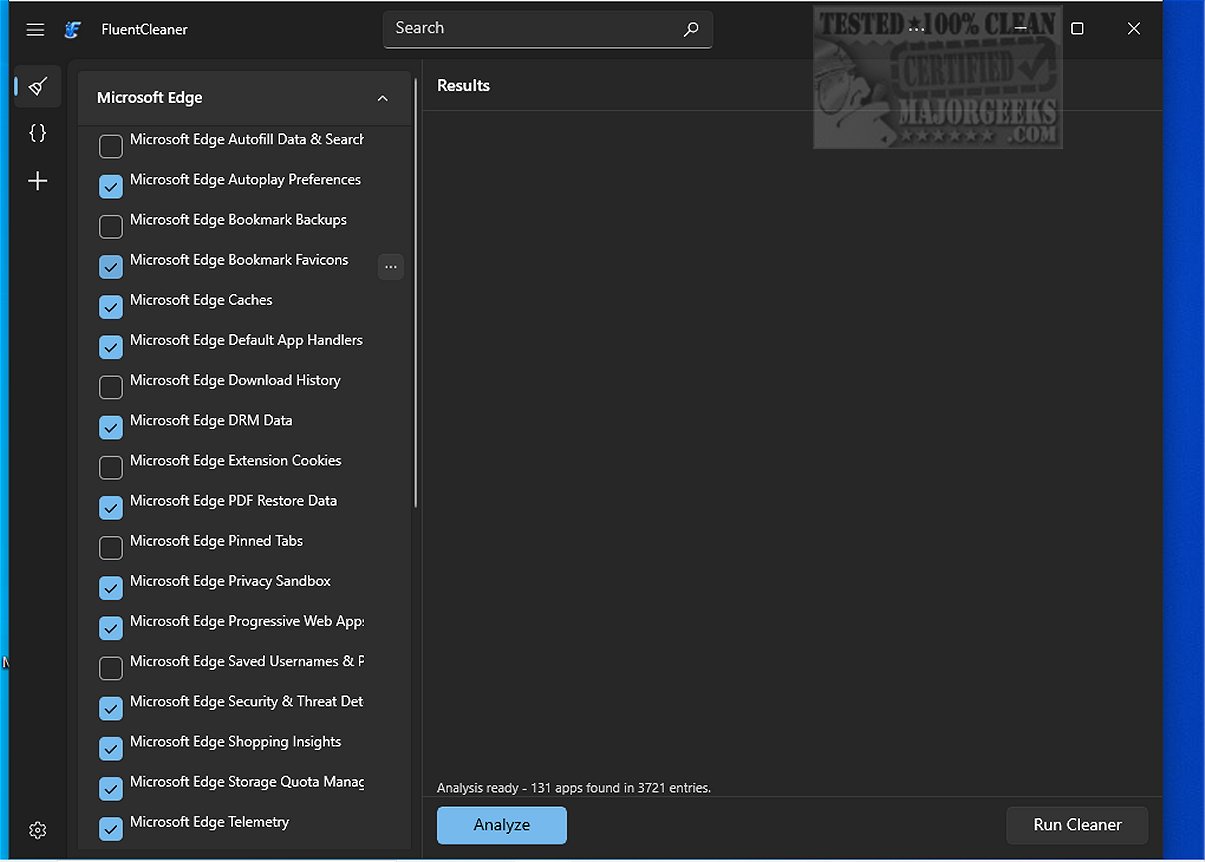
FluentCleaner version 26.06.01 has been released, showcasing itself as a modern drive cleaning tool that prioritizes user transparency and avoids deceptive practices such as spyware and upselling. Developed by Belim (Builtbybel), it draws inspiration from the classic CCleaner while being tailored to meet current user demands. The tool features a sleek, minimalistic interface built with WinUI 3, enhancing user experience without unnecessary clutter.
Using FluentCleaner is straightforward; users can initiate the cleanup process with a single button press. The tool efficiently removes selected entries and provides a summary of the freed storage space, allowing users to gauge its impact on system performance.
FluentCleaner targets a broad range of system files, including data from popular web browsers like Microsoft Edge. It effectively cleans cached files, cookies, and other remnants, while also analyzing registry entries from various applications, multimedia software, and essential Windows utilities, ensuring a thorough cleaning process.
Although FluentCleaner’s default selections are generally safe, users are advised to review the items before cleaning and maintain a backup or restore point, as some registry data may be essential for system functionality. The tool is an excellent starting point for routine system maintenance, but users should exercise caution and attention to detail.
In addition to its cleaning capabilities, FluentCleaner offers a user-friendly interface that aligns with Windows 10 and 11 aesthetics, effectively categorizing cleaning options and detailing system analysis results.
To extend the discussion, users might consider integrating FluentCleaner into a broader system maintenance routine that includes regular updates, security checks, and data backups. They could also explore additional cleaning options, such as using Windows' built-in Storage Sense or PowerShell for securely deleting files. By combining these approaches, users can maintain optimal system performance and ensure that their data remains organized and secure
Using FluentCleaner is straightforward; users can initiate the cleanup process with a single button press. The tool efficiently removes selected entries and provides a summary of the freed storage space, allowing users to gauge its impact on system performance.
FluentCleaner targets a broad range of system files, including data from popular web browsers like Microsoft Edge. It effectively cleans cached files, cookies, and other remnants, while also analyzing registry entries from various applications, multimedia software, and essential Windows utilities, ensuring a thorough cleaning process.
Although FluentCleaner’s default selections are generally safe, users are advised to review the items before cleaning and maintain a backup or restore point, as some registry data may be essential for system functionality. The tool is an excellent starting point for routine system maintenance, but users should exercise caution and attention to detail.
In addition to its cleaning capabilities, FluentCleaner offers a user-friendly interface that aligns with Windows 10 and 11 aesthetics, effectively categorizing cleaning options and detailing system analysis results.
To extend the discussion, users might consider integrating FluentCleaner into a broader system maintenance routine that includes regular updates, security checks, and data backups. They could also explore additional cleaning options, such as using Windows' built-in Storage Sense or PowerShell for securely deleting files. By combining these approaches, users can maintain optimal system performance and ensure that their data remains organized and secure
FluentCleaner 26.06.01 released
FluentCleaner is a modern drive cleaner tool designed with transparency in mind; it avoids spyware, scareware, and misleading marketing tactics such as upselling or fake registry enhancements.