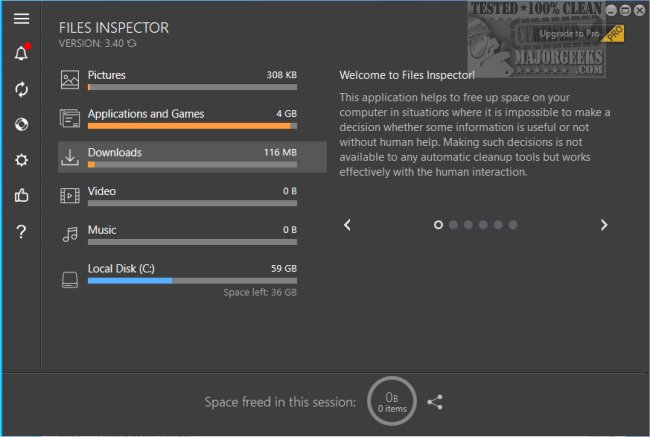
Files Inspector 4.50 has been released, offering users a practical solution for manually freeing up disk space on their computers. This software simplifies the process of managing and optimizing storage with its user-friendly interface, allowing users to easily identify and eliminate outdated files and applications that may be hindering system performance. By removing unnecessary items, users can improve their device's functionality and create more space for important files and programs.
Upon launching Files Inspector, users are prompted to conduct a comprehensive scan of their drives, which may take varying amounts of time based on drive size. Once the scan is complete, users can select the files they wish to delete, including both files and applications that are no longer needed. The program ensures a secure deletion process, allowing users to recover recently deleted files from the trash if necessary.
Files Inspector is an essential tool for both professional and casual users seeking to enhance their computer's efficiency. It not only facilitates the removal of outdated files but also enables a thorough analysis of drive contents.
In addition to its core features, users may find it helpful to explore similar tools and methods for disk cleanup, such as comparing other drive cleaners like CCleaner, Wise Disk Cleaner, and PrivaZer. Furthermore, Windows users can also utilize Storage Sense for automatic junk file deletion and learn how to securely delete files using PowerShell and Cipher, as well as backup or restore the Windows Registry. Overall, Files Inspector stands out as a valuable resource for maintaining a streamlined and efficient computing environment
Upon launching Files Inspector, users are prompted to conduct a comprehensive scan of their drives, which may take varying amounts of time based on drive size. Once the scan is complete, users can select the files they wish to delete, including both files and applications that are no longer needed. The program ensures a secure deletion process, allowing users to recover recently deleted files from the trash if necessary.
Files Inspector is an essential tool for both professional and casual users seeking to enhance their computer's efficiency. It not only facilitates the removal of outdated files but also enables a thorough analysis of drive contents.
In addition to its core features, users may find it helpful to explore similar tools and methods for disk cleanup, such as comparing other drive cleaners like CCleaner, Wise Disk Cleaner, and PrivaZer. Furthermore, Windows users can also utilize Storage Sense for automatic junk file deletion and learn how to securely delete files using PowerShell and Cipher, as well as backup or restore the Windows Registry. Overall, Files Inspector stands out as a valuable resource for maintaining a streamlined and efficient computing environment
Files Inspector 4.50 released
Files Inspector gives you a straightforward option for freeing up disk space manually.