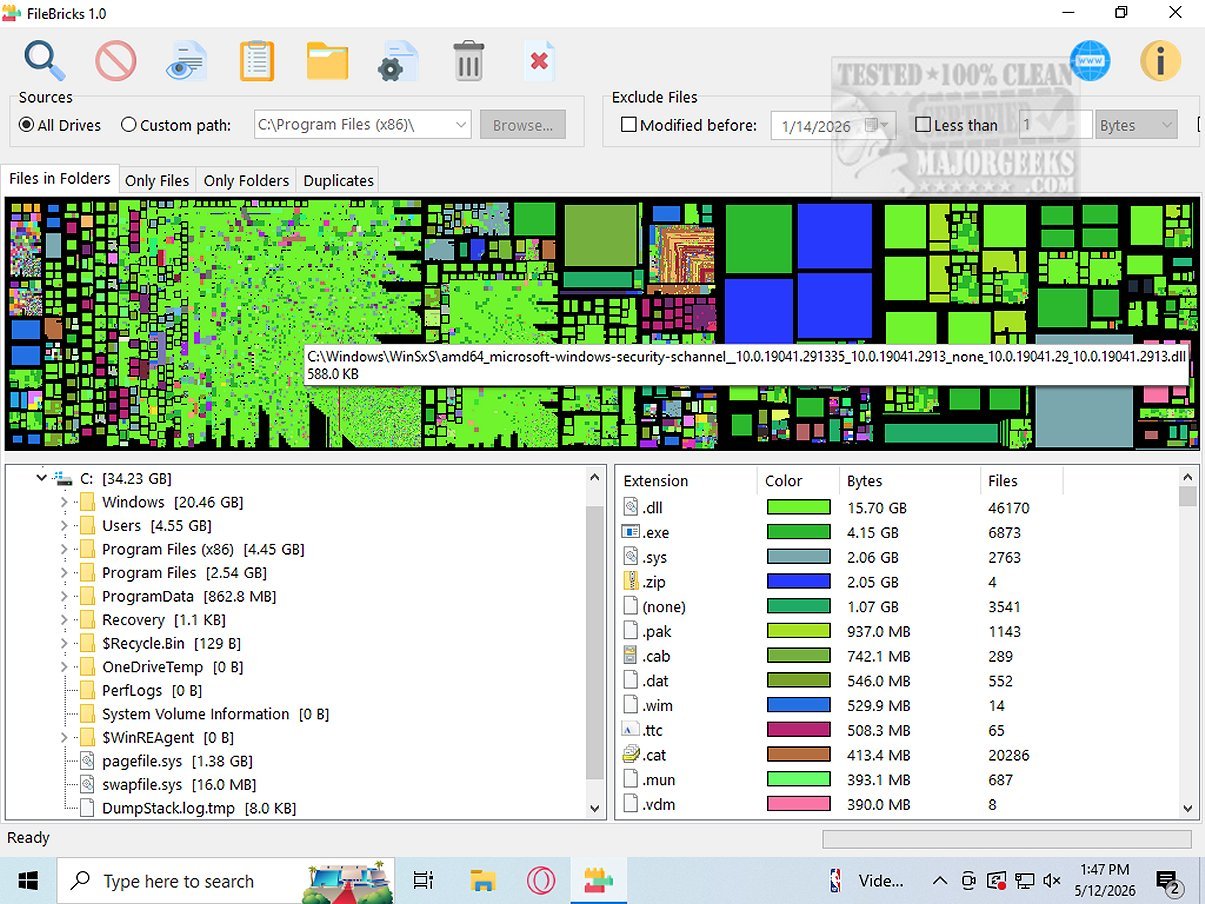
FileBricks is a cutting-edge visual disk space analyzer aimed at users who seek a clear understanding of how storage is distributed across their drives. The program uniquely presents files, folders, and duplicate items as colorful, easily identifiable blocks, enabling users to swiftly identify large files, crowded folders, duplicate content, and the most common file types occupying their storage space.
Key Features of FileBricks
1. Targeted Scanning Options: Users can choose to scan all available drives or focus on a specific custom folder. The program includes powerful filtering options that allow exclusion of files based on criteria such as modification date, file size, or filename patterns. This customization makes FileBricks an essential tool for anyone aiming to optimize disk space management.
2. In-Depth Analysis: FileBricks offers advanced features that surpass traditional file listing tools. It provides various dedicated views for comprehensive disk analysis, enabling users to investigate individual folders, view all files sorted by size, and visually compare files across different folders. The program also groups duplicate files, making it easy to identify and manage redundancy in data storage.
3. Color-Coded Organization: To enhance user experience further, files with the same extension are color-coded in the display. This visual representation allows users to quickly recognize categories like videos, images, archives, executables, and documents, streamlining the assessment of which file types occupy the most space.
User Experience and Verdict
FileBricks transforms the storage management experience by creating a visual map of the drive, providing clear insights into how storage is distributed among files and folders. This empowering representation helps users optimize their storage space effectively, leading to more efficient resource utilization. For visually-oriented users who prefer graphical representations over raw data percentages, FileBricks proves to be an ideal solution.
Conclusion and Future Directions
As digital storage needs continue to grow, tools like FileBricks will remain essential for effective disk management. The new version not only enhances existing features but also opens avenues for potential integrations with cloud storage solutions, data cleanup suggestions, and even predictive analytics to forecast storage needs. The evolution of FileBricks reflects its commitment to providing users with the tools necessary for efficient and informed storage management
Key Features of FileBricks
1. Targeted Scanning Options: Users can choose to scan all available drives or focus on a specific custom folder. The program includes powerful filtering options that allow exclusion of files based on criteria such as modification date, file size, or filename patterns. This customization makes FileBricks an essential tool for anyone aiming to optimize disk space management.
2. In-Depth Analysis: FileBricks offers advanced features that surpass traditional file listing tools. It provides various dedicated views for comprehensive disk analysis, enabling users to investigate individual folders, view all files sorted by size, and visually compare files across different folders. The program also groups duplicate files, making it easy to identify and manage redundancy in data storage.
3. Color-Coded Organization: To enhance user experience further, files with the same extension are color-coded in the display. This visual representation allows users to quickly recognize categories like videos, images, archives, executables, and documents, streamlining the assessment of which file types occupy the most space.
User Experience and Verdict
FileBricks transforms the storage management experience by creating a visual map of the drive, providing clear insights into how storage is distributed among files and folders. This empowering representation helps users optimize their storage space effectively, leading to more efficient resource utilization. For visually-oriented users who prefer graphical representations over raw data percentages, FileBricks proves to be an ideal solution.
Conclusion and Future Directions
As digital storage needs continue to grow, tools like FileBricks will remain essential for effective disk management. The new version not only enhances existing features but also opens avenues for potential integrations with cloud storage solutions, data cleanup suggestions, and even predictive analytics to forecast storage needs. The evolution of FileBricks reflects its commitment to providing users with the tools necessary for efficient and informed storage management
FileBricks 2.0 released
FileBricks is an innovative visual disk space analyzer designed for users who want a comprehensive understanding of how storage is allocated across their drives. This intuitive program presents files, folders, and duplicate items in the form of colorful, easily identifiable blocks.