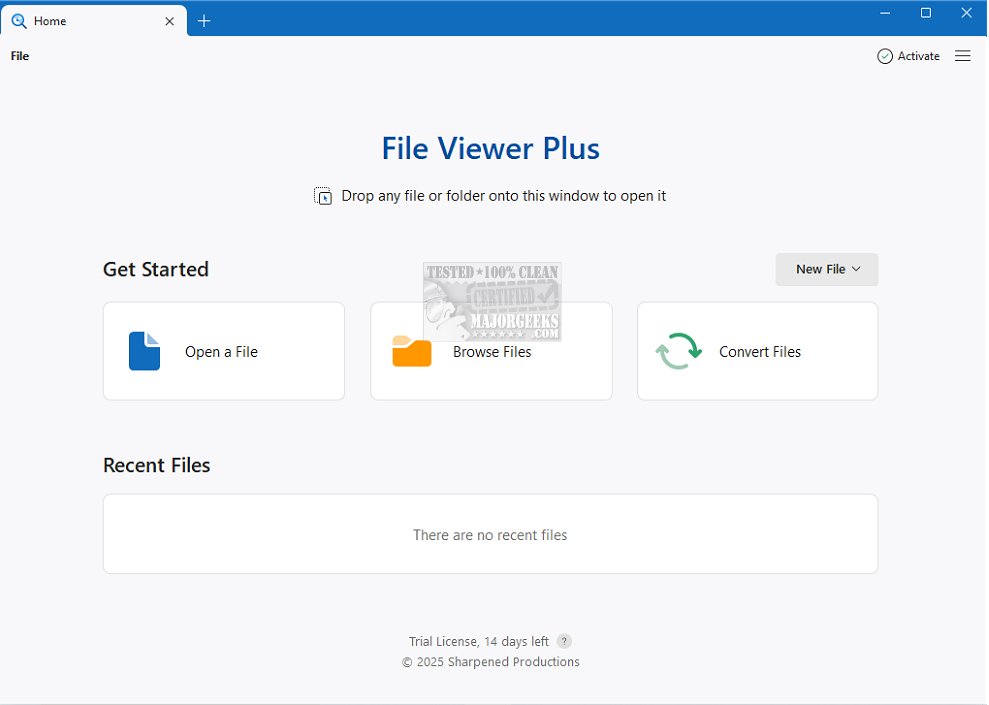
File Viewer Plus 6.2.2 has been released, solidifying its reputation as the premier file viewer and conversion tool for Windows, capable of handling over 400 different file formats. This versatile software supports a wide range of file types, including Microsoft Office documents, PDFs, various image formats, camera RAW files, and audio and video files. Its ability to manage such a diverse array of formats makes it an invaluable resource for users who need to access and convert multiple file types efficiently.
The software features a user-friendly interface designed to enhance the file viewing and editing experience. It boasts an advanced file detection system that resolves issues related to unidentified files, allowing users to seamlessly manage various file types without relying on multiple software solutions. Beyond basic viewing capabilities, File Viewer Plus provides detailed properties and hidden metadata for each file, making it a comprehensive tool for file management.
File Viewer Plus is not just a viewer; it also functions as a powerful file editor and converter. Users can edit Microsoft Word documents directly within the program and save their modifications. The advanced image editor allows for editing and saving images in various formats, while the built-in media player supports playback of audio and video files. Additionally, it can handle CAD drawings and decompress compressed archives, further extending its functionality. One of its standout features is its ability to accurately identify unknown files, even when file extensions are missing or incorrect.
Key features of File Viewer Plus include:
- File Editing: Edit popular file types and save in multiple formats.
- Office Document Management: Easily open, edit, and save Microsoft Office documents.
- PDF Handling: View and convert PDF files.
- Image Support: View and edit images, including camera RAW files.
- Media Playback: Play audio and video files with the built-in media player.
- CAD Drawing Access: View and export CAD drawings.
- Archive Management: Decompress compressed archives efficiently.
- File Identification: Recognize unknown files, even without extensions.
In summary, if you are looking for an application that excels in data previewing, offers exceptional media playback capabilities, and surpasses Windows Explorer in versatility, File Viewer Plus is an excellent choice. Its extensive exporting features and robust editing capabilities significantly enhance its overall functionality, making it an essential tool for anyone in need of a comprehensive file management solution.
As technology continues to evolve, future updates to File Viewer Plus may include support for even more file formats, enhanced editing tools, and improved performance, ensuring it remains at the forefront of file management solutions
The software features a user-friendly interface designed to enhance the file viewing and editing experience. It boasts an advanced file detection system that resolves issues related to unidentified files, allowing users to seamlessly manage various file types without relying on multiple software solutions. Beyond basic viewing capabilities, File Viewer Plus provides detailed properties and hidden metadata for each file, making it a comprehensive tool for file management.
File Viewer Plus is not just a viewer; it also functions as a powerful file editor and converter. Users can edit Microsoft Word documents directly within the program and save their modifications. The advanced image editor allows for editing and saving images in various formats, while the built-in media player supports playback of audio and video files. Additionally, it can handle CAD drawings and decompress compressed archives, further extending its functionality. One of its standout features is its ability to accurately identify unknown files, even when file extensions are missing or incorrect.
Key features of File Viewer Plus include:
- File Editing: Edit popular file types and save in multiple formats.
- Office Document Management: Easily open, edit, and save Microsoft Office documents.
- PDF Handling: View and convert PDF files.
- Image Support: View and edit images, including camera RAW files.
- Media Playback: Play audio and video files with the built-in media player.
- CAD Drawing Access: View and export CAD drawings.
- Archive Management: Decompress compressed archives efficiently.
- File Identification: Recognize unknown files, even without extensions.
In summary, if you are looking for an application that excels in data previewing, offers exceptional media playback capabilities, and surpasses Windows Explorer in versatility, File Viewer Plus is an excellent choice. Its extensive exporting features and robust editing capabilities significantly enhance its overall functionality, making it an essential tool for anyone in need of a comprehensive file management solution.
As technology continues to evolve, future updates to File Viewer Plus may include support for even more file formats, enhanced editing tools, and improved performance, ensuring it remains at the forefront of file management solutions
File Viewer Plus 6.2.2 released
File Viewer Plus is the ultimate Windows file viewer and conversion tool capable of opening over 400 different file formats.