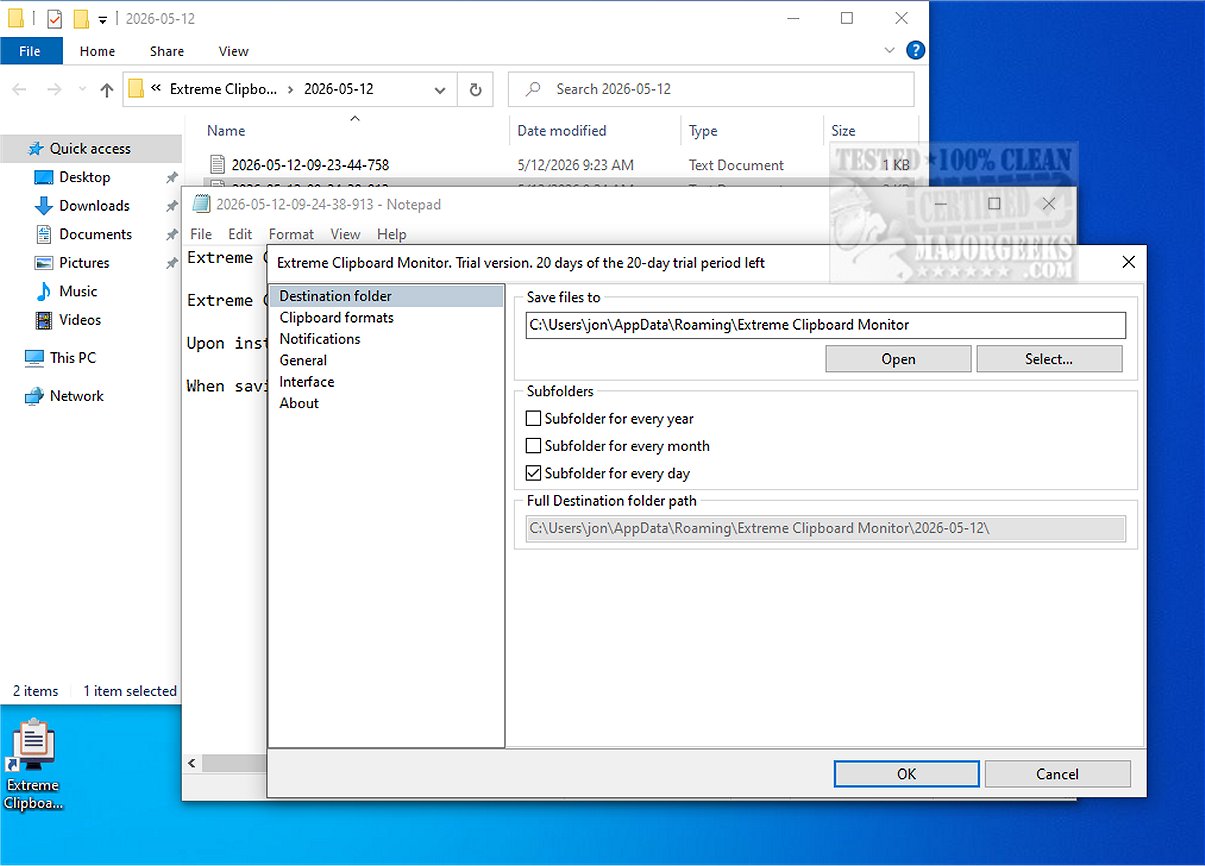
Extreme Clipboard Monitor 1.0 has been launched as a robust tool designed to enhance the management of clipboard data on Windows systems. This lightweight clipboard manager captures and saves clipboard history automatically in a user-defined folder, allowing for easy retrieval of clipboard entries whenever necessary.
Key Features of Extreme Clipboard Monitor:
- Real-Time Monitoring: The tool detects and records clipboard changes instantly without requiring user input.
- System Tray Operation: It runs discreetly from the Windows system tray, allowing users to focus on their tasks without interruptions.
- Organized File Management: Clipboard data is saved with timestamps in file names, and users can create an organized structure with sub-folders categorized by year, month, and day.
- Productivity Enhancements: The application includes features such as the ability to pause or resume monitoring, select specific formats for saving data, instant access to recent files from the tray, customizable sound and visual notifications, and shortcut actions in the tray menu.
- Append Mode for Data Compilation: Users can append new clipboard data to existing files, making it easier to compile and organize information related to various topics.
- Format Flexibility: It supports multiple formats, including plain text, HTML, rich text, and image files, and ensures compatibility through UTF-8 encoding.
Conclusion:
Extreme Clipboard Monitor is a valuable tool for professionals who rely heavily on clipboard data for research, writing, or efficient information management. Its features not only enhance productivity but also streamline the process of organizing and accessing clipboard history.
Future Considerations:
As technology evolves, future iterations of Extreme Clipboard Monitor could benefit from cloud integration for seamless access across multiple devices, improved user interface customization options, and enhanced security features to protect sensitive clipboard data. Additionally, incorporating AI to analyze clipboard content for better organization and recommendations could further enhance user experience and productivity
Key Features of Extreme Clipboard Monitor:
- Real-Time Monitoring: The tool detects and records clipboard changes instantly without requiring user input.
- System Tray Operation: It runs discreetly from the Windows system tray, allowing users to focus on their tasks without interruptions.
- Organized File Management: Clipboard data is saved with timestamps in file names, and users can create an organized structure with sub-folders categorized by year, month, and day.
- Productivity Enhancements: The application includes features such as the ability to pause or resume monitoring, select specific formats for saving data, instant access to recent files from the tray, customizable sound and visual notifications, and shortcut actions in the tray menu.
- Append Mode for Data Compilation: Users can append new clipboard data to existing files, making it easier to compile and organize information related to various topics.
- Format Flexibility: It supports multiple formats, including plain text, HTML, rich text, and image files, and ensures compatibility through UTF-8 encoding.
Conclusion:
Extreme Clipboard Monitor is a valuable tool for professionals who rely heavily on clipboard data for research, writing, or efficient information management. Its features not only enhance productivity but also streamline the process of organizing and accessing clipboard history.
Future Considerations:
As technology evolves, future iterations of Extreme Clipboard Monitor could benefit from cloud integration for seamless access across multiple devices, improved user interface customization options, and enhanced security features to protect sensitive clipboard data. Additionally, incorporating AI to analyze clipboard content for better organization and recommendations could further enhance user experience and productivity
Extreme Clipboard Monitor 1.0 released
Extreme Clipboard Monitor is a tool that allows you to monitor the Windows clipboard. It captures and saves clipboard history in an organized format within a folder specified by the user, ensuring you can easily access your clipboard data whenever needed.