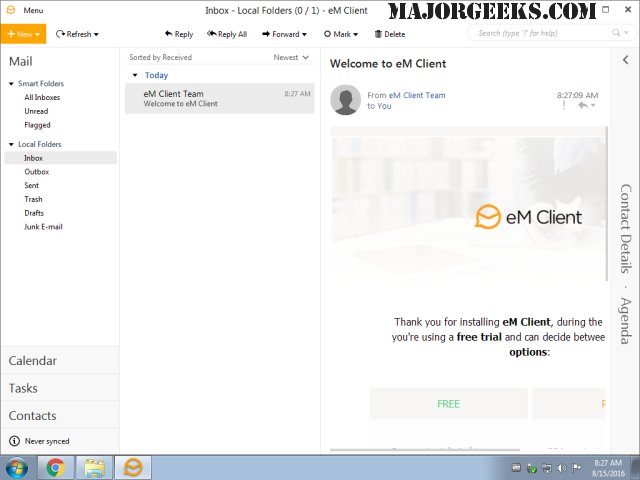
eM Client version 10.4.5600.0 has been released, showcasing its robust capabilities as a comprehensive email client. The application features a modern and intuitive interface that simplifies the user experience while providing essential functionalities such as calendar management, task organization, contact handling, and chat features.
Users can effortlessly synchronize their emails using various protocols including POP3, SMTP, IMAP, EWS, and AirSync, alongside seamless integration for calendars and contacts across multiple servers and services. The application's clean and professional design promotes efficient organization of tasks and emails, enhancing productivity for both individual users and businesses.
eM Client also prioritizes data security and management with built-in options for backing up and restoring data. It facilitates easy importing from other popular email clients, including Gmail, Microsoft Outlook, Outlook Express, and Thunderbird, making it accessible for new users transitioning from different platforms.
Additionally, the software offers a range of advanced features such as conversation view for easy email tracking, the ability to schedule delayed email sending, and real-time translation of incoming messages, among others. These enhancements contribute to a more streamlined communication experience.
Looking ahead, eM Client continues to evolve, potentially integrating further features such as improved collaboration tools, enhanced security measures, and even more customization options to cater to the diverse needs of its user base. As digital communication continues to evolve, eM Client is well-positioned to adapt and expand its offerings
Users can effortlessly synchronize their emails using various protocols including POP3, SMTP, IMAP, EWS, and AirSync, alongside seamless integration for calendars and contacts across multiple servers and services. The application's clean and professional design promotes efficient organization of tasks and emails, enhancing productivity for both individual users and businesses.
eM Client also prioritizes data security and management with built-in options for backing up and restoring data. It facilitates easy importing from other popular email clients, including Gmail, Microsoft Outlook, Outlook Express, and Thunderbird, making it accessible for new users transitioning from different platforms.
Additionally, the software offers a range of advanced features such as conversation view for easy email tracking, the ability to schedule delayed email sending, and real-time translation of incoming messages, among others. These enhancements contribute to a more streamlined communication experience.
Looking ahead, eM Client continues to evolve, potentially integrating further features such as improved collaboration tools, enhanced security measures, and even more customization options to cater to the diverse needs of its user base. As digital communication continues to evolve, eM Client is well-positioned to adapt and expand its offerings
eM Client 10.4.5600.0 released
eM Client is a feature-rich email client that includes a modern, easy-to-use interface and offers a calendar, tasks, chat, contacts, and more.