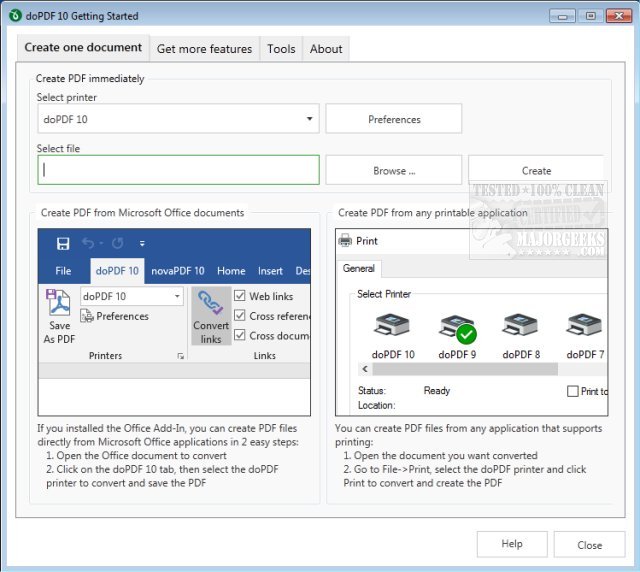
doPDF version 11.9.530 has been released, offering a free PDF conversion tool suitable for both personal and commercial use. The software allows users to create searchable PDF documents effortlessly by utilizing the "Print" command from virtually any application. This includes converting files from Microsoft Excel, Word, PowerPoint, as well as emails and websites into PDF format with just a single click.
Upon installation, doPDF functions as a virtual printer driver, becoming visible in the Printers and Faxes list on your computer. To create a PDF, users simply need to open their desired document in applications like Microsoft Word, WordPad, or NotePad, select the Print option, and choose doPDF as the printer. The program will then prompt users to select a location to save the new PDF file, which will automatically open in the default PDF viewer once the conversion is complete.
Key features of doPDF include:
- No dependency on Ghostscript
- Customizable resolution settings
- Options for predefined or custom page sizes
- Capability to create searchable PDFs
- Support for multiple languages
In addition to these features, doPDF is user-friendly and integrates seamlessly into existing workflows, making it an excellent choice for anyone looking to convert documents to PDF format efficiently.
For users interested in similar tools or enhancements, additional resources such as guides on creating PDFs in Windows, enabling two-page views for PDFs in Google Chrome, and preventing Microsoft Edge from opening PDF and HTML files are also available
Upon installation, doPDF functions as a virtual printer driver, becoming visible in the Printers and Faxes list on your computer. To create a PDF, users simply need to open their desired document in applications like Microsoft Word, WordPad, or NotePad, select the Print option, and choose doPDF as the printer. The program will then prompt users to select a location to save the new PDF file, which will automatically open in the default PDF viewer once the conversion is complete.
Key features of doPDF include:
- No dependency on Ghostscript
- Customizable resolution settings
- Options for predefined or custom page sizes
- Capability to create searchable PDFs
- Support for multiple languages
In addition to these features, doPDF is user-friendly and integrates seamlessly into existing workflows, making it an excellent choice for anyone looking to convert documents to PDF format efficiently.
For users interested in similar tools or enhancements, additional resources such as guides on creating PDFs in Windows, enabling two-page views for PDFs in Google Chrome, and preventing Microsoft Edge from opening PDF and HTML files are also available
doPDF 11.9.530 released
doPDF is a free PDF converter for both personal and commercial use.