The newly released DLSS Swapper version 1.2.4.0 is an essential utility for gamers, enabling them to effortlessly download, manage, and swap Dynamic Link Library (DLL) files for various upscaling technologies, including NVIDIA's DLSS (Deep Learning Super Sampling), AMD's FidelityFX Super Resolution (FSR), and Intel's Xe Super Sampling (XeSS). This tool empowers users to upgrade or downgrade these technologies in their games without the need for official game updates, streamlining the process of optimizing gaming performance.
Understanding DLSS and Its Importance
DLSS is a groundbreaking technology developed by NVIDIA that enhances game visuals by rendering images with greater clarity while maintaining high performance. As gaming technology evolves, newer iterations of DLSS continue to improve the visual experience, making it a crucial asset for contemporary gaming.
Addressing Common Challenges with DLSS
While many games compatible with DLSS automatically update to the latest version, others may not keep pace. DLSS Swapper addresses this inconsistency by allowing users to manually update the DLSS DLL files, ensuring that they can utilize the best possible version for their gaming experience without waiting for official patches.
Flexibility in Version Control
The ability to upgrade or downgrade DLSS versions can be pivotal, as some games may run better with an earlier version due to various factors like performance or graphical fidelity. Users often need to experiment with different versions to find the optimal setup, as results can vary significantly from one game to another. Although this process may require some trial and error, the potential benefits make it worthwhile.
User-Friendly Experience
DLSS Swapper boasts an intuitive interface that enhances user experience. It automatically detects installed games and allows for manual addition of any titles that may not appear. Once a game is selected, the tool lists all supported upscaling technologies, clarifying that DLSS cannot be applied to games lacking support.
Selecting the Right Version
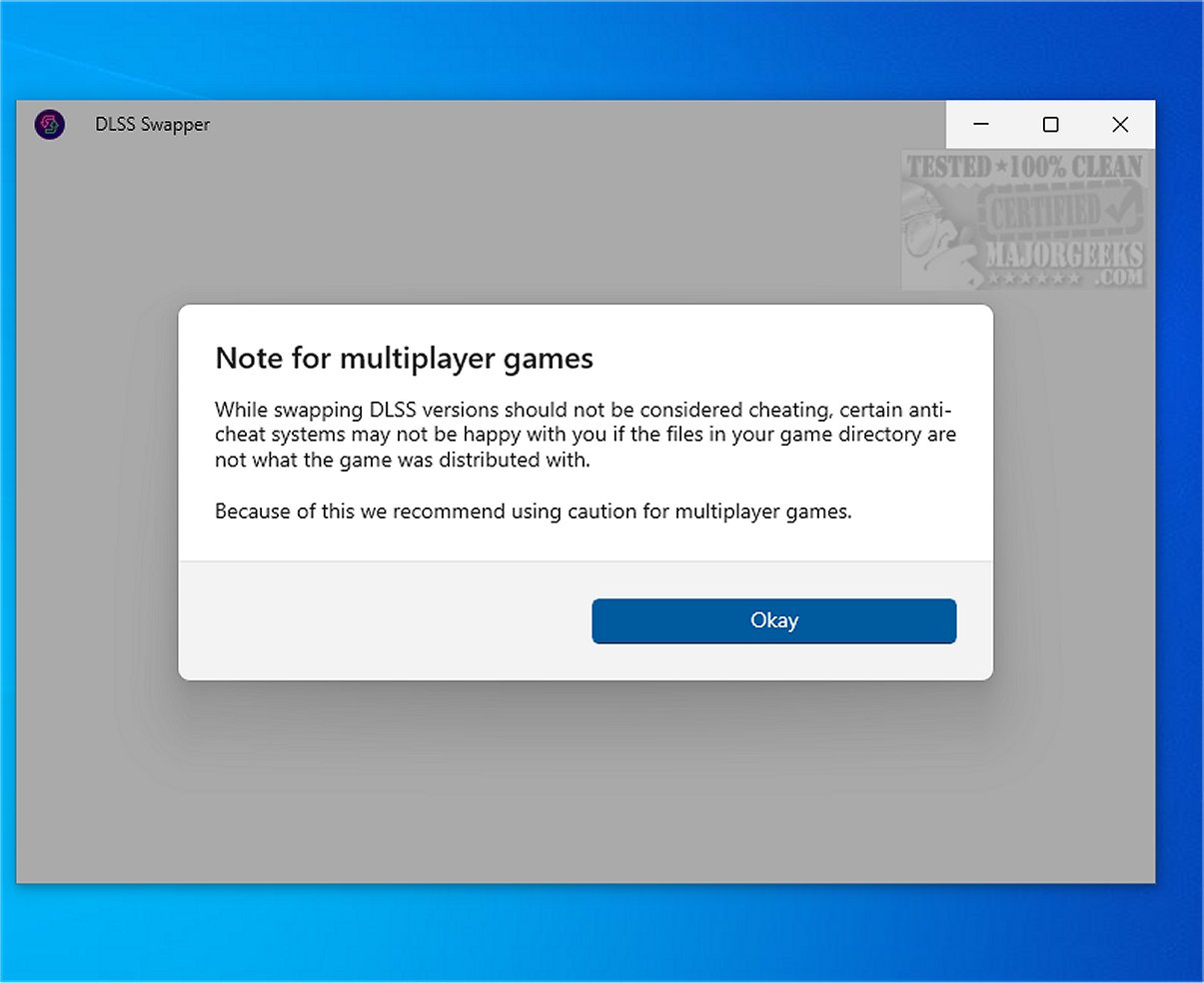
For games that support DLSS, users can easily choose their preferred version and initiate the swap of the relevant DLL file. This feature allows gamers to test different configurations to see if any selected version resolves existing performance issues. In case of problems, the tool includes a restore function to revert to the original DLL file, although users are advised to proceed with caution, especially with games that feature anti-cheat systems, as file swaps could trigger their protocols.
Expanding Beyond DLSS
Beyond DLSS, DLSS Swapper supports FSR and XeSS, making it a versatile tool for a broader range of gamers. Users can access the necessary DLL files for these other technologies through the Library menu, thus expanding its utility beyond just NVIDIA users.
Conclusion: Enhancing the Gaming Experience
In summary, DLSS Swapper is a valuable asset for gamers looking to optimize their graphics processing unit (GPU) upscaling. By allowing users to easily manage and adjust versions of DLSS, FSR, or XeSS, this tool can help resolve performance issues and enhance the overall gaming experience. As gaming technology continues to advance, tools like DLSS Swapper play a crucial role in ensuring that players can make the most of their gaming setups and enjoy the best possible visuals and performance.
Future Prospects
Looking ahead, the continued development of tools like DLSS Swapper may pave the way for even more advanced functionalities, including automated optimization suggestions based on game performance data. This could further streamline the process of maintaining optimal gaming conditions, allowing players to focus more on their gaming experiences rather than the technical hurdles
Understanding DLSS and Its Importance
DLSS is a groundbreaking technology developed by NVIDIA that enhances game visuals by rendering images with greater clarity while maintaining high performance. As gaming technology evolves, newer iterations of DLSS continue to improve the visual experience, making it a crucial asset for contemporary gaming.
Addressing Common Challenges with DLSS
While many games compatible with DLSS automatically update to the latest version, others may not keep pace. DLSS Swapper addresses this inconsistency by allowing users to manually update the DLSS DLL files, ensuring that they can utilize the best possible version for their gaming experience without waiting for official patches.
Flexibility in Version Control
The ability to upgrade or downgrade DLSS versions can be pivotal, as some games may run better with an earlier version due to various factors like performance or graphical fidelity. Users often need to experiment with different versions to find the optimal setup, as results can vary significantly from one game to another. Although this process may require some trial and error, the potential benefits make it worthwhile.
User-Friendly Experience
DLSS Swapper boasts an intuitive interface that enhances user experience. It automatically detects installed games and allows for manual addition of any titles that may not appear. Once a game is selected, the tool lists all supported upscaling technologies, clarifying that DLSS cannot be applied to games lacking support.
Selecting the Right Version
For games that support DLSS, users can easily choose their preferred version and initiate the swap of the relevant DLL file. This feature allows gamers to test different configurations to see if any selected version resolves existing performance issues. In case of problems, the tool includes a restore function to revert to the original DLL file, although users are advised to proceed with caution, especially with games that feature anti-cheat systems, as file swaps could trigger their protocols.
Expanding Beyond DLSS
Beyond DLSS, DLSS Swapper supports FSR and XeSS, making it a versatile tool for a broader range of gamers. Users can access the necessary DLL files for these other technologies through the Library menu, thus expanding its utility beyond just NVIDIA users.
Conclusion: Enhancing the Gaming Experience
In summary, DLSS Swapper is a valuable asset for gamers looking to optimize their graphics processing unit (GPU) upscaling. By allowing users to easily manage and adjust versions of DLSS, FSR, or XeSS, this tool can help resolve performance issues and enhance the overall gaming experience. As gaming technology continues to advance, tools like DLSS Swapper play a crucial role in ensuring that players can make the most of their gaming setups and enjoy the best possible visuals and performance.
Future Prospects
Looking ahead, the continued development of tools like DLSS Swapper may pave the way for even more advanced functionalities, including automated optimization suggestions based on game performance data. This could further streamline the process of maintaining optimal gaming conditions, allowing players to focus more on their gaming experiences rather than the technical hurdles
DLSS Swapper 1.2.4.0 released
DLSS Swapper is a versatile tool for gamers that lets them easily download, manage, and swap DLL files for DLSS, FSR, and XeSS. With this tool, you can effortlessly upgrade or downgrade the versions of DLSS, FSR, and XeSS used in a game, eliminating the need for a game update to apply these changes.