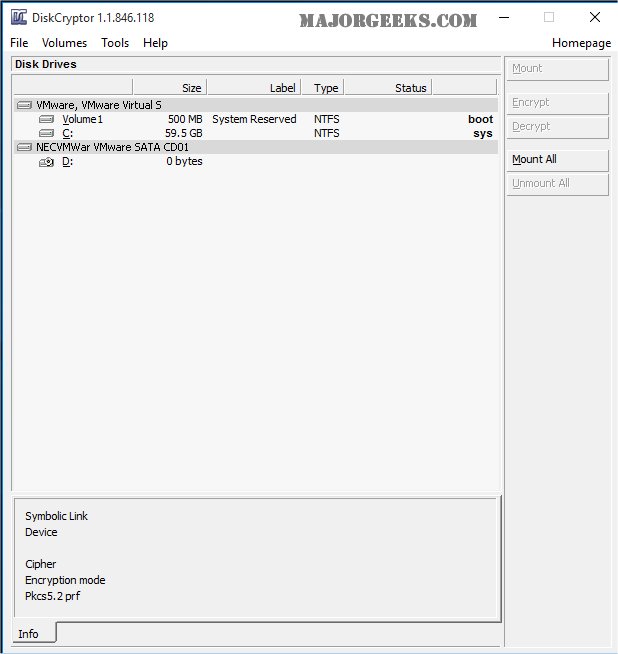
DiskCryptor 2.0.0 Pre-Release has been launched, enhancing its capabilities as a free, open-source software for full disk encryption. This tool enables users to encrypt entire hard drives or specific partitions, serving as a robust alternative to paid software like DriveCrypt Plus Pack and PGP Whole Disk Encryption.
The encryption speed of DiskCryptor can vary based on the user's hardware and the selected encryption algorithm, which includes AES, Twofish, and Serpent, along with their combinations. The software is available for download as either a standard Windows installer or a WinPE plugin. Users should be aware that a reboot is necessary post-installation, and it is advised to create a bootable LiveCD and back up the volume header, especially when encrypting the system partition.
Key features of DiskCryptor include:
- Support for multiple encryption algorithms (AES, Twofish, Serpent) and their combinations.
- Transparent encryption of disk partitions with high performance, comparable to non-encrypted systems.
- Compatibility with dynamic disks and support for large sector sizes, critical for hardware RAID setups.
- Hardware AES acceleration support through Intel and AMD CPUs, as well as VIA processors with PadLock extensions.
- Compatibility with UEFI/GPT boot and MBR bootloaders, including third-party options like LILO and GRUB.
- Features such as pre-boot authentication for system partition encryption, external media bootloader placement, key file support, and encryption of external storage devices.
- Options for creating encrypted CDs and DVDs, automatic mounting of partitions, and command-line interface (CLI) usage.
As encryption needs grow in importance for data security, DiskCryptor 2.0.0 aims to provide a powerful and user-friendly solution for individuals and organizations looking to safeguard their information. Future updates may further enhance its user interface, expand compatibility with additional operating systems, and introduce new encryption algorithms to maintain its position as a leading open-source encryption tool
The encryption speed of DiskCryptor can vary based on the user's hardware and the selected encryption algorithm, which includes AES, Twofish, and Serpent, along with their combinations. The software is available for download as either a standard Windows installer or a WinPE plugin. Users should be aware that a reboot is necessary post-installation, and it is advised to create a bootable LiveCD and back up the volume header, especially when encrypting the system partition.
Key features of DiskCryptor include:
- Support for multiple encryption algorithms (AES, Twofish, Serpent) and their combinations.
- Transparent encryption of disk partitions with high performance, comparable to non-encrypted systems.
- Compatibility with dynamic disks and support for large sector sizes, critical for hardware RAID setups.
- Hardware AES acceleration support through Intel and AMD CPUs, as well as VIA processors with PadLock extensions.
- Compatibility with UEFI/GPT boot and MBR bootloaders, including third-party options like LILO and GRUB.
- Features such as pre-boot authentication for system partition encryption, external media bootloader placement, key file support, and encryption of external storage devices.
- Options for creating encrypted CDs and DVDs, automatic mounting of partitions, and command-line interface (CLI) usage.
As encryption needs grow in importance for data security, DiskCryptor 2.0.0 aims to provide a powerful and user-friendly solution for individuals and organizations looking to safeguard their information. Future updates may further enhance its user interface, expand compatibility with additional operating systems, and introduce new encryption algorithms to maintain its position as a leading open-source encryption tool
DiskCryptor 2.0.0 Pre-Release released
DiskCryptor is a free, Open Source, full disk encryption software that allows you to encrypt an entire hard drive or a single partition.