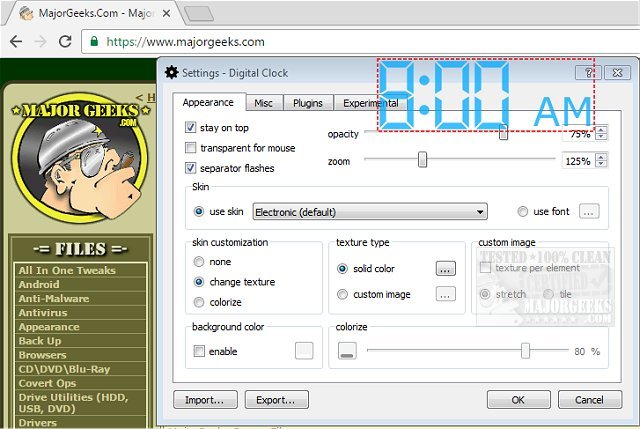
Digital Clock version 5.2.2 has been released, offering users a portable and customizable timepiece for their desktop. The application is designed for easy configuration and personalization, allowing users to choose from various display types and create custom skins, with a helpful guide available for assistance. Pre-made skins include styles such as Vintage Digits, Binary Clock, Origami Style, Floral Digits, and themed options for holidays.
The clock is flexible in placement on the desktop and can be set to always remain on top of other windows. Users have several adjustable settings, including opacity, size, background color, fonts, and more, enabling a unique and engaging way to track time.
Key features of Digital Clock include:
- Custom skins
- Zoom capability
- Alarm and hourly signals
- Color customization and texture options
- Plugin support
- Multilanguage functionality
- Retina (HiDPI) display compatibility
- Support for multiple monitors
- Cross-platform functionality
- Autostart with system boot
Additionally, users looking for more time management solutions may find related guides useful, such as displaying multiple clocks on Windows, fixing incorrect date or time settings, showing only the time on the Windows 10 taskbar, or removing the clock from the taskbar altogether.
In summary, Digital Clock 5.2.2 not only serves as a practical timekeeping tool but also enhances desktop aesthetics and functionality with its diverse features and customization options. This makes it a versatile choice for users who wish to personalize their computing experience while keeping track of time
The clock is flexible in placement on the desktop and can be set to always remain on top of other windows. Users have several adjustable settings, including opacity, size, background color, fonts, and more, enabling a unique and engaging way to track time.
Key features of Digital Clock include:
- Custom skins
- Zoom capability
- Alarm and hourly signals
- Color customization and texture options
- Plugin support
- Multilanguage functionality
- Retina (HiDPI) display compatibility
- Support for multiple monitors
- Cross-platform functionality
- Autostart with system boot
Additionally, users looking for more time management solutions may find related guides useful, such as displaying multiple clocks on Windows, fixing incorrect date or time settings, showing only the time on the Windows 10 taskbar, or removing the clock from the taskbar altogether.
In summary, Digital Clock 5.2.2 not only serves as a practical timekeeping tool but also enhances desktop aesthetics and functionality with its diverse features and customization options. This makes it a versatile choice for users who wish to personalize their computing experience while keeping track of time
Digital Clock 5.2.2 released
Digital Clock gives you a straightforward portable timepiece for display on your desktop.