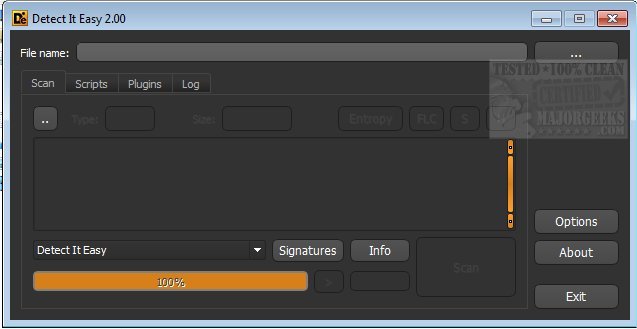
Detect It Easy (DiE) is a powerful portable open-source tool designed for identifying file types and analyzing files quickly and efficiently. It is particularly favored by malware analysts, cybersecurity professionals, and reverse engineers due to its robust capabilities in signature-based and heuristic analysis.
The latest release, version 3.20, enhances DiE's versatility, supporting multiple operating systems including Windows, Linux, and macOS. This cross-platform functionality allows users to identify a wide range of file types, especially those that may be obscure or rare. One of DiE's standout features is its flexible signature management, enabling users to create or modify signatures tailored to their specific analysis requirements. This, along with its low false positive rate, ensures highly reliable detection across over 200 supported file types.
Key Benefits:
- Flexible Signature Management: Users can easily customize or create signatures, enhancing the tool's adaptability for targeted analysis.
- Cross-Platform Support: Operates smoothly on Windows, Linux, and macOS, catering to a broad user base.
- Low False Positives: A combination of signature and heuristic scanning leads to accurate identification of files.
- User-Friendly for Everyone: Beyond professionals, DiE is also ideal for home users who wish to understand file types better, mitigate malware risks, and organize their downloads effectively.
In addition to its professional applications, DiE serves casual users by providing insights into file types, helping prevent malware infections, and maintaining an organized file system. Its capability to unmask malware disguised as benign files adds an essential layer of security, while its organizational features enhance the user's digital environment. For tech enthusiasts, DiE offers an in-depth look into file structures, fostering a better understanding of computer files' inner workings.
How to Use Detect It Easy:
Using DiE is straightforward. Users can analyze a file by either selecting File > Open or dragging and dropping the desired file into the DiE interface. The tool will automatically initiate a comprehensive analysis, displaying the file type, relevant signatures, and any potential concerns on the main screen. Its heuristic analysis runs concurrently, identifying unusual behaviors in unknown files. For those seeking deeper insights, DiE includes a scripting feature, allowing advanced users to conduct custom analyses using JavaScript-like commands. Results can be easily saved or exported for documentation or future reference.
Conclusion:
Detect It Easy 3.20 is not only a vital asset for cybersecurity professionals but also a valuable tool for everyday users looking to enhance their digital safety and file organization. Its combination of ease of use, powerful features, and extensive support for various file types solidifies its position as an indispensable utility in the realm of file analysis and malware detection
The latest release, version 3.20, enhances DiE's versatility, supporting multiple operating systems including Windows, Linux, and macOS. This cross-platform functionality allows users to identify a wide range of file types, especially those that may be obscure or rare. One of DiE's standout features is its flexible signature management, enabling users to create or modify signatures tailored to their specific analysis requirements. This, along with its low false positive rate, ensures highly reliable detection across over 200 supported file types.
Key Benefits:
- Flexible Signature Management: Users can easily customize or create signatures, enhancing the tool's adaptability for targeted analysis.
- Cross-Platform Support: Operates smoothly on Windows, Linux, and macOS, catering to a broad user base.
- Low False Positives: A combination of signature and heuristic scanning leads to accurate identification of files.
- User-Friendly for Everyone: Beyond professionals, DiE is also ideal for home users who wish to understand file types better, mitigate malware risks, and organize their downloads effectively.
In addition to its professional applications, DiE serves casual users by providing insights into file types, helping prevent malware infections, and maintaining an organized file system. Its capability to unmask malware disguised as benign files adds an essential layer of security, while its organizational features enhance the user's digital environment. For tech enthusiasts, DiE offers an in-depth look into file structures, fostering a better understanding of computer files' inner workings.
How to Use Detect It Easy:
Using DiE is straightforward. Users can analyze a file by either selecting File > Open or dragging and dropping the desired file into the DiE interface. The tool will automatically initiate a comprehensive analysis, displaying the file type, relevant signatures, and any potential concerns on the main screen. Its heuristic analysis runs concurrently, identifying unusual behaviors in unknown files. For those seeking deeper insights, DiE includes a scripting feature, allowing advanced users to conduct custom analyses using JavaScript-like commands. Results can be easily saved or exported for documentation or future reference.
Conclusion:
Detect It Easy 3.20 is not only a vital asset for cybersecurity professionals but also a valuable tool for everyday users looking to enhance their digital safety and file organization. Its combination of ease of use, powerful features, and extensive support for various file types solidifies its position as an indispensable utility in the realm of file analysis and malware detection
Detect It Easy 3.20 released
Detect It Easy is a portable Open Source packer identifier utility for quickly defining file types and more.