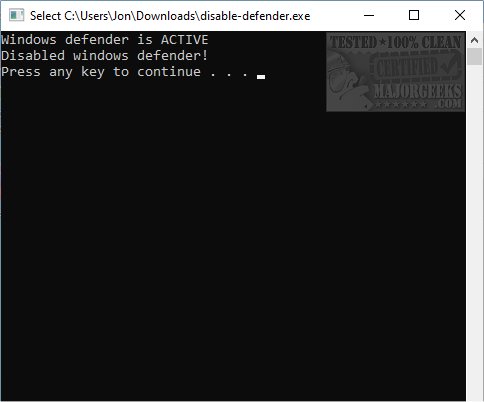
Defender Control 2.0 is a newly released portable application designed to deactivate Windows Defender without the necessity of installing a third-party antivirus program. This tool streamlines the process of disabling Windows Defender, making it user-friendly for occasions when users need to temporarily turn off the antivirus, such as when running specific software that may conflict with it.
In addition to its ease of use, Defender Control can quickly restore protection by executing an enable command. The application operates with TrustedInstaller permissions, allowing it to disable Windows Defender services, SmartScreen, anti-tamper protection, and necessary registry and WMI settings effectively.
While using Defender Control can be convenient, it is crucial for users to maintain an updated antivirus solution on their devices to ensure ongoing protection against potential threats. Users should also be aware of the implications of disabling Windows Defender, as it can leave their systems vulnerable during that period.
Furthermore, the release notes highlight similar resources for managing Windows Defender, such as instructions for enabling real-time protection, restoring default firewall settings, and adjusting notification settings within the Windows Defender Security Center.
Overall, Defender Control 2.0 enhances user experience by providing a straightforward solution for managing Windows Defender, while ensuring that users remain informed about their security settings
In addition to its ease of use, Defender Control can quickly restore protection by executing an enable command. The application operates with TrustedInstaller permissions, allowing it to disable Windows Defender services, SmartScreen, anti-tamper protection, and necessary registry and WMI settings effectively.
While using Defender Control can be convenient, it is crucial for users to maintain an updated antivirus solution on their devices to ensure ongoing protection against potential threats. Users should also be aware of the implications of disabling Windows Defender, as it can leave their systems vulnerable during that period.
Furthermore, the release notes highlight similar resources for managing Windows Defender, such as instructions for enabling real-time protection, restoring default firewall settings, and adjusting notification settings within the Windows Defender Security Center.
Overall, Defender Control 2.0 enhances user experience by providing a straightforward solution for managing Windows Defender, while ensuring that users remain informed about their security settings
Defender Control 2.0 released
Defender Control is a portable app capable of turning off Windows Defender without the need to install an antivirus.