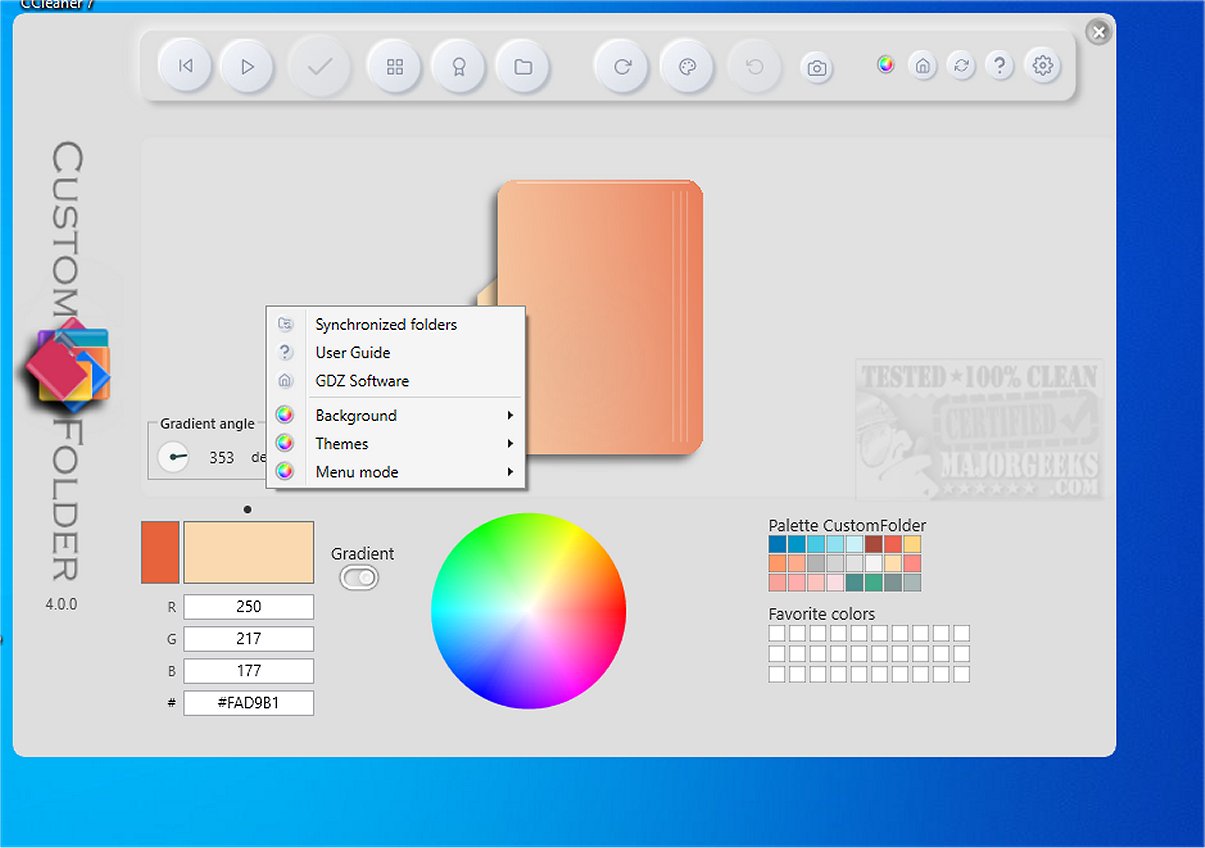
CustomFolder 4.0 has been released, providing users with a versatile tool to personalize their Windows folders through various colors, icons, and emblems. Notably, a portable version of the application is available, making it convenient for users who prefer not to install software directly on their systems.
This application offers a user-friendly interface, allowing users to easily navigate through its features and options. It is recommended to complete the tutorial to fully understand the functionalities available. Once familiarized, users can start customizing their folders according to their preferences, utilizing an attractive array of color options and emblem collections found in the top left corner of the interface.
CustomFolder enhances file organization and accessibility, making it easy to identify folders at a glance. Users can apply themes with a single click, switch between them, or even incorporate personal images for a more customized look.
Key Features of CustomFolder Include:
- Creation of icons with unique emblems.
- Three predetermined icons available for coloring.
- Ability to add up to nine emblems per icon.
- Option to rotate icons according to templates.
- Unlimited personal icons can be added.
- Folder Panel feature allows for applying designs to multiple folders simultaneously.
- Drag-and-drop functionality for folders and images.
- Over 60 emblems included in the package.
- Customizable icon previews with background color options.
- Selection from 16.7 million colors for icon customization.
- Five distinct color palettes and 30 slots for storing custom colors.
In addition to folder customization, CustomFolder allows users to experiment with various design elements, making it a valuable tool for anyone who frequently utilizes File Explorer.
Conclusion and Future Outlook:
With its broad array of features and customization capabilities, CustomFolder is poised to become an essential utility for users looking to enhance their Windows experience. As digital organization becomes increasingly important, tools like CustomFolder will continue to evolve, offering even more innovative ways to personalize and streamline user workflows.
Potential future updates may include enhanced sharing options for custom designs, additional icon and emblem libraries, and improved integration with other Windows features for a seamless user experience
This application offers a user-friendly interface, allowing users to easily navigate through its features and options. It is recommended to complete the tutorial to fully understand the functionalities available. Once familiarized, users can start customizing their folders according to their preferences, utilizing an attractive array of color options and emblem collections found in the top left corner of the interface.
CustomFolder enhances file organization and accessibility, making it easy to identify folders at a glance. Users can apply themes with a single click, switch between them, or even incorporate personal images for a more customized look.
Key Features of CustomFolder Include:
- Creation of icons with unique emblems.
- Three predetermined icons available for coloring.
- Ability to add up to nine emblems per icon.
- Option to rotate icons according to templates.
- Unlimited personal icons can be added.
- Folder Panel feature allows for applying designs to multiple folders simultaneously.
- Drag-and-drop functionality for folders and images.
- Over 60 emblems included in the package.
- Customizable icon previews with background color options.
- Selection from 16.7 million colors for icon customization.
- Five distinct color palettes and 30 slots for storing custom colors.
In addition to folder customization, CustomFolder allows users to experiment with various design elements, making it a valuable tool for anyone who frequently utilizes File Explorer.
Conclusion and Future Outlook:
With its broad array of features and customization capabilities, CustomFolder is poised to become an essential utility for users looking to enhance their Windows experience. As digital organization becomes increasingly important, tools like CustomFolder will continue to evolve, offering even more innovative ways to personalize and streamline user workflows.
Potential future updates may include enhanced sharing options for custom designs, additional icon and emblem libraries, and improved integration with other Windows features for a seamless user experience
CustomFolder 4.0 released
CustomFolder allows you to customize your Windows folders with different colors, icons, and emblems. A portable option is available.