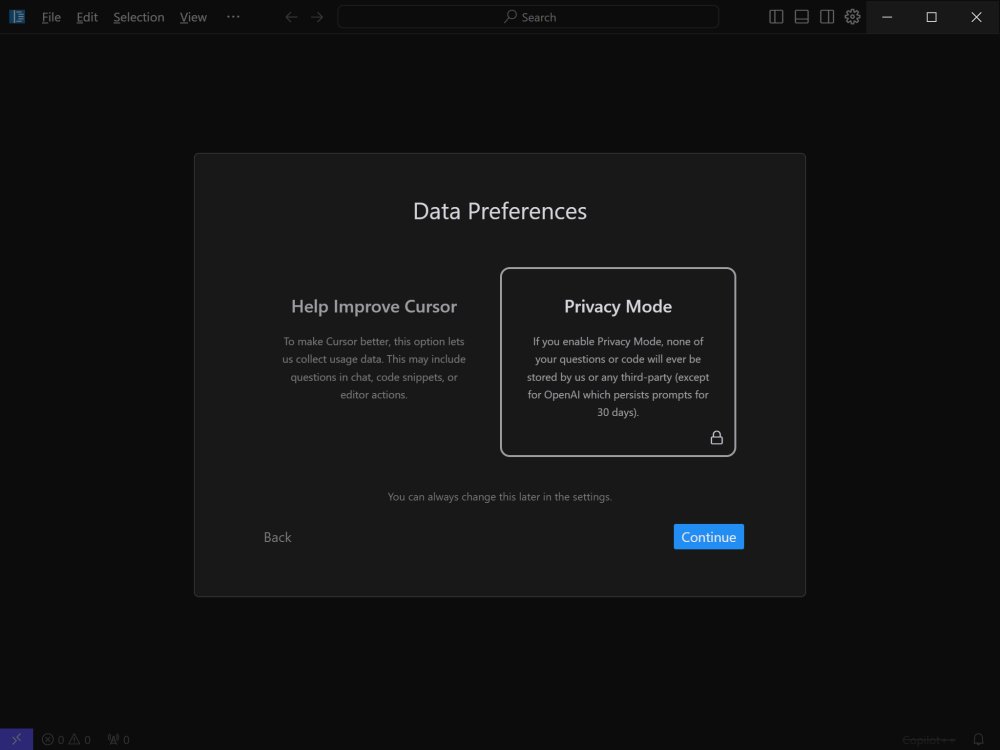
Cursor, an innovative AI-powered integrated development environment (IDE), was recently updated to version 3.5.33. Designed with a bottom-up approach, Cursor aims to accelerate software development by leveraging artificial intelligence. This code editor is tailored for intermediate to professional coders, offering features that significantly enhance coding efficiency.
Key features of Cursor include:
1. Smart Code Suggestions and Auto-Completion: The AI understands project context to provide relevant coding suggestions, reducing errors and speeding up the coding process.
2. Automatic Code Generation and Fixes: Users can generate new code or fix existing issues simply by giving Cursor instructions.
3. In-Editor Chat: A real-time chat feature allows users to ask questions about their codebase, offering instant assistance and precise references.
4. Seamless Integration: Cursor is compatible with all popular VSCode extensions, themes, and keybindings, making it easy for users to transition.
5. Enhanced Debugging: It efficiently identifies error sources by analyzing stack traces, streamlining the debugging process.
6. Local Mode for Privacy: This feature ensures user data remains private, with no data stored on external servers.
7. Blazing-Fast Performance: Cursor operates up to three times faster than OpenAI's API, maximizing productivity.
8. Supported Languages: A wide range of programming languages, including Python, JavaScript, and C++, are supported, making the IDE versatile.
Cursor offers both Free and Pro plans to cater to different user needs. The Free version includes basic AI assistance with limitations on monthly completions, while the Pro Plan, priced at $20 per month (or $16 with annual billing), grants unlimited completions and access to advanced AI models, including GPT-4. Pro users also benefit from enhanced features such as intelligent code modification and extensive codebase analysis.
Extended Insights
With its comprehensive capabilities, Cursor not only enhances the individual coder's productivity but also fosters collaboration among development teams. The in-editor chat feature can be particularly beneficial for team members working on shared codebases, as it allows for immediate clarification on coding queries, which can ultimately reduce downtime and improve overall efficiency.
Moreover, as the demand for more integrated and intelligent coding tools rises, Cursor positions itself as a leader in the AI-driven IDE market. The continuous improvements and updates suggest a commitment to adapting to user needs and technological advancements, ensuring that Cursor remains relevant and effective for modern coding challenges.
As AI continues to evolve, the potential for Cursor to incorporate even more advanced features—such as predictive coding, enhanced machine learning capabilities, or even better integration with cloud-based services—could further transform the development landscape. The focus on user privacy with local mode also aligns with growing concerns about data security, making Cursor a responsible choice for developers working on sensitive projects.
In conclusion, Cursor 3.5.33 represents a significant leap forward in coding tools, merging efficiency with user-centric design, making it a compelling choice for professional developers looking to enhance their coding experience
Key features of Cursor include:
1. Smart Code Suggestions and Auto-Completion: The AI understands project context to provide relevant coding suggestions, reducing errors and speeding up the coding process.
2. Automatic Code Generation and Fixes: Users can generate new code or fix existing issues simply by giving Cursor instructions.
3. In-Editor Chat: A real-time chat feature allows users to ask questions about their codebase, offering instant assistance and precise references.
4. Seamless Integration: Cursor is compatible with all popular VSCode extensions, themes, and keybindings, making it easy for users to transition.
5. Enhanced Debugging: It efficiently identifies error sources by analyzing stack traces, streamlining the debugging process.
6. Local Mode for Privacy: This feature ensures user data remains private, with no data stored on external servers.
7. Blazing-Fast Performance: Cursor operates up to three times faster than OpenAI's API, maximizing productivity.
8. Supported Languages: A wide range of programming languages, including Python, JavaScript, and C++, are supported, making the IDE versatile.
Cursor offers both Free and Pro plans to cater to different user needs. The Free version includes basic AI assistance with limitations on monthly completions, while the Pro Plan, priced at $20 per month (or $16 with annual billing), grants unlimited completions and access to advanced AI models, including GPT-4. Pro users also benefit from enhanced features such as intelligent code modification and extensive codebase analysis.
Extended Insights
With its comprehensive capabilities, Cursor not only enhances the individual coder's productivity but also fosters collaboration among development teams. The in-editor chat feature can be particularly beneficial for team members working on shared codebases, as it allows for immediate clarification on coding queries, which can ultimately reduce downtime and improve overall efficiency.
Moreover, as the demand for more integrated and intelligent coding tools rises, Cursor positions itself as a leader in the AI-driven IDE market. The continuous improvements and updates suggest a commitment to adapting to user needs and technological advancements, ensuring that Cursor remains relevant and effective for modern coding challenges.
As AI continues to evolve, the potential for Cursor to incorporate even more advanced features—such as predictive coding, enhanced machine learning capabilities, or even better integration with cloud-based services—could further transform the development landscape. The focus on user privacy with local mode also aligns with growing concerns about data security, making Cursor a responsible choice for developers working on sensitive projects.
In conclusion, Cursor 3.5.33 represents a significant leap forward in coding tools, merging efficiency with user-centric design, making it a compelling choice for professional developers looking to enhance their coding experience
Cursor 3.5.33 released
Cursor is bottom-up designed with the goal of creating an integrated development environment to build software faster using AI.