BandiView 7.27 has been released, marking it as a high-speed image viewer that caters to a broad spectrum of popular image formats. This software allows users to view images directly from ZIP or RAR archives without the need for extraction, enhancing convenience in image management by enabling quick copying or moving of images to preferred folders. A notable feature of BandiView is its ability to display GPS data embedded in images, allowing users to view locations on Google Maps with a simple click.
In addition to its core functionalities, BandiView includes various handy tools such as display filters and effects, an EXIF overlay, optional context menu integration, and a customizable interface. As the successor to Honeyview, BandiView maintains the original's speed and ease of use while introducing several enhancements. It supports the display of multiple images in a vertical flow, making it particularly useful for storytelling through images. The software also accommodates RAW files from cameras, professional graphics formats like Clip Studio Paint, and HEIC files from iPhones.
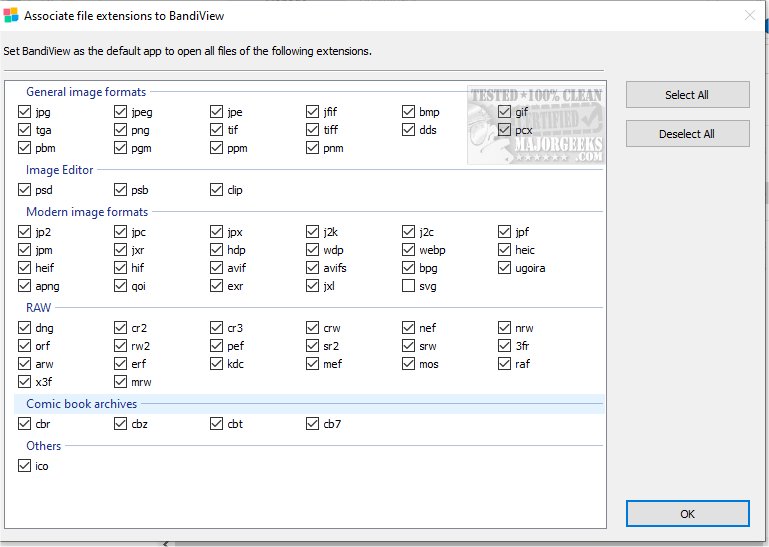
BandiView supports an extensive list of image formats, including BMP, JPG, GIF, PNG, PSD, DDS, JXR, WebP, J2K, JP2, TGA, TIFF, and many more, including recent formats like AVIF and JXL. Additionally, it can convert multiple images to different formats or sizes simultaneously, boasting processing speeds up to 10 times faster than conventional converters, all achievable with just a few clicks.
Furthermore, BandiView aims to enhance user experience by continuously updating its features and supporting the latest image formats. For users seeking a reliable and efficient image viewing solution, BandiView 7.27 stands out as a versatile tool, seamlessly combining speed with comprehensive functionality.
In conclusion, BandiView not only streamlines image viewing and management but also positions itself as a robust alternative in the realm of image viewers, with ongoing developments to meet evolving user needs
In addition to its core functionalities, BandiView includes various handy tools such as display filters and effects, an EXIF overlay, optional context menu integration, and a customizable interface. As the successor to Honeyview, BandiView maintains the original's speed and ease of use while introducing several enhancements. It supports the display of multiple images in a vertical flow, making it particularly useful for storytelling through images. The software also accommodates RAW files from cameras, professional graphics formats like Clip Studio Paint, and HEIC files from iPhones.
BandiView supports an extensive list of image formats, including BMP, JPG, GIF, PNG, PSD, DDS, JXR, WebP, J2K, JP2, TGA, TIFF, and many more, including recent formats like AVIF and JXL. Additionally, it can convert multiple images to different formats or sizes simultaneously, boasting processing speeds up to 10 times faster than conventional converters, all achievable with just a few clicks.
Furthermore, BandiView aims to enhance user experience by continuously updating its features and supporting the latest image formats. For users seeking a reliable and efficient image viewing solution, BandiView 7.27 stands out as a versatile tool, seamlessly combining speed with comprehensive functionality.
In conclusion, BandiView not only streamlines image viewing and management but also positions itself as a robust alternative in the realm of image viewers, with ongoing developments to meet evolving user needs
BandiView 7.27 released
BandiView is designed as a high-speed image viewer that supports a wide range of popular image formats.