Cursor has launched its latest version, 3.1.10, designed to revolutionize the coding experience with its AI-driven capabilities. This integrated development environment (IDE) is tailored for intermediate and professional developers looking to enhance their programming efficiency and effectiveness.
Key Features of Cursor:
1. Smart Code Suggestions and Auto-Completion: Leveraging advanced AI, Cursor comprehensively understands your project context, delivering intelligent code suggestions and auto-completions that minimize errors and accelerate coding.
2. Automatic Code Generation and Fixes: Cursor simplifies the coding process by generating code from basic prompts or correcting lint errors, making it a powerful tool for developers looking to streamline their workflows.
3. In-Editor Chat: The real-time chat feature allows users to inquire about specific code segments, receive accurate answers, and navigate their repositories with ease.
4. Seamless Integration with VSCode: For those transitioning from Visual Studio Code, Cursor maintains compatibility with popular extensions, themes, and keybindings, facilitating an effortless user experience.
5. Enhanced Debugging: Cursor’s advanced debugging system captures stack traces and pinpoints errors, significantly reducing the time spent troubleshooting.
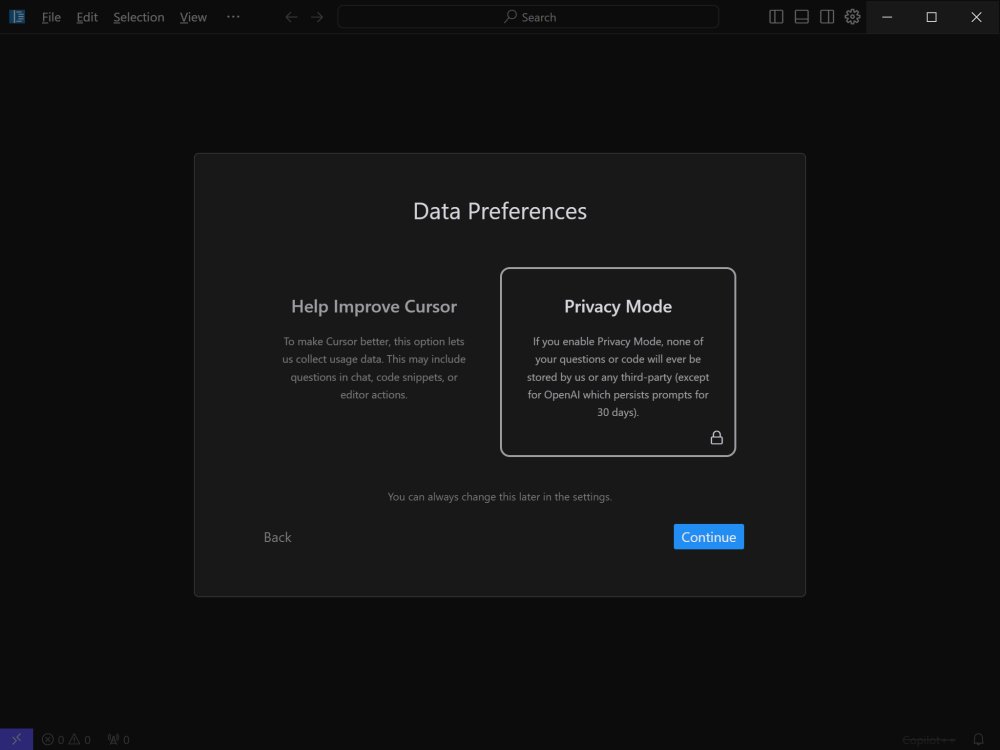
6. Local Mode for Privacy: Developers can work securely with Cursor's local mode, which ensures that none of their code is stored on external servers, safeguarding sensitive projects.
7. Blazing-Fast Performance: Powered by GPT-4, Cursor operates up to three times faster than direct API usage, enhancing productivity without lag.
8. Wide Language Support: Cursor supports multiple programming languages, including Python, JavaScript, TypeScript, Java, C++, Ruby, and Go, making it adaptable for diverse coding tasks.
Pricing Plans:
Cursor offers both Free and Pro subscription options. The Free plan is suitable for hobbyist and mid-level developers, providing basic AI assistance, 2,000 monthly completions, and limited access to GPT-3.5. In contrast, the Pro plan, available for $20 per month (or $16 with an annual commitment), grants unlimited completions, faster premium requests, and access to advanced models like GPT-4 and Claude 3.5 Opus. Pro users also benefit from enhanced features like Copilot++, which intelligently modifies surrounding code and analyzes entire codebases for improved suggestions.
Conclusion:
Cursor is not just another code editor; it's an AI-powered coding partner that promises to change the way developers approach their work. With its robust set of features and seamless integration with existing tools, Cursor is positioned as an essential IDE for those seeking to elevate their coding practices. Whether for large-scale applications or enhancing everyday coding efficiency, Cursor is a tool worth exploring for any serious developer.
Future Directions:
As Cursor continues to evolve, future updates may include even more advanced AI capabilities, integrations with additional coding tools, and expanded support for emerging programming languages. As the demand for efficient coding solutions grows, Cursor's commitment to innovation will likely keep it at the forefront of the coding landscape
Key Features of Cursor:
1. Smart Code Suggestions and Auto-Completion: Leveraging advanced AI, Cursor comprehensively understands your project context, delivering intelligent code suggestions and auto-completions that minimize errors and accelerate coding.
2. Automatic Code Generation and Fixes: Cursor simplifies the coding process by generating code from basic prompts or correcting lint errors, making it a powerful tool for developers looking to streamline their workflows.
3. In-Editor Chat: The real-time chat feature allows users to inquire about specific code segments, receive accurate answers, and navigate their repositories with ease.
4. Seamless Integration with VSCode: For those transitioning from Visual Studio Code, Cursor maintains compatibility with popular extensions, themes, and keybindings, facilitating an effortless user experience.
5. Enhanced Debugging: Cursor’s advanced debugging system captures stack traces and pinpoints errors, significantly reducing the time spent troubleshooting.
6. Local Mode for Privacy: Developers can work securely with Cursor's local mode, which ensures that none of their code is stored on external servers, safeguarding sensitive projects.
7. Blazing-Fast Performance: Powered by GPT-4, Cursor operates up to three times faster than direct API usage, enhancing productivity without lag.
8. Wide Language Support: Cursor supports multiple programming languages, including Python, JavaScript, TypeScript, Java, C++, Ruby, and Go, making it adaptable for diverse coding tasks.
Pricing Plans:
Cursor offers both Free and Pro subscription options. The Free plan is suitable for hobbyist and mid-level developers, providing basic AI assistance, 2,000 monthly completions, and limited access to GPT-3.5. In contrast, the Pro plan, available for $20 per month (or $16 with an annual commitment), grants unlimited completions, faster premium requests, and access to advanced models like GPT-4 and Claude 3.5 Opus. Pro users also benefit from enhanced features like Copilot++, which intelligently modifies surrounding code and analyzes entire codebases for improved suggestions.
Conclusion:
Cursor is not just another code editor; it's an AI-powered coding partner that promises to change the way developers approach their work. With its robust set of features and seamless integration with existing tools, Cursor is positioned as an essential IDE for those seeking to elevate their coding practices. Whether for large-scale applications or enhancing everyday coding efficiency, Cursor is a tool worth exploring for any serious developer.
Future Directions:
As Cursor continues to evolve, future updates may include even more advanced AI capabilities, integrations with additional coding tools, and expanded support for emerging programming languages. As the demand for efficient coding solutions grows, Cursor's commitment to innovation will likely keep it at the forefront of the coding landscape
Cursor 3.1.10 released
Cursor is bottom-up designed with the goal of creating an integrated development environment to build software faster using AI.