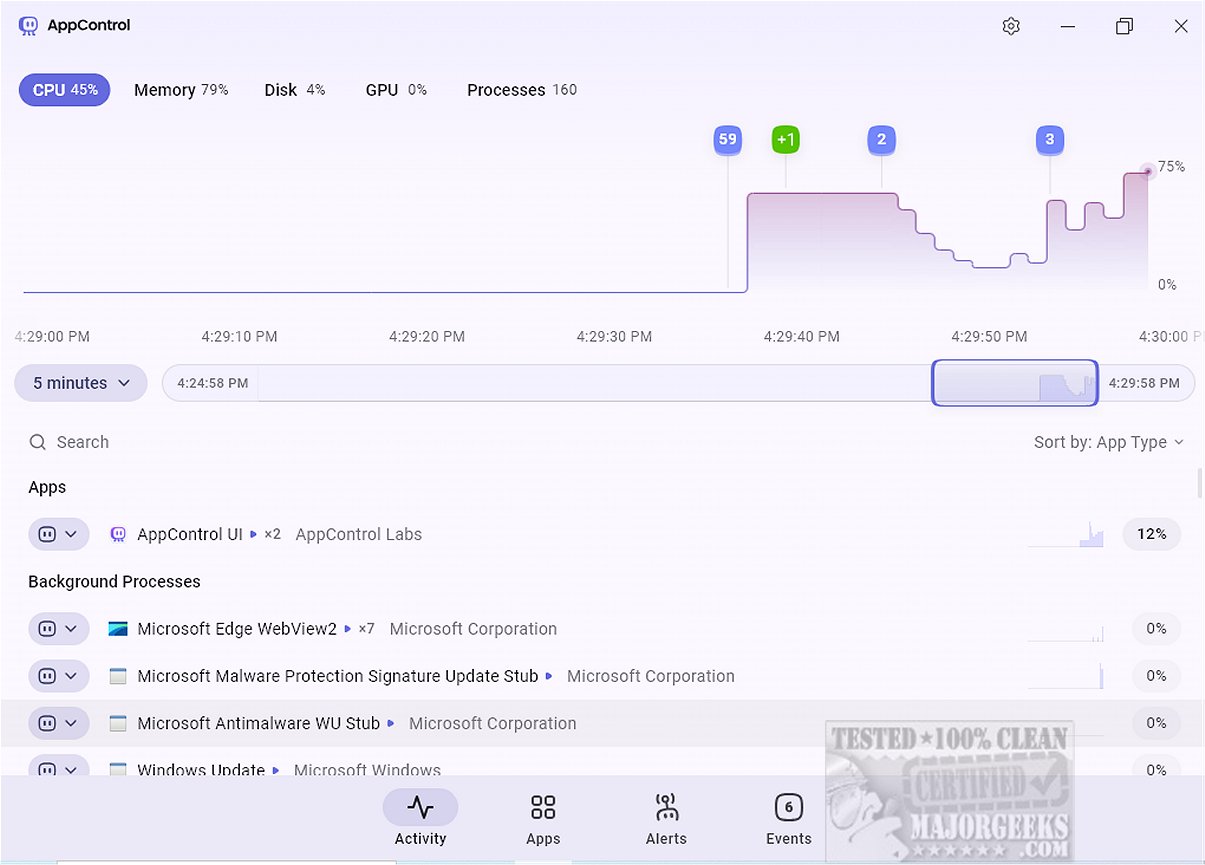
AppControl has recently released version 1.2.0.282b, enhancing its offerings as a robust system monitoring tool. This software provides users with an intuitive interface that simplifies the tracking of resource usage over time, including CPU, GPU, memory, disk usage, and temperatures. A standout feature is the historical timeline that visually presents this data, making it easier to identify spikes in resource consumption and understand the events leading to them, thus aiding in troubleshooting efforts.
The user-friendly, modern interface allows for seamless navigation through a scrollable timeline that captures resource usage and events from the past three days. Users can access a comprehensive list of running applications and processes, similar to the traditional Task Manager. However, while AppControl allows users to terminate or disable processes, it does not yet support suspending individual browser tabs.
One of the most significant features of AppControl is its focus on privacy-related events. The 'Apps' tab keeps track of running applications and emphasizes privacy settings concerning hardware resource access, such as the camera or microphone. Users can set custom alerts for critical privacy events, enhancing their control over personal data.
The 'Events' tab offers a detailed overview of actions taken by running processes, enabling users to monitor when applications are launched or updated and when hardware components are accessed. Despite its strengths, AppControl does have limitations. It lacks options to restart Windows Explorer or initiate new processes, and it does not display running services or startup applications, which could improve its functionality.
In conclusion, AppControl positions itself as a powerful alternative to the conventional Task Manager, offering a suite of features beneficial for power users. It enables real-time and historical resource monitoring, customizable alerts, and event tracking, which provide deeper insights into system performance and activity. With access to a dedicated help section for users, AppControl aims to enhance the overall computing experience by giving users comprehensive control over their device's resources.
Future Enhancements: To further improve AppControl's utility, future updates could consider integrating features such as process suspension, enhanced service management, and direct process initiation capabilities. Additionally, expanding its privacy monitoring features to include more customizable options could further empower users in managing their data security
The user-friendly, modern interface allows for seamless navigation through a scrollable timeline that captures resource usage and events from the past three days. Users can access a comprehensive list of running applications and processes, similar to the traditional Task Manager. However, while AppControl allows users to terminate or disable processes, it does not yet support suspending individual browser tabs.
One of the most significant features of AppControl is its focus on privacy-related events. The 'Apps' tab keeps track of running applications and emphasizes privacy settings concerning hardware resource access, such as the camera or microphone. Users can set custom alerts for critical privacy events, enhancing their control over personal data.
The 'Events' tab offers a detailed overview of actions taken by running processes, enabling users to monitor when applications are launched or updated and when hardware components are accessed. Despite its strengths, AppControl does have limitations. It lacks options to restart Windows Explorer or initiate new processes, and it does not display running services or startup applications, which could improve its functionality.
In conclusion, AppControl positions itself as a powerful alternative to the conventional Task Manager, offering a suite of features beneficial for power users. It enables real-time and historical resource monitoring, customizable alerts, and event tracking, which provide deeper insights into system performance and activity. With access to a dedicated help section for users, AppControl aims to enhance the overall computing experience by giving users comprehensive control over their device's resources.
Future Enhancements: To further improve AppControl's utility, future updates could consider integrating features such as process suspension, enhanced service management, and direct process initiation capabilities. Additionally, expanding its privacy monitoring features to include more customizable options could further empower users in managing their data security
AppControl 1.2.0.282b released
AppControl offers a comprehensive system monitoring tool that provides users with an intuitive way to track resource usage over time.