CopyQ 16.0.0 has been released, enhancing its capabilities as an Open Source clipboard manager. This software offers a comprehensive solution for managing clipboard history, featuring a searchable and editable interface, along with support for various image formats and command-line control. During installation, users can select from a variety of plugins tailored to their needs, including options for highlighting, notes, encryption, and more. While these plugins are lightweight, it’s advisable to only install those that will be utilized, as adding or removing them post-installation is not straightforward.
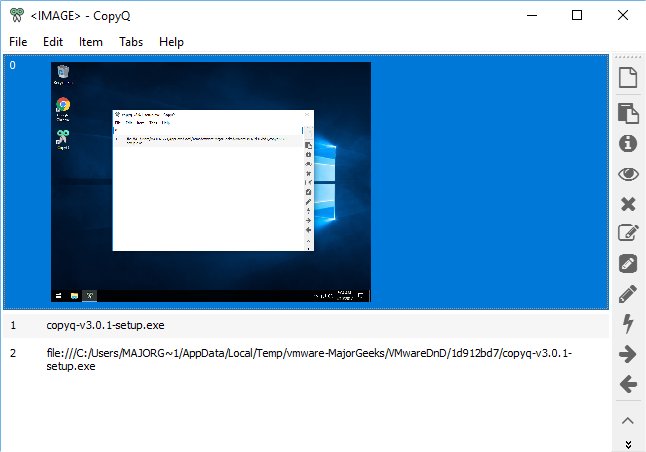
Once installed, CopyQ operates quietly in the system tray, offering seamless access when needed. It effectively captures all clipboard data, including text, links, and images. The user interface includes easy-to-use buttons for managing clipboard items, allowing users to view content, preview, delete, or edit entries with a range of editing tools such as font styles and formatting options.
While there are some minor quirks—such as the navigation back to the main interface after editing an item and the peculiar behavior when deleting items—these issues do not significantly detract from the overall functionality. The application provides extensive clipboard management capabilities, surpassing the limitations of standard clipboard features that typically retain only the last copied item.
In addition to its core features, CopyQ represents a powerful tool for users who require advanced clipboard management, making it a valuable addition to productivity software. With continued improvements and updates, CopyQ remains a leading option for those looking to enhance their clipboard functionality.
To further explore the potential of CopyQ, users can consider its various plugins and how they can best serve their individual workflows, as well as keep an eye on future updates for improvements and new features that could enhance the user experience even more
Once installed, CopyQ operates quietly in the system tray, offering seamless access when needed. It effectively captures all clipboard data, including text, links, and images. The user interface includes easy-to-use buttons for managing clipboard items, allowing users to view content, preview, delete, or edit entries with a range of editing tools such as font styles and formatting options.
While there are some minor quirks—such as the navigation back to the main interface after editing an item and the peculiar behavior when deleting items—these issues do not significantly detract from the overall functionality. The application provides extensive clipboard management capabilities, surpassing the limitations of standard clipboard features that typically retain only the last copied item.
In addition to its core features, CopyQ represents a powerful tool for users who require advanced clipboard management, making it a valuable addition to productivity software. With continued improvements and updates, CopyQ remains a leading option for those looking to enhance their clipboard functionality.
To further explore the potential of CopyQ, users can consider its various plugins and how they can best serve their individual workflows, as well as keep an eye on future updates for improvements and new features that could enhance the user experience even more
CopyQ 16.0.0 released
CopyQ is an Open Source clipboard manager with searchable and editable history plus support for image formats, command-line control and more.