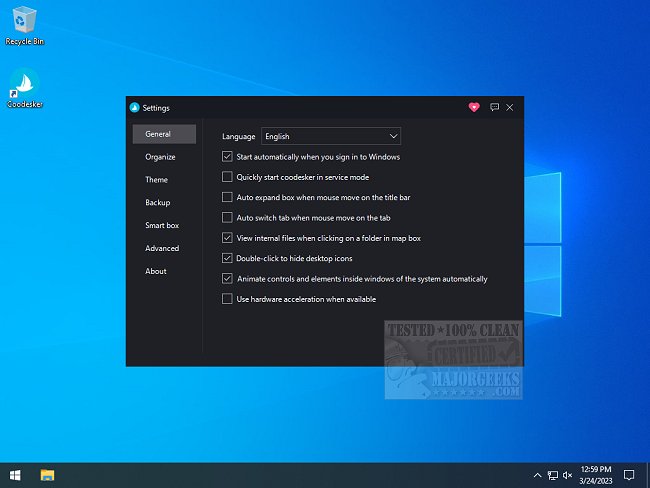
Coodesker 1.1.1.1 has been released, offering users a streamlined way to manage their desktop items by organizing them into customizable boxes. This innovative tool not only allows users to manually arrange their desktop items but also features an "Organize Desktop" option that automatically sorts and organizes items for optimal accessibility.
Once items are placed in boxes, users can choose between large or small displays, name each box, or disband it to return items to a free-range state. The settings menu is designed for efficiency, providing options like starting with Windows, enabling service mode, and utilizing hardware acceleration. Each box is adjustable in size to fit various contents, and users have the option to personalize their experience by changing themes or adding background images.
Coodesker also includes a backup feature for saving preferred layouts, ensuring that users can easily restore their setups as needed. A comprehensive usage guide is available on the author's website, making it user-friendly for those who may have many items cluttering their desktop. This tool is particularly beneficial for users looking to declutter their workspace and increase productivity.
Additionally, Coodesker complements other desktop management functionalities, such as showing or hiding icons in Windows 10 & 11, creating shortcuts for desktop visibility, and toggling the desktop background image. As digital organization becomes increasingly important, tools like Coodesker serve as valuable assets for maintaining a clean and efficient working environment.
In the future, enhancements could include more advanced sorting algorithms, integration with cloud storage for layout syncing, or even collaborative features allowing multiple users to manage shared desktops effectively
Once items are placed in boxes, users can choose between large or small displays, name each box, or disband it to return items to a free-range state. The settings menu is designed for efficiency, providing options like starting with Windows, enabling service mode, and utilizing hardware acceleration. Each box is adjustable in size to fit various contents, and users have the option to personalize their experience by changing themes or adding background images.
Coodesker also includes a backup feature for saving preferred layouts, ensuring that users can easily restore their setups as needed. A comprehensive usage guide is available on the author's website, making it user-friendly for those who may have many items cluttering their desktop. This tool is particularly beneficial for users looking to declutter their workspace and increase productivity.
Additionally, Coodesker complements other desktop management functionalities, such as showing or hiding icons in Windows 10 & 11, creating shortcuts for desktop visibility, and toggling the desktop background image. As digital organization becomes increasingly important, tools like Coodesker serve as valuable assets for maintaining a clean and efficient working environment.
In the future, enhancements could include more advanced sorting algorithms, integration with cloud storage for layout syncing, or even collaborative features allowing multiple users to manage shared desktops effectively
Coodesker 1.1.1.1 released
Coodesker lets you organize all your desktop items into neat boxes.